

 Come together with the global Drupal community in Rotterdam, 28 Sept – 1 Oct 2026. Sessions, contribution, connection, and Early Bird savings until 8 June.
By hobbie on
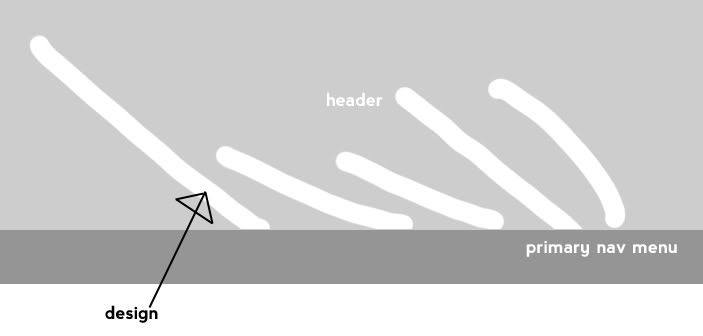
Hi I'm rather new to all this. I'm trying to create a theme and what I'm trying to do is have a different rollover image for each of my 5 primary links. I have already figured out how to separate each individual link and apply a rollover image to it but what I can't figure out if there is a way to make the rollover image appear outside the div tag and go just above it on top the header.
here is an example image of what I mean
http://i32.photobucket.com/albums/d17/xDAKx/example.jpg
When I attach the image to the link it only shows in the confines of the link. I know padding and margins show more but it is all restricted to the dimensions of the div tag.
If this helps I am trying to build it from the zen basic theme.
Any help would be great.
thanks.

Comments
Hi Hobbie,
Hi Hobbie, I think I know what you are after. You need to use Absolute / relative positioning to achieve this effect.
I just posted about an issue I'm having on my site with the primary nav in IE6. See thread: http://drupal.org/node/299624
You can see my website there which uses css rollovers. Not quite what you are after but similar enough.
I have had a few issues with this effect and MS browsers though.
FWIW I am using the Zen Theme, but I don't know if its neccessary for this effect.
Where are you stuck with this, like how far have you got?
basically all I've been able
basically all I've been able to do is separate each menu with its own unique id.
this is pretty much the code I've put in at the moment for the nav menu, I just don't know how to expand the rollover image without ruining my menu. I've got no idea how to get the rollover to appear outside the confines of the div tag and on top of the header.
Thanks for helping.
Just thinking actually I may be able to work my way around it and remove the header altogether and incorporate in the menu as one. But I'll have to try it after work.
thanks again.
Bit hard to say if this will work without seeing the website.
Its a bit hard to say if this will work or not without seeing the website.
However I would set for example:
#primary .menu-1-1-2-active a
{
position:absolute;
top: 20px <-- Values can vary
right: 30px <-- Values can vary
background-image: url(rohome.png);
}
That's for an absolute page co-ordinate if you want to position it relative to say your #header div.
You would use position:relative;
You should also specify a height and width of your element.
#primary .menu-1-1-2-active a
{
position:absolute;
top: 20px <-- Values can vary
right: 30px <-- Values can vary
height:30px; <-- Values can vary
width:40px; <-- Values can vary
background-image: url(rohome.png);
}
Do you use Firebug for Firefox? if not its a great tool as you can play with the page CSS values and see what affect they have live - no page refreshing etc..
Cheers,
Gavin.
Fire bug is great thanks for
Fire bug is great thanks for that.
There also is good and bad news. The good is that the images are showing up on the rollover and in the right co-ordinates, but the bad news is that when I hover over a link it moves that particular link to the top left hand corner and if another link is beside it then the header and menu links will just flicker back and forth between themselves.
There has to be a way to prevent the text menu moving from its original spot?
Thanks a bunch for your continued help mate.
Try setting your link states.
Try setting your link states.
I recently had a problem with IE6 only, turns out it was to do with my link order.
with image rollovers I've found it useful to set all of them. Make sure its in that order though as IE6 has problems with anything else.
LVHA or Love Hate.
Link
Visited
Hover
Active
a
a:visited
a:hover
a:active
Also have a read through this article as it may help
http://www.alistapart.com/articles/sprites
Finally if you need to look at how I've done it on www.vintagejdm.com , although its not perfect (still need to tidy my CSS) it seems t o work in all browsers including ie6.
PS: Glad I can help someone, very new to Drupal myself and have been sucking up knowledge, its good to pass some on.
Cheers,
Gavin.