

 Come together with the global Drupal community in Rotterdam, 28 Sept – 1 Oct 2026. Sessions, contribution, connection, and Early Bird savings until 8 June.
Hi,
it is great module, but how to use this module with imagefield?
thanks.
Richard
| Comment | File | Size | Author |
|---|---|---|---|
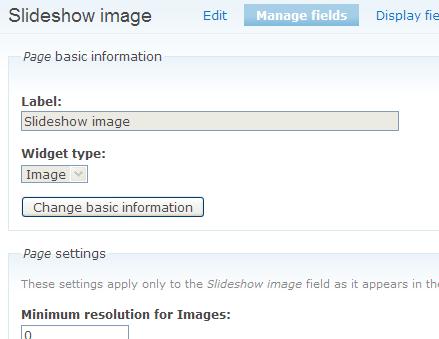
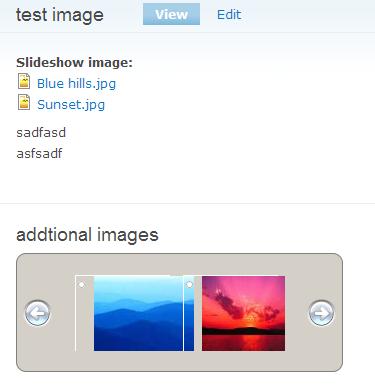
| #7 | setting.JPG | 26.29 KB | yang_yi_cn |
| #7 | cck.JPG | 18.34 KB | yang_yi_cn |
| #7 | node.JPG | 14.9 KB | yang_yi_cn |


Comments
Comment #1
yang_yi_cn commentedI've added support for the imagefield in the 6.x-1.1 version. Please try it. It is tested with the imagefield 6.x-3.0-alpha2 version
Comment #2
yang_yi_cn commentedComment #3
rimma commentednihao yi yang,
thanks for your reply.
I do will try it.
Comment #4
rimma commentedHi,
Just try it and can not make it work. error is "Imagefield is not set. Please do the setup at admin/settings/jcarousel_block " .
There are several things not clear,
First, "Go to http://sorgalla.com/jcarousel/ and download the latest version. Then
uncompress the contents of the "jcarousel" directory of the download file to
this folder (modules/jcarousel_block/jcarousel)." So do you mean the folder should like this "modules/jcarousel_block/jcarousel/jcarousel/lib"
Second, about fieldname your explanation is "The block with read the images from the field name inputted here and display them as the jcarousel sideshow. This field cannot be empty. It can be any type of cck image fields, e.g. imceimage, imagefield, filefield, etc. Currently only imceimage field supported" and field type"Put the cck image field type here, so the module knows how to setup the image path, width, height, etc., as the names of the fields can be different for imagefield, fieldfield, imcefield or any other. 'imceimage' by default,"
They are same ? or should be some thing like field_travel_images and imagefield?
anyway, I have tried different combination but no luck.
If you can explain it a little bit, it will be better.
By the way, If you have tested in your site, just give a demo and how to setup it. Thanks.
Thanks.
P.S. it is all about imagefield not imceimage.
Comment #5
yang_yi_cn commentedmaybe I didn't make it clear, the path after extracting should like
modules/jcarousel_block/jcarousel/lib
no need to repeat the jcarousel dir.
Comment #6
rimma commentedCould you give a configuration example?
Comment #7
yang_yi_cn commentedComment #8
rimma commentedThank you for your quick replying.
I got this error warning: Invalid argument supplied for foreach() .....sites/all/modules/jcarousel_block/jcarousel_block.module on line 194.
and no images show up. I notice that the thumbnail prefix configuration still use imceimage.
Comment #9
yang_yi_cn commentedfirst, about the error, because now it's showing on every page even if it's not a node. You can go to admin/build/block to configure it show only at listed pages: node/* . I probably should set that as default in later versions.
the imceimage thumbnail prefix is only for imce. for imagefield I call the imagefield_file_admin_thumb_path() function to get the thumb_path and it works at my test, as the picture shows.
Comment #10
Anonymous (not verified) commentedAutomatically closed -- issue fixed for two weeks with no activity.