Not until I run cron manually, I (as 'example user') don't get the emails I expect from my subscriptions after the entered period of time. I cannot find any possible reason for this in the log entries.
Once I run cron manually (e.g. on admin/reports/status), all the pending emails are sent out. In addition, I find new log entries:
one from Subscritions for each recipient, approximately: "Error when sending the notification to <user name> (<user's email address>)", although the user got the notification finally,
and one closing success message from Cron (with the same timestamp): "Subscriptions sent 0 single and 2 digest notifications in 0 of 235 available seconds; 0 queue items left.".
You know, it's quite dissatisfying to have to run cron manually every now and then...
BTW: I'm observing this problem since a couple of previous versions before beta2, only now some "fatal error" messages don't appear anymore (reported in some other issue).



Comments
Comment #1
salviscron is a service that you have to set up on your website outside of Drupal. It will periodically load cron.php, according to how you set it up.
This is not only outside of Subscriptions, but outside of Drupal, but I'm sure you can find helpful information in the same place with Drupal-1st-time-installation information, or with the instructions that come with your web hosting package.
Comment #2
Garnerin commentedSorry, I didn't mention that cron has been set up in my webserver environment (to load cron.php every minutes 5, 20, 35 and 50), and sure, I'm aware of the cron service being outside of Drupal and the way how to use it. And indeed, it runs with all of the currently activated features making use of it, e.g. sending notifications when new versions of contributed modules are available, fetching news feeds, and with others -- except with Subscriptions.
I'm taking the liberty of reopening this issue again, due to this misunderstanding. I'd be very glad if you had an idea why cron could fail in working with Subscriptions especially and in sending out the notifications.
Could there something be wrong with file access permissions on the server machine? Which files should be accessable in the Submissions directory?
Comment #3
salvisIf Subscriptions works in manual cron but not in real cron, then you have a weird set-up. For example something like multiple subdomains running on the same database and cron being called on the wrong subdomain.
If manual cron works, then automatic cron works as well, on a normal site.
The error messages that you reported originally are due to an error status returned by the drupal_mail() core function in _subscriptions_mail_send(). Subscriptions can't tell what's wrong with your site, it only gets a true or false back, but the problem is outside of Subscriptions.
Comment #4
eblues commentedI'm running 6.x-1.0-beta2. I don't have the problem with automatic cron. My subsription notices are being sent properly when cron runs automatically.
However, I am having the same problem regarding the error messages received in dblog after cron runs and the subsciption notices are sent. The email notifications do go out, but the "Error when sending the notification to ()" is posted for every user receiving subscription notices.
When the email function is used in other areas of my site, such as new user registration and the user contact form, there are no mail errors reported by drupal, so the error message does seem to be specifically related to the subscrption module.
Can you make any suggestions on how we can help track down the source of these error messages?
Comment #5
salvisThat is strange indeed. Maybe the other modules just don't check the return code of drupal_mail()...? Or your drupal_mail() doesn't like running during real cron...?
Just to be sure we talk about the same thing — this is the code (and the error message, the exact wording is a little different!):
drupal_mail() Returns TRUE if the mail was successfully accepted for delivery, FALSE otherwise.
Keep adding watchdog() calls in drupal_mail() and further down to narrow down the source of the error return code.
EDIT: "api" => "drupal_mail"
Comment #6
eblues commentedI'm not php savvy so a bit out of my element here, but here goes anyhow...
I'm looking in subscriptions_mail.module, hopefully that's the correct source of the code. The code you posted looks like 5.x code, the corresponding code from the 6.x-1.0-beta2 package is below.
The code is somewhat restructured for v6.x. The potentially significant differences I spot are:
1. $mail_success = api() in your post vs $mail_success = drupal_mail() in the packaged code. I'm guessing api() is just a holder, and that drupal_mail() is the correct code.
2. The drupal_mail(parameter list) is different between the two versions:
5.x = drupal_mail($mailkey, $to, $subject, $body, $from = NULL, $headers = array())
6.x = drupal_mail($module, $key, $to, $language, $params = array(), $from = NULL, $send = TRUE)
You don't per chance spot anything in the 6.x code that could be amiss?
To complicate things a bit, I'm using the SMTP Authentication Support module. If Garnerin also uses this module, perhaps it's the source of the problem.
Not knowing php, I'm not able to trace the error using your suggested method, unless it wouldn't be too complicated a process and you could lead me by the hand.
Perhaps someone else who's having the problem and is php capable will step in.
Comment #7
salvisAh, sorry, yes, D6. And the code says "drupal_mail", not "api" — an editing error.
drupal_mail() has indeed changed quite a bit between D5 and D6, but the call is correct. The return value has changed, too, and there may be a problem: it works on my test system as it stands, but the code is wrong. It should be:
Please try that.
Comment #8
eblues commentedSalvis, that took care of it, no more error messages!
I guess this thread kinda got hijacked away from it's primary support topic regarding the problem with auto cron runs. I'm not sure of the correct procedure, but this discussion should be re-titled to include a reference to the Subscriptions error messages in watchdog (dblog) when sending email notifications so that folks having that issue can find it.
thanks,
Herm
Comment #9
salvisGood, thanks. Committed to 6.x-1.x-dev, give it up to 12 hours to be repackaged.
Hopefully this will help the original issue, too, by removing error messages if they're bogus.
Comment #10
Garnerin commentedI don't know what it was on my website which made the notifications being sent from then on, either the change from PHP4 to PHP5 or that I managed to review and correct th cron job, both happening at the same time... However now, the notifications are sent from my site also. From my point of view, you may close this issue.
Comment #11
salvisGood, thanks for letting us know.
Comment #12
stevryn commentedI have same behavior using Drupal 5.10 & subscriptions 5.x-2.2
Comment #13
salvisThat would be a completely different problem. Open a new issue.
Comment #14
Anonymous (not verified) commentedAutomatically closed -- issue fixed for two weeks with no activity.
Comment #15
S.Siva commentedhi i am using Subscriptions 6x1.1 module, i have an issue for notification mail error. But when i tested in test server , it is sending mail, but i
followed the procedures the same in prodcution, it is throwing error. i don't know where i had done a mistake. I have enabled the cron in crontab.
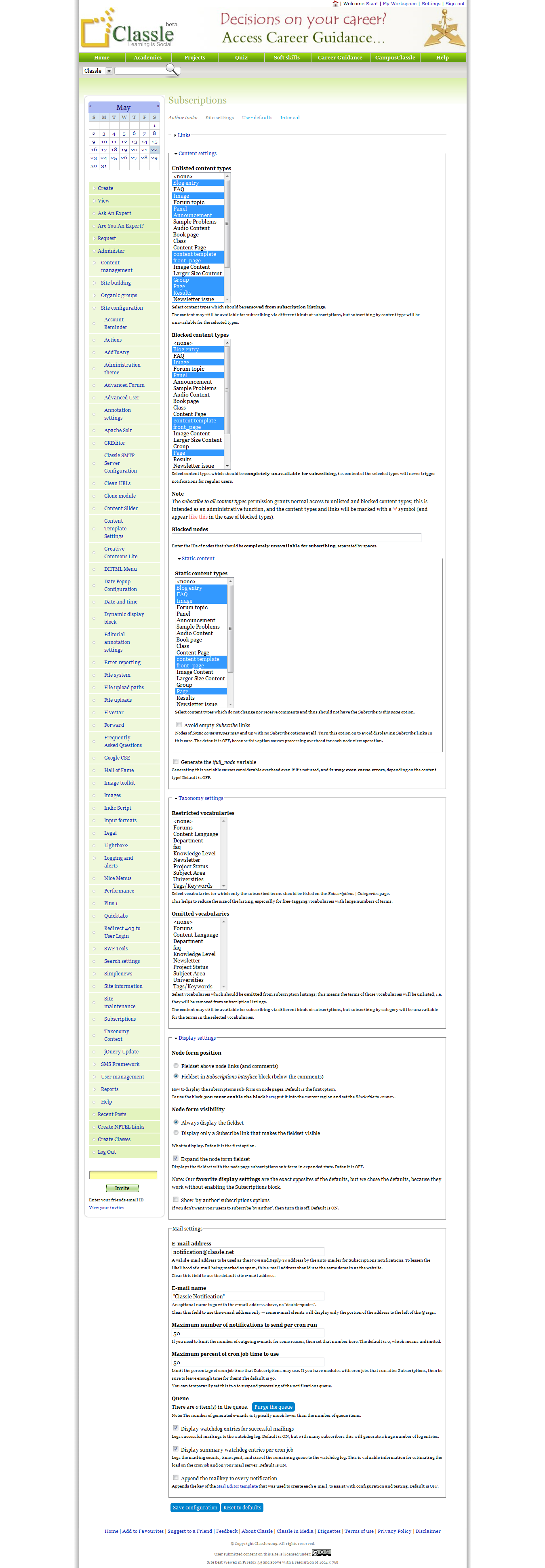
Here i have attached the permission and settings what i have done. Help me to find a solution.
Comment #16
salvisYou're using an old version of Subscriptions. I assume this has been running for a long time.
If mail suddenly stops working, you have to investigate what has changed between when it used to work and now. It's very unlikely that this is related to Subscriptions.
Comment #17
S.Siva commentedHi Salvis, i updated the subscription module . to 6.x.1.2. I followed the settings given in the documentation page. Still it is throwing error email
notification. I don't know how to fix it. I checked all the settings, i have also enabled smtp module.
Comment #18
salvisI don't know smtp module. Maybe disabling it would help?
It seems that "Error sending e-mail" is not being generated by Subscriptions but by some other component. The subsequent "error mailing notification" is only a consequence of the first error.
You need to fix the first error before it makes sense to investigate the second one.
Again, look into what you changed when the error first appeared.
Comment #19
salvis