

Closed (fixed)
Project:
KnowledgeTree integration
Version:
6.x-1.3
Component:
User interface
Priority:
Normal
Category:
Bug report
Assigned:
Unassigned
Reporter:
Created:
16 Sep 2008 at 23:27 UTC
Updated:
14 Jul 2012 at 19:37 UTC
Jump to comment: Most recent file






Comments
Comment #1
alexpottI normally set this to auto so that iframe expands to fit KnowledgeTree's content. However setting the height on the iframe should result in a fixed iframe so perhaps it's the drupal theme you're using which is stopping the iframe from having it's correct height. I will test the fixed height solution this evening with the default drupal theme and let you know how it goes.
Comment #2
jdenniss commentedCool, thank you. I was originally using the 'auto' setting, but it wasn't working. Then I started playing with explicit settings. I switched back to the default 'Garland' theme this morning, but I'm still only getting a couple hundred pixels in height on the KT iframe. [width setting seems to be working fine]
Comment #3
alexpottYou're right there's a bug there... basically unless the height is set to "auto" - all lower case it is ignored. I didn't get a chance to release a fixed version but will do asap...
Comment #4
jdenniss commentedI reset the value to 'auto' and am still getting the same results (very short frame). I look forward to the patch. good luck and thanks...
Comment #5
alexpottHi,
This is now fixed in the new release 6.x-1.2
Alex
Comment #6
Anonymous (not verified) commentedAutomatically closed -- issue fixed for two weeks with no activity.
Comment #7
abouillet commentedHello,
I'm using Knowledgetree 3.5.4, Drupal 6.6 and the updated KT Integration 6.x-1.3. In this scenario the problem is still there as described in the bug report. I just have a small frame showing the menu of Knowledgetree. When I force to use a scrollbar the height isn't changing. I hope that there is a bug fix to work around the problem, because I really like to use the KT integrated into Drupal.
Thanks in advance.
Greetings,
André
Comment #8
abouillet commentedComment #9
alexpottHi Abouillet,
Any chance I can have a look at the site to figure out what's going on?
Have you tried putting a value of "auto" in the height field?
Cheers,
Alex
Comment #10
abouillet commentedHello Alex,
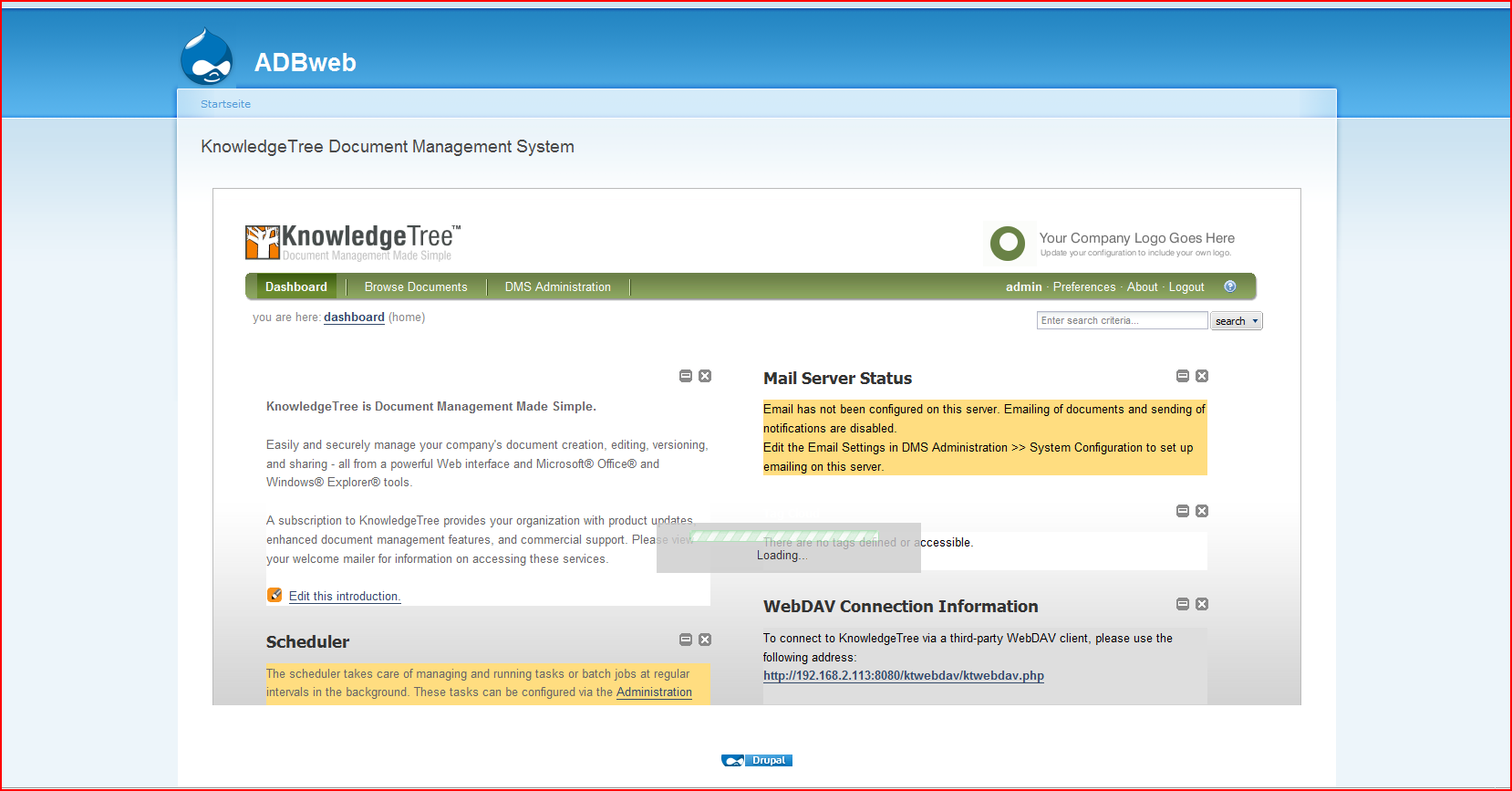
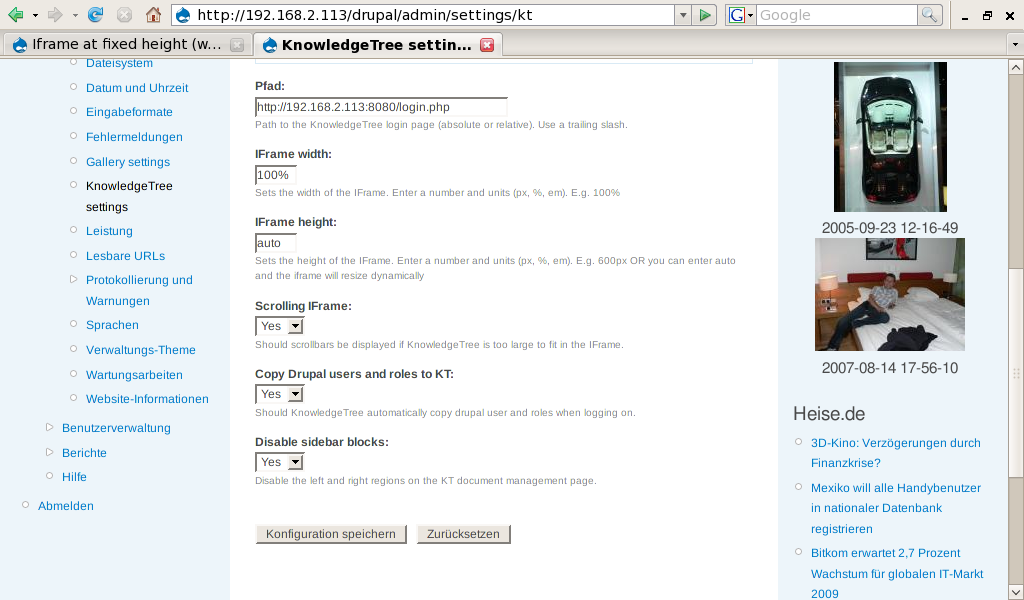
I have attached two files that show the settings and the integration view of knowledgetree in drupal. Sorry, but currently the site is just reachable in my intranet - I'm currently working on putting it to the internet. But perhaps the two screenshots will help you to narrow down the problem.
Additionaly here are some infos about my configuration:
CentOS 5.2
PHP 5.1.6 (perhaps this is the problem???)
Apache 2.2.3
Regards,
André
Comment #11
alexpottHi Andre,
I've just retested the drupal 6 release and it seems to be working perfectly for both "auto" and a pixel based height like "600px".
Are you still having this problem?
Cheers,
Alex
Comment #12
abouillet commentedHi Alex,
I still have this issue (also after updating to drupal 6.8).
What is a little bit strange is that the "loading" window will never disappear. I attached another screenshot below that shows this problem (height set to 600px - auto shows the same behaviour as in my previous post). Perhaps I can help you with some debug outputs - if you send me some hints, where to look for it.
Cheers,
Andre
Comment #13
alexpottHi Andre,
Does Knowledge tree load correctly if you navigate straight to it and not go through Drupal and the iframe?
It looks like something is not working on the knowledge tree side - any javascript errors?
Regards,
Alex
Comment #14
abouillet commentedHello Alex,
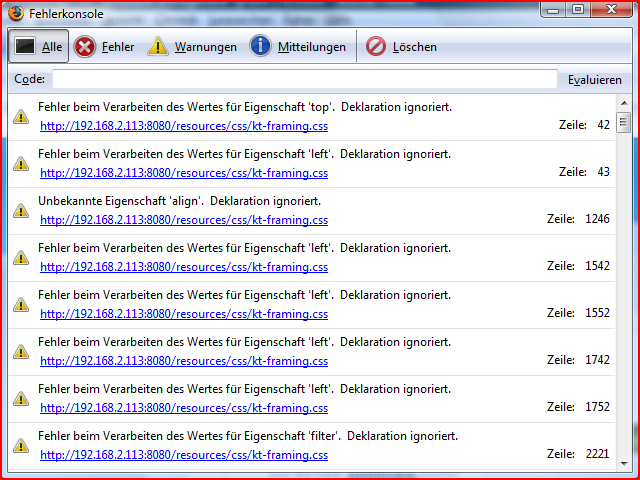
when not starting through Drupal, Knowledgetree starts correctly - and it don't throws any javascript errors. But when starting with Drupal through the iframes I get several different warnings / errors:
The first warning is:
Warnung: Fehler beim Verarbeiten des Wertes für Eigenschaft 'top'. Deklaration ignoriert.
Quelldatei: http://192.168.2.113:8080/resources/css/kt-framing.css
Zeile: 42
One error occurs:
Fehler: boxHeight is undefined
Quelldatei: http://192.168.2.113:8080/thirdpartyjs/curvycorners/rounded_corners.inc.js
Zeile: 125
And multiple times the following warning (with different line locations):
Warnung: Unbekannte Eigenschaft 'zoom'. Deklaration ignoriert.
Quelldatei: http://192.168.2.113:8080/thirdpartyjs/extjs/resources/css/ext-all.css
Zeile: 898
I will try to export all warnings and attach them to this thread.
Greetings,
Andre
Comment #15
abouillet commentedHello Alex,
I have attached some screenshots of some of the warnings (not all) and the error message when I try to load KnowledgeTree in Drupal. Direct loading, as stated above, does not throw theses errors.
Kind regards,
Andre
Comment #16
alexpottHi Andre,
You need to stop the javascript error from occuring. This is because something is not working in the iframe with KnowledgeTree's use of ther curvycorner javascript function. If you removed the calls to the curvycorner functions in loader.js (in kt's resources folder) you should be okay.
Just comment out this code...
Regards,
Alex
Comment #17
alexpott