

 The 2026 Drupal Business Survey is open. Your response will help shape the future of the Drupal business ecosystem.
i am a beginner to drupal and have recently launched my site.
i am using drupal 5.10
i don hv any idea abt installing PHPBB.Got little bit confused with all those posts here
To my assumptions are correct,
to run phpbbforum i need
i)to download phpbbforum. i got it from http://vgb.org.ru/download
ii)downloaded phpbb3 from the official site.
placed PHPBB33 in webserver/apache/htdocs/drupal5.10/phpbb3
then i did as it told as my reference here in http://drupal.org/node/217369#comment-870844
WHEN i was about to copy functions.user.php as it was said before from the above link it displayed do i need to copy and replace the file as it was already there a file with the same name in weberver/apache/htdocs/drupal5.10/phpBB3/includes .and i replaced it.
then copied the phpbbforum to drupal/all/sites/modules/
then did i told.
then went to Administer->Site Configuration->phpBBforum settings
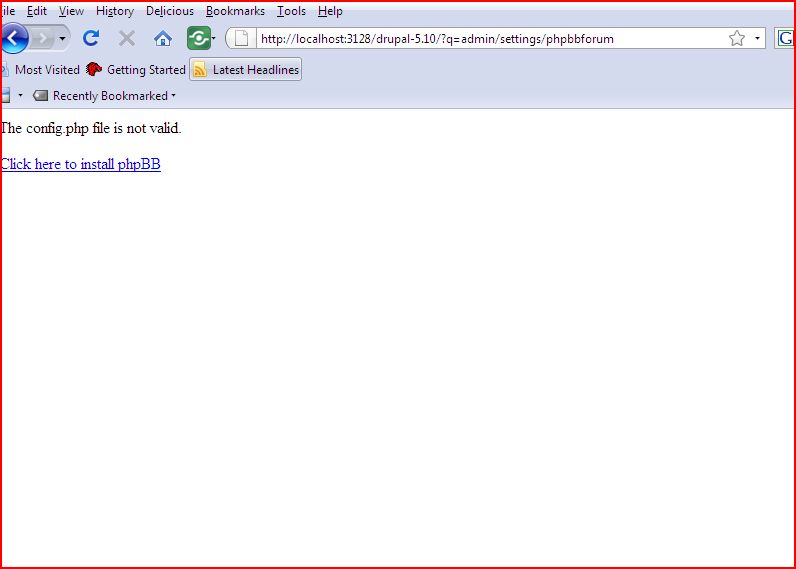
once i click it it displays as i have to install it.. got no idea after this
i have attached the screen shot..
http://drupal.org/files/issues/Capture_21.JPG ( i am testing this in my local server)
pls help me wat should i do after this and to run phpforum on my site..

Comments
Comment #1
aruns4 commentedwill there be any one to help me to trackle the issue..
Comment #2
aruns4 commentedis there any one can able to help me pls??????
Comment #3
rkdeveloper commentedPlease fallow the fallowing steps for successful installation of phpbbforum.
you have to install PHPBB3 forum which you can get it from http://www.phpbb.com/downloads/ before you install phpbbforum drupal module
Installation process
1 Installed Drupal
2 Installed PHPBB3 forum
3 Installed phpBBforum drupal module
4 Activated the module
5 copied the functions_user file to foruminstallation/includes/
6 set phpbb settings under the Drupal admin
7 copy common.css if using prosilver theme else if using subsilver theme copy the icons to theme folder of forum.
8.change the iframe source in phpbbforum.module (Optional)
9. clear the cache
There are the steps i fallowed for the successful installation.
Comment #4
aruns4 commentedthank you for your response..
i have tried all what you have said..
but its still getting displayed as the photocopy i attached before..
i am using drupal 5 and i downloaded phpbb 3 and copied to my drupal folder.. is it ok?do it got any prob with these..
and i am using fireflystream available here..
pls help me..
Comment #5
rkdeveloper commentedThe error shows that your phpbb3 is not installed properly. try to check if standalone version is working properly.
for ex in your local system (Windows) your drupal installation is drupal5
you have installed phpbb3 in drupal5 directory. the url will look like this. http://localhost/drupal5/phpbb3 and check if phpbb3 working properly. if not try to clear config.php.
install phpbb3 again check the standalone version working properly. once you confirmed the standalone version working properly. then you work on other steps to configure phpbbforum drupal module.
There is no problem with your FireflySteam.com theme.
Comment #6
aruns4 commentedas u said i checked the stand alone version meant
i went to http://localhost/drupal5/phpbb3/index.php
i found phpbb3 installation page getting open n i can install man and i found no probb..
so wat will b the prob with integrating it with drupal then.. pls help me..
Comment #7
aruns4 commentedpls any one help me to clear my problem
Comment #8
jwilde commentedit looks as if this module only works for drupal 6.x. install drupal 6. good luck jim
Comment #9
fizk commented