

 The 2026 Drupal Business Survey is open. Your response will help shape the future of the Drupal business ecosystem.
Hi Sevi, Thanks for working on this module. I had tested the new version, and I've always got some errors but it's much better than the oldest...^^
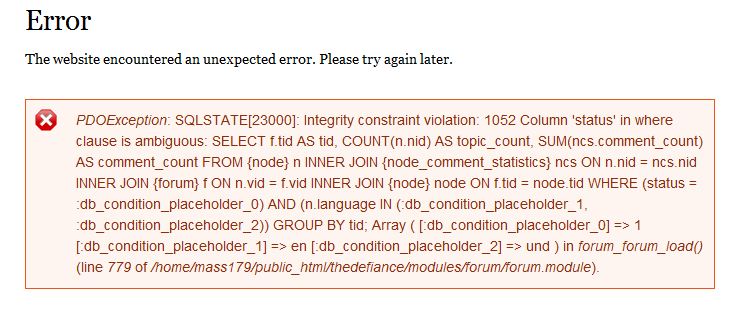
1) I've got just only one Warning: Call-time pass-by-reference has been deprecated http://drupal.org/files/error_1.JPG
2) Always this error http://drupal.org/files/error_2.JPG
When I have this message, I reloaded the page and it's good for the most settings but not for the draggable Table style setting.
So I can't:
Add a new Tabledrag. Action must be set to "order". Relationship must be set to "sibling". Group, Subgroup and Source must be set to the CCK-integer-field you added just before. (In my example "weight")
http://83.64.250.36/drupal/add_tabledrag.png
3) This is my Views settings: http://drupal.org/files/view_settings.JPG
4) my php code (WeightL1 field)
$options = array();
for ($i = -20; $i <= 20; $i++) $options[$i] = "Weight ".$i;
return $options;
5) This is the display of my view (don't laugh lol) http://drupal.org/files/view_result.JPG
ps: I'm using the latest version of CCK View.... with the new API View
Well, I hope I'm not give you to much work lol
Thanks again! and sorry for my english... it sucks...
Julien
| Comment | File | Size | Author |
|---|---|---|---|
| view_result.JPG | 27.49 KB | junro | |
| view_settings.JPG | 45.05 KB | junro | |
| error_2.JPG | 49.03 KB | junro | |
| error_1.JPG | 18.84 KB | junro |




Comments
Comment #1
junro commentedSorry Sevi, my links don't work, you will have to click on the attachment files... :(
I forgot: I've only got the Warning: Call-time pass-by-reference has been deprecate message with the view settings and the view display.
In the old version, I had it everywhere... and much more Warnings.... ^^
Comment #2
sevi commentedPlease use the new version. The module has been rewritten from scratch. The errors should had been disappeared. I hope there are not new bugs :)
Because of some problems I have with CVS at the moment, there is a seperate download link for the module.
Please use this link: http://sevi.zites.net/draggableviews.tar.gz
Greetings,
sevi
Comment #3
junro commentedHi Sevi
There is no more Warning errors but it's still not working. Always the same errors, maybe I'm not doing the right settings... If you could explain more cleary (more for newbies ^^) your install documentation.
Documentation
Add a new Tabledrag. Action must be set to "order". Relationship must be set to "sibling". Group, Subgroup and Source must be set to the CCK-integer-field you added just before. (In my example "weight")
http://83.64.250.36/drupal/add_tabledrag.png
Where do you get this? I don't have it. I think this is the problem...
ps:
user warning: Table 'pariscine6.draggableviews_collapsed' doesn't exist query: SELECT parent_nid, collapsed FROM draggableviews_collapsed WHERE uid = 1 in C:\wamp\www\pariscine\sites\all\modules\draggableviews\draggableviews_theme.inc on line 319.
warning: Invalid argument supplied for foreach() in C:\wamp\www\pariscine\sites\all\modules\draggableviews\draggableviews.inc on line 152.
Draggableviews: Detected order collisions.
^^
Comment #4
sevi commentedHave you already accessed update.php? Seems like the database schema has not been created yet (new with the new version).
Probably the new versions of views and cck need a call of update.php too.
http://yoursite.org/update.php
cheers,
sevi
Comment #5
junro commentederrors:
user warning: Table 'pariscine6.draggableviews_collapsed' doesn't exist query: SELECT parent_nid, collapsed FROM draggableviews_collapsed WHERE uid = 1 in C:\wamp\www\pariscine\sites\all\modules\draggableviews\draggableviews_theme.inc on line 319.
warning: Invalid argument supplied for foreach() in C:\wamp\www\pariscine\sites\all\modules\draggableviews\draggableviews.inc on line 152.
Draggableviews: Detected order collisions.
and always since the beginning (I always had this message):
Une erreur s'est produite à/pariscine/admin/build/views/ajax/preview/user_rankings
Is the module working with you ?
Comment #6
sevi commentedThe module works with me.
But only with my current configuration. Now I tested all possible configurations (I hope..).
It really should work now.
Messages like
are not bugs but rather indicates that the module works correctly. After setting up draggableviews there mostly will be such a Draggableviews message. That's just based on the fact that the default values of the cck-fields don't fit the structure we need.
But such a Draggableviews message should disappear after it appeared once.
I updated the file http://sevi.zites.net/draggableviews.tar.gz
(Will be downloadable from drupal page soon..)
Now try the following:
Let me know,
greetings,
sevi
Comment #7
junro commentedThe module looks like to work ^^ I don"t have errors anymore
exept
user warning: Table 'pariscine6.draggableviews_collapsed' doesn't exist query: SELECT parent_nid, collapsed FROM draggableviews_collapsed WHERE uid = 1 in C:\wamp\www\pariscine\sites\all\modules\draggableviews\draggableviews_theme.inc on line 321.
but could you explain how it works, how change the order of rows? ^^
Thanks :)
Comment #8
sevi commentedOkay, let's make the lust warning message disappear:
FInished[ - hope so :)].
cheers
Comment #9
junro commentedHello, Just installing the 6.x-3.0 version (2008-Sep-21). It's so perfect !! Thanks !!!
I have just this warning message? always where I put a draggable view... I clear view cache, run update.php... impossible to take this message off...
user warning: Table 'pariscine6.draggableviews_collapsed' doesn't exist query: SELECT parent_nid, collapsed FROM draggableviews_collapsed WHERE uid = 1 in C:\wamp\www\pariscine\sites\all\modules\draggableviews\draggableviews_theme.inc on line 321.
Julien
Comment #10
sevi commentedDid you uninstall draggableviews module at http://yoursite.org?q=admin/build/modules/uninstall before you reactivated the module?
Comment #11
junro commentedYes, I did. ^^ But I have redoing this and no more warning message. Perfect !! ^^
Thanks
Comment #12
sevi commentedThe module changed and there's already a new bug report for new new version:
http://drupal.org/node/312604
Comment #13
junro commentedI tested it and had the bug, I already install the new version^^. It looks like what I need... for newbies in programming like me, It's so interresting... ^^
Thanks