

Closed (duplicate)
Project:
Drupal core
Version:
7.x-dev
Component:
admin.module
Priority:
Normal
Category:
Bug report
Assigned:
Unassigned
Issue tags:
Reporter:
Created:
7 Oct 2008 at 17:32 UTC
Updated:
7 Sep 2009 at 15:34 UTC
Jump to comment: Most recent file


Comments
Comment #1
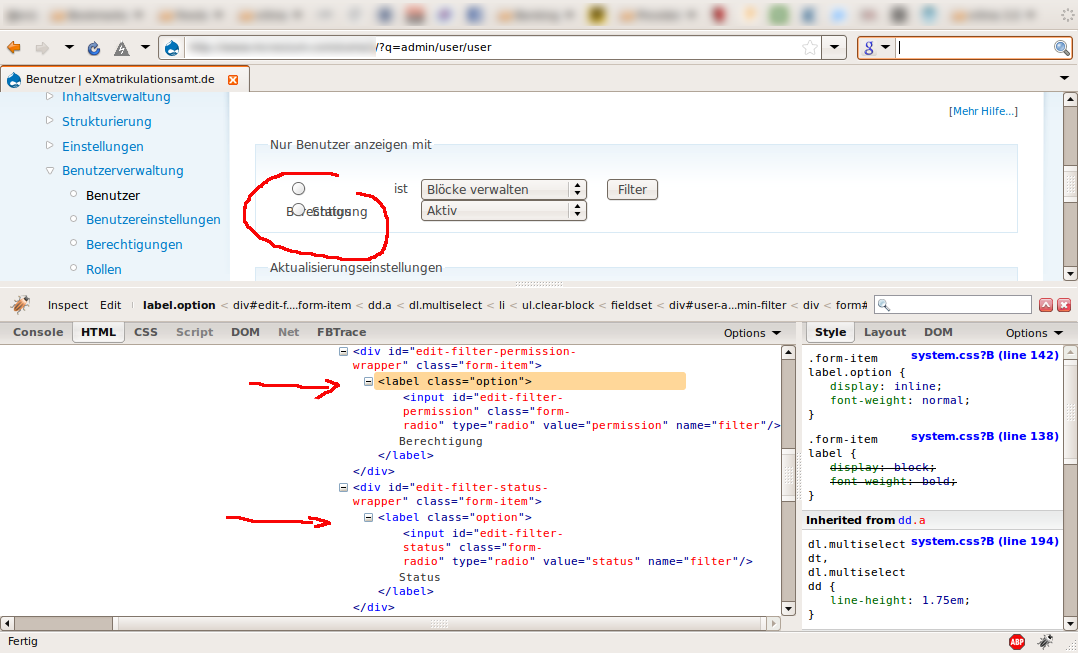
mcnesium commented...shouldnt have used full html tag diction for dd and dt ^^
Comment #2
mr.baileysIt's perfectly valid for a label to wrap the input element instead of using
for='id'to associate it with the intput control.Duplicate for #132479: Filter theming on admin/user/user doesn't scale so this should be discussed further in that issue.
I agree that the filter block is formatted a bit akwardly, and the definition list is abused here for display purposes. The same issue probably applies to admin/content/node. This also leads to some related problems (for example #177487: Non-translatable string 'is' on /admin/content/node page). Moving to 7.x-dev since bugs should be addressed in D7 first, and then backported.
Comment #3
Everett Zufelt commentedTested with head. Looks like the label wraps the input element, but there is not title attribute, or other text, within the label, so there is no real "label" here to be accessed by assistive technology.
Recommendations:
1. Provide a title attribute for the input element, or
2. Remove the label from wrapping the input element and wrap the link in the second column in a label with the correct for attribute set.
Comment #4
mgiffordOk, some elements in this have already changed. In the hopes that it makes it easier to understand, I'm pumping in the code that's shipped to the page:
Hmm. can't seem to remove that png file. that's broken in one of my installs, but not in the most recent one...
Mike
Comment #5
mgiffordI believe this can now be rolled in as a duplicate of
#558928: Form element labeling is inconsistent, inflexible and bad for accessibility