

 Come together with the global Drupal community in Rotterdam, 28 Sept – 1 Oct 2026. Sessions, contribution, connection, and Early Bird savings until 8 June.
First let me say the module was working perfect in my local installation.
When deploying to host though, when I upload a font, it doesn't show in the Manage Fonts screen. Therefore I cannot set up any rules because there are no fonts to select.
The uplodad swf font files are present in the SITES/ALL/IMAGES/RENDER folder, so they do get uploaded, it's just that I can't see them in the Manage Fonts screen !
Please help if you can. Thanks in advance.
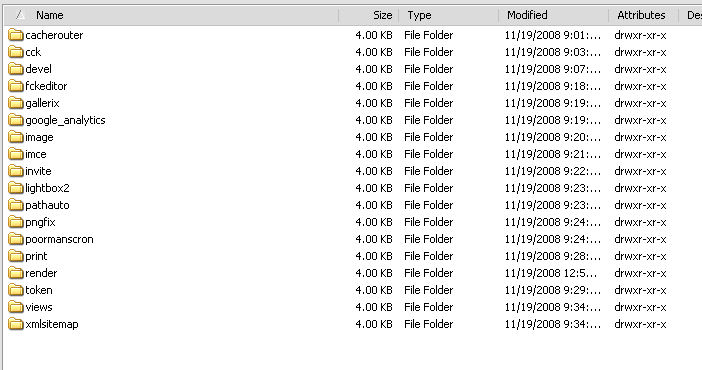
I'm attaching a jpeg with my contributde modules list.
| Comment | File | Size | Author |
|---|---|---|---|
| contributedmods.jpg | 59.66 KB | JohnnyMoney |

Comments
Comment #1
sunThat sounds like the files are uploaded, but have wrong file permissions afterwards, so your FTP user is able to read them, but not Apache, resp. PHP. Could you please check the file permissions of the font files in your files/render folder?
Comment #2
JohnnyMoney commentedThanks. I have checked all folders in the sites/all/images/render path, and they all Read, Write, Execute permissions for the owner. Also the individual SWF files inside the render folder.
Any other ideas?
Comment #3
sunThe owner permission might not be sufficient if Apache/PHP is running under a different system user. Please test whether changing permissions of font files to 664 helps. If not, you might even test whether 666 helps.
Comment #4
JohnnyMoney commentedOk, will report after doing that. Meantime like to point out that on another site, in the same server, just upload the module, activated it and it does work normally. Both installations are same Drupal version 6.4 so now I have more things to work with. Will be back with this. Thanks your support.
Comment #5
JohnnyMoney commentedOk, just to be on the safe side I uninstalled and reinstalled the render module again.
In both cases, the site that works and the one that doesn't, permissions for the SWF files are 644.
One strange thing is that the placement of the uploaded SWF files is different for each:
1) Site that works: sites/default/files/render
2) Site that doesn't: sites/all/images or, after creating manually a render folder, now: sites/all/images/render.
Going to back up my database and start disabling modules to see if that changes anything. Will report on this. Perhaps modules such as Gallerix might be interfearing, don't know.
Comment #6
JohnnyMoney commentedOk, disabled practically every contributed module and still no fix. Since the site had little information and I am in a hurry I decided to just do another install on host and input all the content manually again. Originally I had created the site on local machine and moved it to host.
Now it works but will never know why it wasn't working before. Closing the issue anyway. Thanks.
Comment #7
bdimaggioHey I had the same problem -- fully functioning dynamic rendering on my local machine, and then an inability to upload/manage/see fonts when I moved the site up to my host. The problem turned out to be that I hadn't changed my temp directory in admin/settings/file-system. Once I altered that to reflect the host's environment rather than my local one, everything went swimmingly.