

Closed (duplicate)
Project:
Quick Tabs
Version:
6.x-2.0-rc5
Component:
Code
Priority:
Normal
Category:
Task
Assigned:
Unassigned
Issue tags:
Reporter:
Created:
4 Dec 2008 at 02:33 UTC
Updated:
15 Dec 2014 at 21:46 UTC
Jump to comment: Most recent, Most recent file

Comments
Comment #1
katbailey commentedTurn off block cache - unfortunately Quick Tabs doesn't work with block caching on.
Comment #2
MishelM commentedI do not know how to turn this off- can you help?
Comment #3
pasquallethe block cache can be turned off on the admin/settings/performance page.
Comment #4
nestor.mata commentedHi,
This can be solved by changing line 610 of quicktabs.module, here is the line that adds the javascript file.
To fix it you just need to change this line for this:
By doing this the file will be added independent from other javascript files and will avoid caching its content.
I tested for me and worked, please test it and confirm if this works for you and then they will be able to include this fix for next version.
Best regards,
Nestor Mata
Comment #5
MishelM commentedOH never mind I found it- DUH! you were right- works great now- Thank you so much
Comment #6
pasqualle@nestor.mata: what do you think about this patch #279773-2: I am Unable to Get Quick Tabs for Authenticated User??? I think it serves the same purpose. So I don't know now which one is better..
Comment #7
druvision commentedYes, it's still a problem with the latest dev release.
Here is a patch, based on the solution on #4 (The line #was changed).
Comment #8
pasquallequick thought:
if quicktabs do not work with block caching then:
should be set in the quicktabs_block() hook for op='list'..
Comment #9
pasqualleComment #10
pasquallehttp://drupal.org/cvs?commit=166220
Ok, I have committed the change in #8 (and cleaned up the code around it)
Please test the next dev release (or cvs), and report if it is still a problem..
Comment #11
Flying Drupalist commentedRecently I've found that block cache is really very important for high traffic websites, and it's really not OK if they're disabled. There should be a way to use blockcache with QT. Or maybe this belongs in its own issue?
Comment #12
druvision commentedFor me, it now works.
Comment #13
pasqualle@Miraploy: if you search for "BLOCK_NO_CACHE" in the Drupal source code, you will find that many blocks have the cache disabled.
If QT does not work properly with enabled block cache then I have no other option than to disable it. It is better to disable cache in QT blocks only than in all blocks.
I don't know much about caching. If someone makes the necessary tests and provide all the situations when the QT block breaks with enabled block cache (or explain why it breaks), than we can push this issue further, if we find a solution for those problems..
Comment #14
pasqualle#279773: I am Unable to Get Quick Tabs for Authenticated User??
#272352: Problems with Block Cache
issues marked as duplicate
Comment #15
pasqualleQT still not works with enabled block cache
Comment #16
chx commentedYou are running drupal_add_js inside quicktabs_render which is called from theme_quicktabs in turn called from quicktabs_block op view and that's not called when caching is on. That's your problem.
The users need to update the caching to -1 for now by hand in blocks table.
This bug report update is sponsored by ifvnews.com.
Comment #17
chx commentedAlso see #235673: Changes to block caching mode not caught
Comment #18
pasqualleThanks Károly and ifvnews.com :)
so we need an update function to update the existing blocks, and then we should be fine?
Comment #19
pasqualleComment #20
katbailey commentedI'm still ambivalent about this issue. It would seem that the patch in #19 would work in that it would ensure that all QT blocks get their cache setting set to -1, it only needs to update those that were created before the BLOCK_NO_CACHE setting was introduced in the hook_block code.
However, when I discussed this briefly with chx on irc he seemed to be saying that the best solution would really be not to use drupal_add_js in hook_block at all and output script tags directly to pull in quicktabs.js. This would mean we could still allow the QT blocks to get cached, which i guess is what people want when they turn on block caching.
On the other hand, the idea of not using drupal_add_js has other drawbacks - we have no way of being sure that drupal.js is on the page so would need to make a call to drupal_add_js at least in hook_init() or something. And then there are the js settings that need to get added (the new Drupal.settings.quicktabs and the ajax views settings). So I don't really like this approach either.
I'd like to hear from others who have opinions on this block caching issue but it has dragged on a long time at this stage, it would be good to just commit the patch and put the whole issue to bed. Let's see if anyone else has anything to say in the next few days...
Comment #21
eric.chenchao commentedFirstly, I'd like to say quicktabs is a magic project, it is very interesting and practical, just like the one tailored for my website.
However when I test this module by using of authenticated account, I found quicktabs block will be cached in the {cache_block}.
Since I am unable to resist convenience of block cache and my primary menu style is the same as quicktabs style, I hack the quicktabs module as following for the time being.
Backup the files before doing!
1. Copy the following function to the file quicktabs.module
2 Then find the function quicktabs_render in the quicktabs.module and comment 3 lines of script
Change into
3. Copy css script of your website applied style from quicktabs/tabstyles/***.css to your theme folder like: site/all/themes/****/style.css
4. Copy images of your website applied style from quicktabs/tabstyles/***/images to your theme images folder like: site/all/themes/****/images/
5. Clean your website cache
I know this method is a little complicated, but it realy help and I also wait for the perfect solution from the next release of quicktabs:)
Comment #22
eric.chenchao commentedsorry i change the title that i think is comment title
Comment #23
pasqualleOne thing I do not understand is, why is it cached when it should not be..
@cityreader: when you run this SQL select
does it return -1 for all rows?
Comment #24
chx commentedPasqualle see #17
Comment #25
pasqualleOk, so I think the correct solution would be to fix and backport issue #235673: Changes to block caching mode not caught.
Then we do not have to deal with it on the module level..
@chx: Is that where you are trying to guide me.
Comment #26
highvoltage commentedIs this issue the primary reason for the stalled progress in quicktabs...? Haven't run into a dead end I hope. <_<
Comment #27
pasqualle@highvoltage: in current situation, there is nothing to fix in this issue, so I don't understand your point..
You just need to be sure that your QT blocks are not cached.. Any new QT block what you create is not cached, for old QT blocks you should check the status column in the {blocks} table.
Comment #28
highvoltage commentedI've noticed that progress has slowed significantly in quicktab releases, and this issue continued to grow, and the maintainer said she was ambivelant as to how to proceed. I was curious if her difficulty in choosing a course of action here was related to the delays.
I see you've just barely released another -dev, however.
Comment #29
pasquallethe dev is created automatically (twice a day) when there is something changed in the code, but if there are no bugs then we do not have to change anything.. all features will go to the 3.x version..
Comment #30
akalsey commentedhook_init seems to be the right way to do this. Disabling block cache, either globally or for this module is overkill.
I cleaned up the code in #21 and fixed it to apply the user's chosen style. Attached is a patch.
Comment #31
akalsey commentedAfter further testing, that won't work. Looks like the content of some tabs won't load with caching turned on.
Comment #32
bertboerland commentedsubscribing
Comment #33
pasquallethe block cache is disabled already for every new QT block. I do not see that as an overkill..
Comment #34
bigknot33 commentedI have a similar issue:
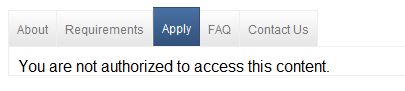
When not logged in, the QT display the message "You are not authorized to access this content."
When logged in as an admin, they display just fine.
I've disabled block caching.
Comment #35
katbailey commentedThat means you have not set the permissions on your site to allow anonymous users access to the content you are putting in your QT blocks. QT adheres to the access control specifications of the individual items placed in each tab.
Comment #36
bigknot33 commentedThat was the problem.
Thanks for the fast response, Kat, and being gentle to a rookie.
Comment #37
cgdigitaltreats commentedDid this work around work for anyone else, I have the same problem with block cache on,
Quicktabs works if you log in, but if you are anonymous, it won't wrap correctly.
Antonio
Comment #38
priceline commentedIs it still a problem?
It is weird that quicktabs is working on one page, but not on one particular page as anonymous user.. but it was working okay for some time, now it is consistently not working. all caching enabled, CSS, Javascript optimization enabled.
This is not working.
http://216.38.53.212/~fortune1/social-initiatives
This is working
http://216.38.53.212/~fortune1/social-initiatives/inclusive-development
with login as admin, it is working for all pages.
Edit:
After I added the following, it seems to be working for all pages:
Comment #39
pasqualle@priceline: check your {blocks} table. Make sure cache is set to -1 for every row where module = 'quictabs'.
this select should only return rows with -1.
Comment #40
priceline commentedI updated my post, that solution also seemed to work.. i will keep an eye on it. Thanks,
Comment #41
pasquallesorry priceline, that solution do not work (for every situation).. you should check the blocks table..
Comment #42
Ptx_Soccer commentedI tried the two fixes and it dont work. I get -1 in my tables, and if i use the fix by priceline dont work either.
Comment #43
pasqualle@Ptx_Soccer: are you talking about the front page of the site on your d.o user page? That page loaded the quicktabs.js and all the required QT files. So the problem there is something else. My first guess would be an incorrect views argument setting..
Comment #44
Ptx_Soccer commentedYou are right, i think that the problems is with views, but i dont see anything there either.
Thx
Comment #45
pasqualle@Ptx_Soccer: please create a new issue, with screenshots of the quicktab edition and the view (argument) edition screens. And I will probably be able to help you with the issue.
Comment #46
Ptx_Soccer commentedI will create a new issue in the views forum, because there is no one view that i can see anonymous, even the views pages. Thx for the help :)
Comment #47
priceline commentedYes, i noticed it is still not working consistently. I will use your solution also. Hope it is consistent.
Comment #48
kbahey commentedI ran into this with quicktabs mapping a heavy view. The block is not cached, and hence is heavy for the site.
So, it is the opposite problem in a way.
Will Quicktabs support block caching at some point?
Comment #49
pasqualle@kbahey: views version 3.x will support caching, so quicktabs probably does not have to..
Comment #50
iboasis commentedyou guys know if there is any resolution to this? just got up to D6 on a fairly heavy load site and the server will get crushed if we can't use block cache or cache the views in the QT blocks.
Thanks,
Patrick
http://www.wallstreetoasis.com
Comment #51
pasqualleYes, the views module supports caching already (from views-6.x-2.6).
#468824: Add caching system to Views
Comment #52
kbahey commentedViews block cache does not work in certain situation.
To avoid this, I implemented caching right in quicktabs when it is using views.
The attached patch adds that feature.
This needs some refining, such as making the time for cache configurable or getting it from the global cache_lifetime variable.
But it makes a heck of a difference with the patch compared to without, even if views blocks are configured for caching.
Comment #53
pasqualleAs I see this patch removed the views access check.
Comment #54
kbahey commentedThis is a revised patch that checks the view permission. The penalty of doing this is around 10 to 15 ms, so not a huge hit.
Comment #55
sped2773 commentedFrom what I can tell the patch doesn't account for paging in views. I've updated this so it also appends the current page on the cache key (cid). It will also work where the paging is set only on the default display and the other display inherit these settings.
Would appreciate Khalid casting his eye over it.
A note on this patch (and the previous quicktabs-views-cache.patch) - you should specify the arg parameter in quicktabs e.g. %1 if you need a nid don't rely on the default arg in view (i.e. if no arg available then the use a nid from the url). As the key is built up from the args supplied through the quicktabs UI (hope this makes sense).
Comment #56
kbahey commentedIncluding the pager is a good idea.
However, the code can be simplified further. Here is a revised patch that does just that.
It is untested though. If you can test it, please report back.
Comment #57
sped2773 commentedHi Khalid, the problem with removing the default display paging check is that a display that doesn't override the default will not have paging properties set, so you would need to pick these up from the default display object to see if paging is on. I had implemented it similar to your patch originally but one of my displays was just inheriting its paging from the default display and wasn't working and this was the reason why.
Comment #58
RaRi commentedSubscribing. Just got the same issue and cache disabled.
Comment #59
kbahey commentedWe've gotten bitten by this again. We upgraded quicktabs, and hence our patch (#54) was overwritten. CPU usage jumped up, MySQL's slow queries shot up, MySQL threads went up, and the server load spiked. The site was crawling.
We need to agree on a solution to this. In our case, the pager is not an issue.
Comment #60
dawehnerI don't understand why you don't use the pluggable views cache, its not the default drupal block cache
You could use the default time based cache plugin, but because it is pluggable everything would be possible. Also the pager is not a problem anymore.
Comment #61
kbahey commentedThis was the simplest method that worked and provided excellent performance. Time based is a non issue for this site.
See the impact in this article.
If you have a better way to do it, please post an alternate patch.
Comment #62
BenK commentedSubscribing....
Comment #63
RaRi commentedmmhh .. so many patches ...
After turning caching off with the change in quicktabs.install
But which one of the patches shall I take or would it be better to wait for a final solution?
Comment #64
pasqualle@RaRi: the original problem is already solved. QT creates blocks with caching disabled. make sure you have -1 in the cache column in {blocks} table for all QT blocks.
the feature about caching views is absolutely unrelated.. I guess we should close this issue and move the patch to a new issue, as the issue is quite confusing now.. I am still not convinced that QT should do any kind of caching. We can create alter hooks to support additional modules which solve this special caching problem.
Comment #65
RaRi commentedMmmh .. I do not think so, sorry.
What I did was
a) -1 in the cache column in {blocks} table for all QT blocks
b) disabled caching
By the way, everything runs well if you are a registered user.
Unregistered user will not see the QT images - just the text - and the switching between the different tabs are not working.
BUT - this is only in the content block area. Means: In the sidebar are everything works well.
Just take a look at: www.soccer-wikki.de
I even tried another theme - just to make sure this is not theme related.
Hence, I am struggling here ..
RaRi
Comment #66
pasqualle@RaRi: as I see you are not using the official version of QT, as I see "defer" in the page source. Please use the unmodified version and create a separate issue where we can check what is causing the javascript error in QT on your site.
Comment #67
RaRi commentedOk .. done.
Now using 6.x-2.0-rc4 from http://drupal.org/project/modules?text=quicktabs again. Without any patches.
I still have caching switched off (can I switch it on anyway?) and still have -1 in the cache column in {blocks} table for all QT blocks.
Thx for reacting this fast!
Comment #68
pasqualle@Rari: the problem is with the quicktab inside the panel. That panel is cached or ajax loaded, which breaks the quicktab (as that quicktab is not registered in drupal.settings).. You need to remove that panel, or fix the (cache or ajax) problem with it. I do not know much about panels, but my guess would be that it is cached similarly like blocks. There was a similar issue #374254: Quick tabs not working with mini-panels inside panels, but as I see it is not solved, as your source of the problem is panels not quicktabs..
you may enable block caching, as QT blocks won't be cached even the block caching is enabled..
Comment #69
Canadaka commentedSo when a quicktabs block is not cached with -1 in the database, are the contents of each tab cached at all? For example if one of the tabs contains a views block, is that cached? Or does having the quicktabs block set to -1 stop all caching on that clock and its contents?
Comment #70
add1sun commentedJust to add to the discussion here, http://www.linuxjournal.com is using quicktabs for the latest/popular/comments block in the sidebar. Block cache is disabled on the site and the quicktabs blocks cache are set to -1, yet anon still get nothing displayed on the popular and comments tabs (auth is fine). Latest and Popular are views, but the Comments tab is just the regular core comments block. Anon has access to content and comments.
So, this does not appear to be a block cache or views cache issue for them.
Comment #71
pasqualle@add1sun: the site does not use the latest release. it is -rc2 as I see..
The issue must be some kind of caching, as the tabpages are not loaded at all, even it is a non-ajax quicktab..
Comment #72
add1sun commentedHa! Right as I posted that it occurred to me to check their version. They updated to rc4 and things seemed ironed out. Sorry for the noise.
Comment #73
katherinedTotally my bad. :) Somehow I missed that minor detail as well.
Comment #74
phunster commentedI've been asked to solve this same problem, that is quicktabs 6.x-2.x-dev do not work except for the admin user. Have tried other versions of the module all to no avail. They work in ff3.6 logged in or not, admin or not, but in ff4, Chrome or Safari only for the admin user. I have tried to use the patches in this thread but they all fail. I do not have caching on, turned off boost no luck. Caching in DB set to -1. Changed theme, no help.
I am beginning to think that another module is causing the problem but for the life of me I can't seem to figure out which one. To complicate matters, the modules on the site have been updated and no record of what was updated was kept. I am attaching a complete list of modules and themes, versions and state.
Thanks in advance for your help.
EDIT: Downgrading FF4 =}===> FF3.6 fixed Quicktabs on all browsers. Don't think this issue applies. Sorry for the noise.
Comment #75
zyxware commentedThis is the patch for the Quick Tabs version 6.x-2.0-rc5.
this is the updated patch mentioned in the comment #56
Comment #76
Fidelix commentedHow about Drupal 7?
Comment #77
pupp commentedi seem to have the same issue with anon users only. was this supposed to be fixed in the latest 6.x release?
Comment #78
ham.shu commentedThis patch has been ported to Drupal 7. Please go here: http://drupal.org/node/1632986
Comment #79
netw3rker commentedclosing this since it is a 7.x-3.x issue now see 'related issues'