

 Come together with the global Drupal community in Rotterdam, 28 Sept – 1 Oct 2026. Sessions, contribution, connection, and Early Bird savings until 8 June.
Automatic Nodetitle Module version 6.x-1.0 (2008-Jul-09) doesn't work with Drupal 6.6.
To reproduce. Hope this help:
- Install a fresh D6.6
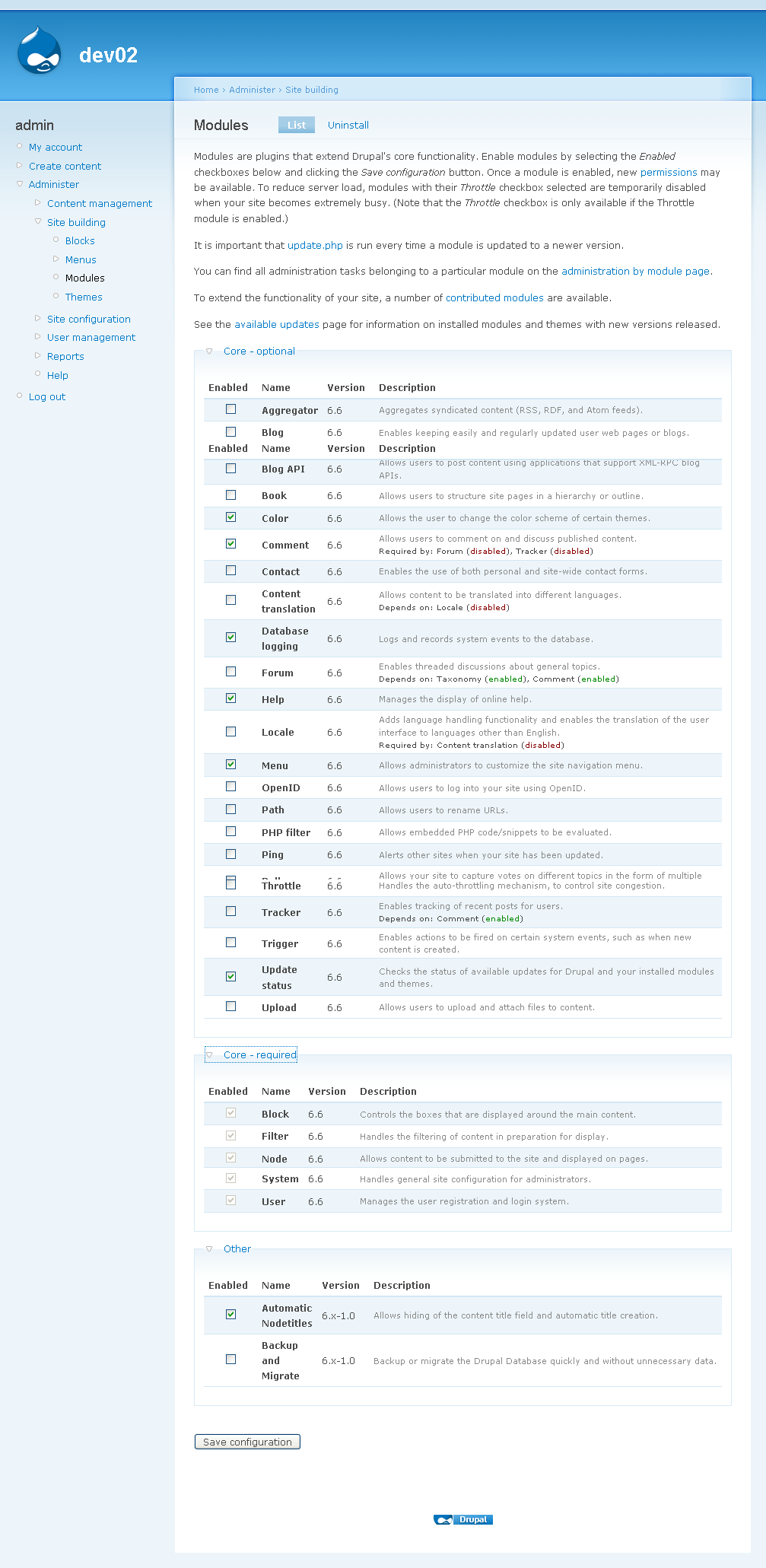
- Install Automatic Nodetitle Module version 6.x-1.0 (2008-Jul-09) (1modules.png)
- Go to /admin/user/permissions
Set appropriate permissions. I did a test by granting all possible permissions but that didn't work either (2permissions.png). - Go to /admin/content/node-type/page
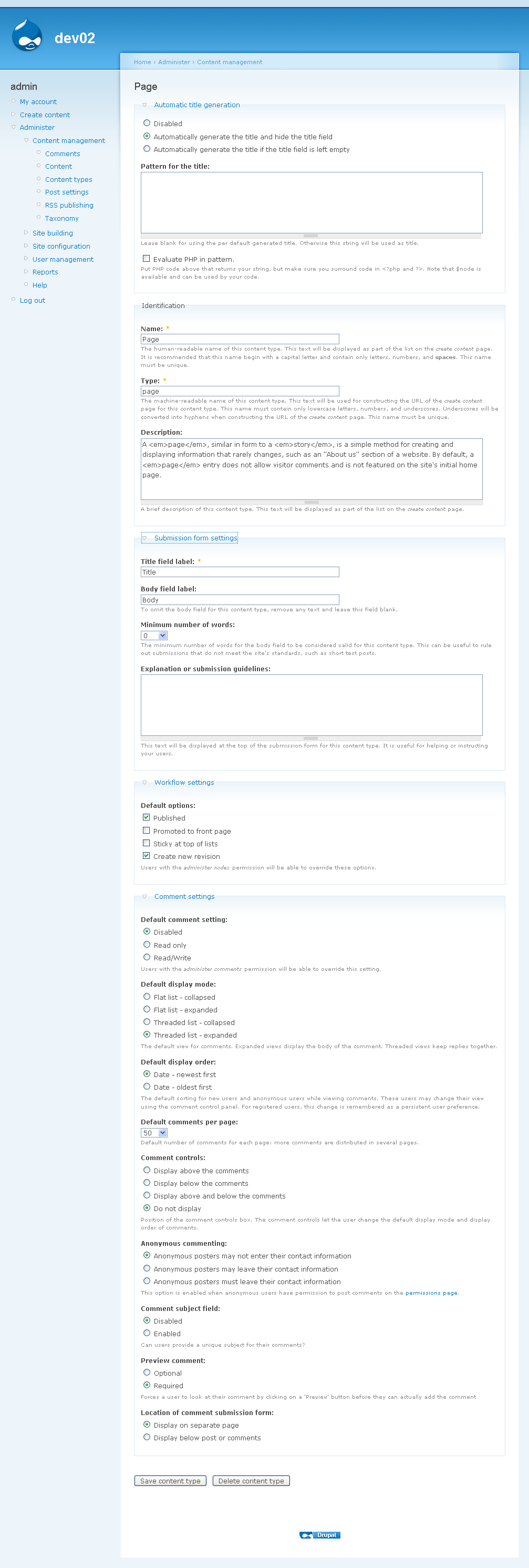
Edit content type (3content_type.png)
Select 'Automatically generate the title and hide the title field'. - Go to /node/add/page
Fill appropriate fields (4editing_page.png).
- View page at /node/1
Page's title is display.
Expected result is an hidden page's title (5viewing_page.png).
| Comment | File | Size | Author |
|---|---|---|---|
| #1 | 1modules.png | 81.82 KB | francewhoa |
| #1 | 2permissions.png | 62.73 KB | francewhoa |
| #1 | 3content_type.png | 99.66 KB | francewhoa |
| #1 | 4editing_page.png | 63.97 KB | francewhoa |
| #1 | 5viewing_page.png | 40.27 KB | francewhoa |




Comments
Comment #1
francewhoaAttaching screenshots.
And a question. Is this module suppose to hide both content title field & content title?
By 'hide content title field' I mean when editing page. Find attached screenshot 4editing_page.png.
By 'hide content title' I mean when viewing page. Find attached screenshot 5viewing_page.png.
Comment #2
francewhoaSame result with dev version: auto_nodetitle 6.x-1.x-dev (Last updated: October 21, 2008 - 17:01):
http://drupal.org/node/191268
Comment #3
fumbling commentedAs for hiding the subject line field when creating content, yes, it should hide that in my experience. I'm not sure automatic nodetitles actually hides the title output on the page itself though. Wish I could be of more help.
Comment #4
francewhoaI found why. The README.TXT file needs to be updated to avoid confusion.
Current README.TXT file reads:
README.TXT should read:
Source: module's page first paragraph: http://drupal.org/project/auto_nodetitle
Comment #5
fagothanks, I've fixed the readme too.