

 Come together with the global Drupal community in Rotterdam, 28 Sept – 1 Oct 2026. Sessions, contribution, connection, and Early Bird savings until 8 June.
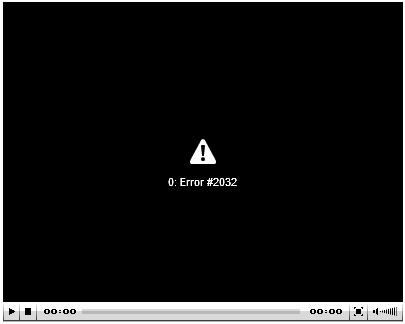
I installed swftools, SWFObject2, jwmedia player, and 1pixel out. I downloaded the libraries into the shared folder with no problems and with the proper names. I uploaded an mp3 file to test for podcasting, set to use the 1pixel player. But when i load the node after saving it i receive the error "0: ERROR#2032" inside the jw media player, which means the incorrect player is loading as it should be the 1pixelout player. The only other issue i could find was for the D5 version but eluded to a different problem. I am using the private upload and i have the settings enabled for swftools to allow for private uploads (ive tried them disabled also with no change). Heres what i have:
SWF Tools 6.x-1.3
-swf object 2
-jwmedia player
-1 pixel out
FileField 6.x-3.0-alpha5
GetID3 6.x-1.1
the only reason i was even able to get a player to show was to make a node-podcast.tpl.php with the tag referenced on the project page. Otherwise the page only showed a link to the mp3 file and displayed no player. I do have my files directory outside of the document root but have had no problems and drupal recognizes with no problems. Not sure what else to do. I have devel module so i can try some things out if you need. but im not much of a coder yet, so ill do what i can. I attached an image of the media player display of the error (which should be the 1 pixel player for the uploaded .mp3 file)
thanks for your help
| Comment | File | Size | Author |
|---|---|---|---|
| swftools_error.png | 4.19 KB | luckysmack |

Comments
Comment #1
dazedandconfused commentedDid you find a fix for this problem? Mine problem is exactly the same as yours...
Comment #2
luckysmack commentedNo I have not, i suspect it might be related to my files dir being out of my web root but i havent tried it in my sites folder yet. I will be trying that soon and will report back. Otherwise i am stumped. This is supposed to be an easy to install and setup module, and has a good rep. So i still want to use it, just havent had a lot of time to debug it yet.
I did try searching in google for the error code but couldn't find anything relate able.
Comment #3
videohead commentedI had this problem as well until I worked on troubleshooting the path to the correct directory. Keep in mind that you can indicate a remote server as well as a local path for your files. My suggestion would be to try different paths until you hit one that works . . . looking at the source as rendered by your browser is also useful.
I wasn't using 1pixel player, though. Try confirming that JWMedia Player is working first, perhaps.
Comment #4
pam.pkrweb@gmail.com commentedHas anyone found a solution for this. I am getting the same error. Please post solution or any suggestions for help.
Thanks
Hi I figured it out. You have to be very carefully on using the right name of your content type audio field name. If you copy/use sample code from the internet you need to make you change the field name to your content type field.
Example code from internet the field_audio_file is the name of they cck field.
I had to change the name to my field name with is field_audio. Once I did this the error went away and all worked.
I hope this helps others that have the issue. Just make sure you check field name is your field name.
Comment #5
Stuart Greenfield commentedThis thread seems to be inactive. Marking as closed to tidy up the queue!