

Closed (fixed)
Project:
Colourise
Version:
6.x-1.3
Component:
User interface
Priority:
Normal
Category:
Bug report
Assigned:
Unassigned
Reporter:
Created:
5 Jan 2009 at 19:23 UTC
Updated:
5 Feb 2009 at 06:16 UTC
Jump to comment: Most recent file



Comments
Comment #1
Sungsit commentedThanks for your report. But I couldn't find which INPUT boxes have yellow background in Firefox3.0.5 + WindowsXP (view my screenshot). Could you please take a screenshot and specify FireFox version and OS?
Comment #2
dan.crouthamel commentedI'm using Firefox 3.0.5 on Vista x64. I'd send you a screenshot, but now I can't reproduce it ;)
Comment #3
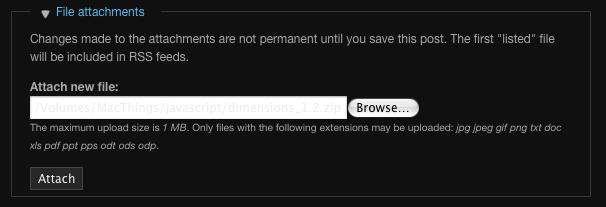
Sungsit commentedI got it on a Mac (10.4) with FF3.0.5 into "File attachments" FIELDSET, but it's white not yellow background. I'll fix this for the next release. (I hope so :)
Thank You.
Comment #4
Sungsit commentedIssue was Fixed in colourise-6.x-2.x, text color was changed to blue color.
Comment #5
dan.crouthamel commentedThanks. I don't see the yellow background anymore, but why did the font size for the input text get smaller?
Comment #6
Sungsit commentedI'll check this.
Comment #7
Sungsit commentedI'm not sure why it get smaller 'cos INPUT, SELECT, TEXTAREA was set to 1em (BODY font size is 12px, same as the old version). But you can change it into the CSS file and I suggest you put the style below into "custom.css" file then activate it with Colourise theme settings (/admin/build/themes/settings/colourise) and choose the checkbox "Add Customized Stylesheet".
(Change 1.2em to any amount you wish but be aware this may affect the theme layout somehow)
Comment #8
alienresident commentedThe google toolbar changes the color of the input boxes if it think it can autofill the content.
http://web-design.tribe.net/thread/57838747-13f9-4cb1-9927-fa8fdd37ce3b
This might be cause of this issue.
Comment #9
Sungsit commentedAhh... Thanks AlienResident
It seems CSS can do nothing for INPUT background-color that all depends on user's browser, right?
Comment #10
dan.crouthamel commentedOk, I should have clarified better. The single line text areas are fine. It's in the multiline, resizable text areas that the text is smaller. As you said above, that can easily be tweaked in the custom.css, which I'm using already :)
About the google toolbar and yellow background - that may be why I couldn't reproduce it later since I recently uninstalled the google toolbar. However, I installed version 5 for firefox the other day, so I wonder if I'll run into this problem again :)
--- UPDATE ---
At work, my installation of Firefox was using version 3 of the google toolbar, which displayed a yellow background in some of the fields (latest version of theme). However, the problem no longer exists after upgrading to version 5 of the toolbar.
Comment #11
Sungsit commentedThank You to confirm that this issue depends on user's browser (and its plugin).
Comment #12
Sungsit commented