

 Come together with the global Drupal community in Rotterdam, 28 Sept – 1 Oct 2026. Sessions, contribution, connection, and Early Bird savings until 8 June.
I am having trouble getting editablefields to work in views. I do have the latest dev version (2009-Jan-06).
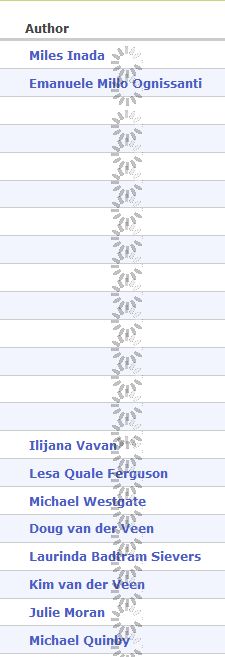
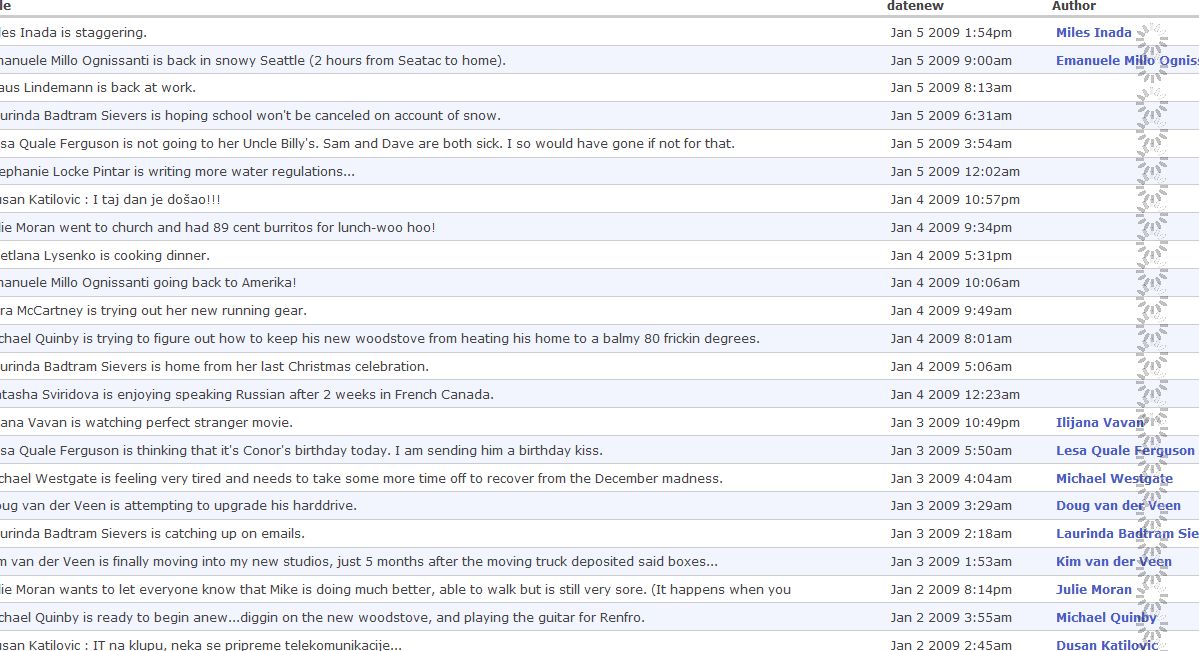
It may be that I do not understand D6 version setup for the module in views. I understand that I do not have to select "editable" view style, there is not one to select. I have changed the field to editable. When I view the view I get that little waiting clock which hangs (see attached).
The field is not collapsible.
Any ideas would be greatly appreciated.
| Comment | File | Size | Author |
|---|---|---|---|
| #5 | editablefields.JPG | 33.44 KB | vanderlip |
| #2 | editable1.JPG | 115.7 KB | vanderlip |
| #2 | editable2.JPG | 178.69 KB | vanderlip |
| editablefields.JPG | 33.44 KB | vanderlip |



Comments
Comment #1
markfoodyburton commentedLooks like some loaded and some didn't?
Odd.
Can you point me to where I can see this? Or give me an idea about the view you setup so I can try and replicate it?
Cheers
Mark.
Comment #2
vanderlip commentedThanks for the quick reply.
All the fields with data did load. The blanks you see are empty fields. The problem is the hanging clock.
I have attached a screenshot of view setup and the resulting view. The field that is enabled as editable is "Author" and is a node reference field.
If that does not work, I will give you access to the site.
Comment #3
markfoodyburton commentedAhh, got it
Actually - that even more odd... but - ok.
Can you say which browser your testing with, because this _may_ be a browser issue.
I'm trying to clean things up and make the 'theme' look more like views right now as well :-)
Cheers
Mark.
Comment #4
markfoodyburton commentedJust changed things - can you see if that works better?
(You need to checkout from CVS, I hope thats OK)
Cheers
Mark.
Comment #5
vanderlip commentedThanks for your help.
Tried the new dev version from Jan 7. My view still hangs. See the attached and imagine that the little clocks just spin on and on without end.
Comment #6
markfoodyburton commentedOdd, because the new dev version even has different images for the little clocks - so some cache somehwere hasn't been flushed (or you dont have the new version?)
Did you get this from the CVS direct?
Cheers
Mark.
Comment #7
vanderlip commentedThanks for your help.
I sent you a link to the view in question.
I would really appreciate it if you could take a look.
Thanks.
Comment #8
vanderlip commentedDisabling the Views Bulk Operations module (http://drupal.org/node/359435) resolves this issue. So at least I understand why I was having trouble. I guess this issue can be closed, and followed up under the other issue.
Comment #9
markfoodyburton commentedduplicate then :-)