
On this page
How to reorder your Flagged content
Sometimes it is useful to be able to explicitly sort the content items that a user has flagged. For example, a list of flagged recipes might be sorted by the order you wish to prepare them, or a wishlist might need to be sorted by the order you want to purchase the items.
There is a very simple module that adds this functionality to Flag module, called Flag Weights. This module simply adds a new "weight" column to the database table created by the Flag module. The module provides API functions for flagging an item (with an initial weight), and updating the weight of an existing item.
The module also exposes the new column as a field for Views 2, meaning that you can sort/filter based on this weight field.
Update: The module now provides integration with the Draggable Views module, to allow users to reorder their lists by dragging items around a table. This support is only in the -dev versions of each of these modules.
How to Configure Flag Weights + Draggable Views
This (Jan 2009) demonstration uses the current -dev releases of both Flag Weights and Draggable Views module, and modifies the view provided by Flag module, rather than creating a new View. This approach may not work with newer versions of Views/Draggable Views/Flag Weights. In your site, you would probably create a new Flag and a new View etc. From a totally empty Drupal 6 installation, add the following modules:
- Flag module 6.x-1.0-beta6 or newer
- Flag Weights module current -dev snapshot
- Draggable Views module current -dev snapshot
- Views and Views UI from Views module 6.x-2.2 or newer
- (for demo only) Devel and Devel Generate from devel module to generate some dummy content
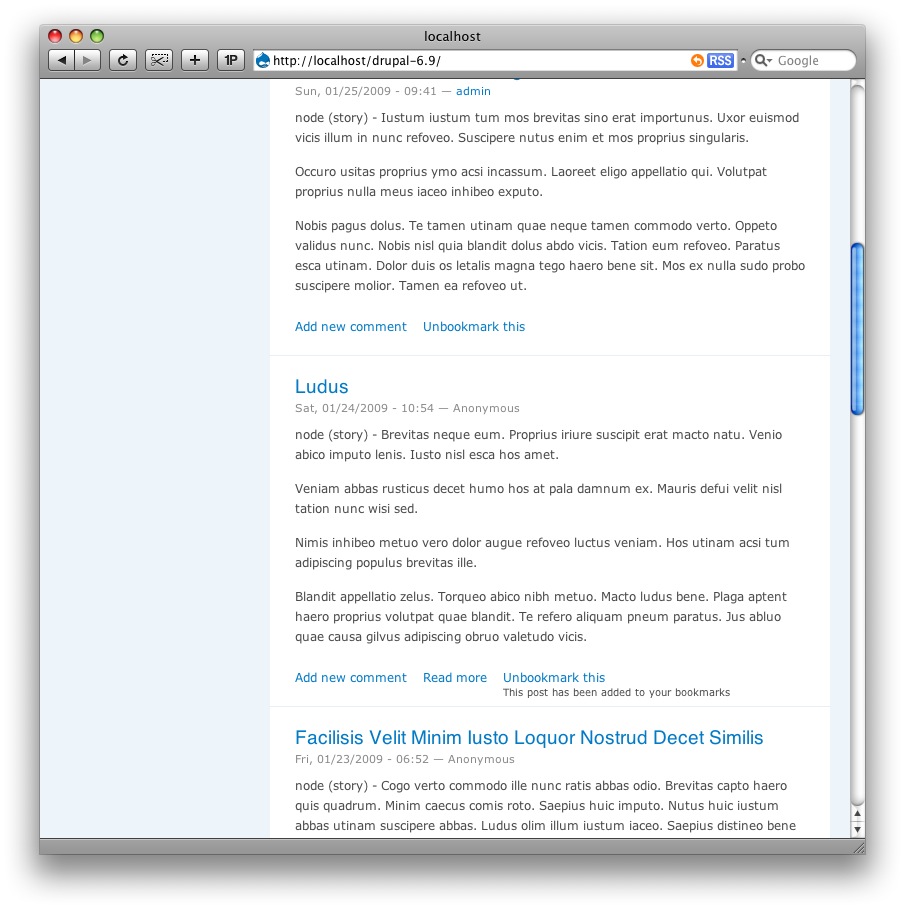
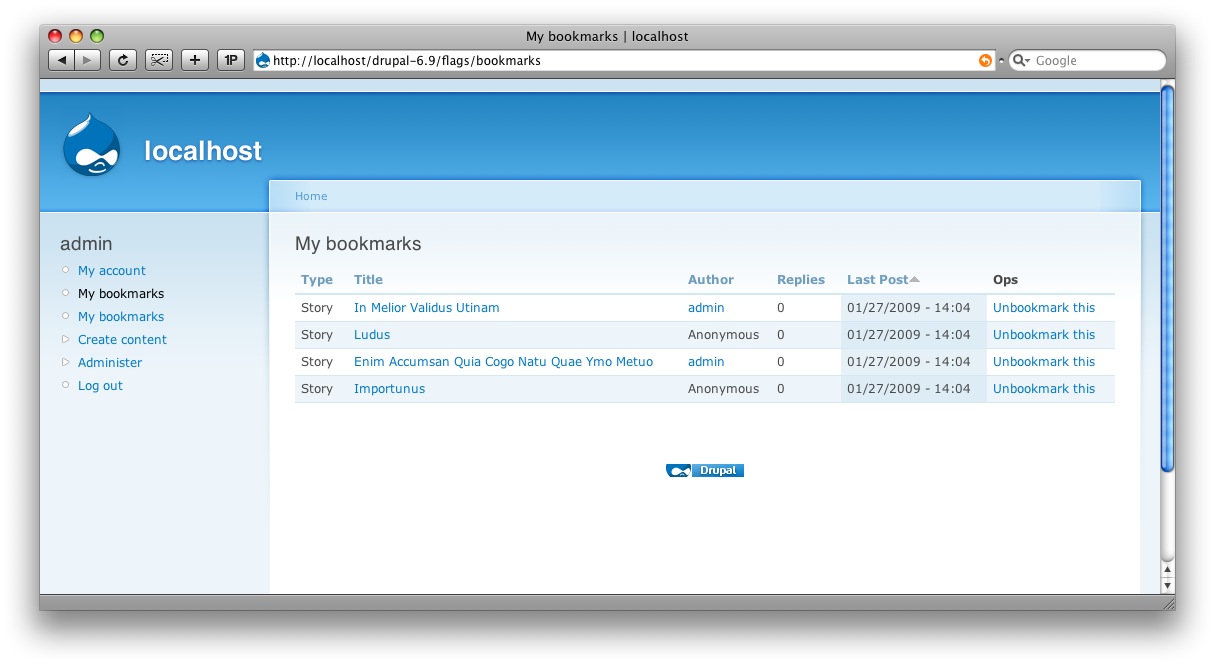
Generate some Story content using Devel Generate module, and then tag a few of them using the "Bookmark this" link beneath each node (first screenshot below). You can view the default view provided by Flags (second screenshot below).
Now, to turn this into a sortable list, go edit the view at admin/build/views/edit/flag_bookmarks (you would normally clone the view, or create a new one - but I am simplifying for the purpose of this demo). Add a Sort Criteria of "Flags: Weight", and also add this to the Fields. See screenshot below.

Now, change the Basic Settings -> Style from "Table" to "Draggable Table". On the settings page (that appears after you make this change), scroll down and click on "Add order field". When the fields appear above the button, change these to "Weight" and "Flag Weights", per screenshot below:

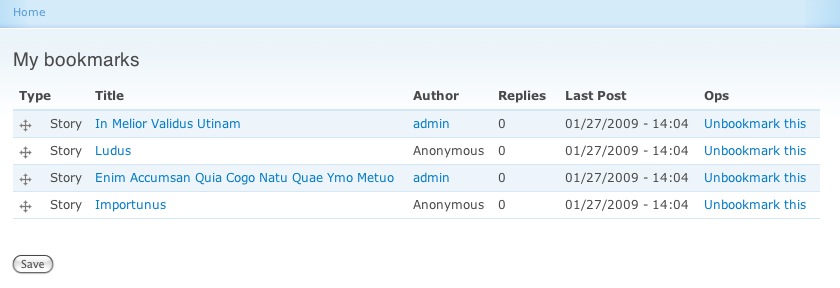
Click "Update default Display" then "Save", then finally 'View "Page"' link at the top-right of the view settings. Voila! A draggable sortable list of Flags, as shown below:
Help improve this page
You can:
- Log in, click Edit, and edit this page
- Log in, click Discuss, update the Page status value, and suggest an improvement
- Log in and create a Documentation issue with your suggestion
