

Closed (fixed)
Project:
Quick Tabs
Version:
6.x-2.0-rc1
Component:
User interface
Priority:
Normal
Category:
Support request
Assigned:
Unassigned
Reporter:
Created:
13 Jan 2009 at 11:41 UTC
Updated:
5 Jul 2010 at 06:04 UTC
Jump to comment: Most recent file

Comments
Comment #1
pasqualleis it working with garland theme?
Comment #2
drupalmind commentedit is not working with garland as well as minelli. i have also tested it with sub-theme. i disparately wanted to use it. if u could help me...plz
Comment #3
pasquallecan you attach a screenshot to this issue?
Comment #4
nk_ commentedSame issue with Safari :(
see mine post http://drupal.org/node/358372
Comment #5
nk_ commentedfixed for Safari ... my fault
Comment #6
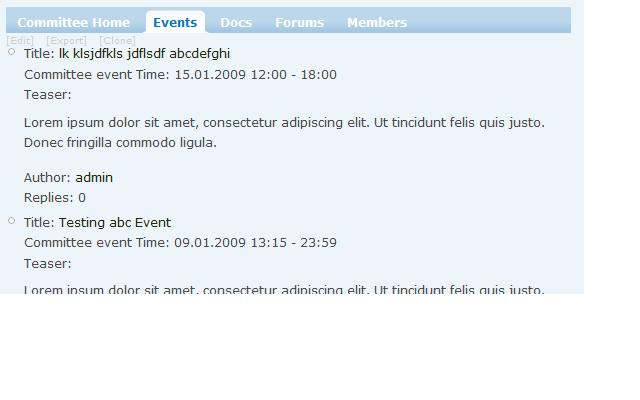
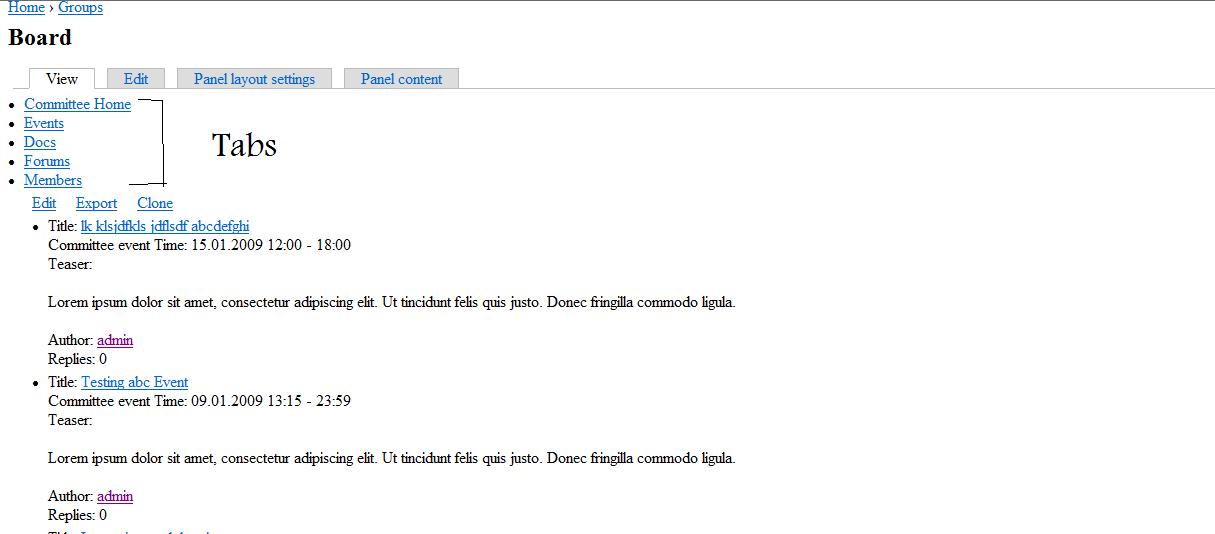
drupalmind commentedI m attaching the tabs jpeg here in IE 7.
Comment #7
drupalmind commentedi m also attaching the same firefox view of the page
Comment #8
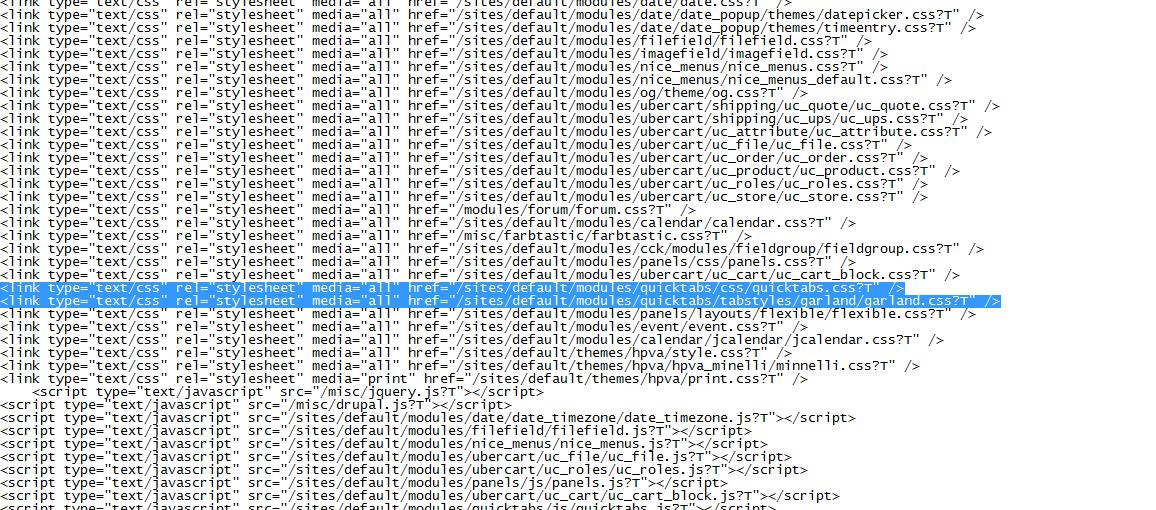
pasqualleAs I see css/quicktabs.css and tabstyles/garland/garland.css are not loaded. can you please confirm? in the page source you should have something like this inside the
<head>section.Please check that for IE and firefox also. But I have no idea why it is not loaded in IE.
Comment #9
drupalmind commentedPasqualle Many thanks for your kind & time
The problem is still there i have check the source of both the IE and Firefox and both showing the files u mentioned but IE again brokes
Is it due to quick tabs or other module becose when i login with admin no all admin pages also have the same problem as quick tabs page.
However i have also attach the IE source Screen shot for comprehension ... thanks again
Comment #10
pasquallepossible problem: you are using too many css files #228818: IE: Stylesheets ignored after 31 link/style tags
try css aggregation: on admin/settings/performance page enable the "Optimize CSS files" option
Comment #11
drupalmind commentedMany Thanks Pasqualle
""try css aggregation: on admin/settings/performance page enable the "Optimize CSS files" option"" It has worked for me.
I have also another issue but it is not related with it. so i create another issue for it.
THx Again probelm solved.
Comment #12
pasqualleI am glad that helped, it was an interesting issue..
Comment #13
Augusto Ellacuriaga commentedWhen I use "Optimize CSS files" the tabs break and stop working properly. Instead I get a list of all < li > one below another. Any ideas of what can be causing this problem?
Thank you,
Comment #14
pasqualleis it only in IE or in all browsers?
was it working properly before enabling "Optimize CSS files"?
can you post a screenshot of you broken quicktab?
Comment #15
decibel.places commentedoptimizing css files worked for me
Comment #16
Augusto Ellacuriaga commentedSorry for the late response. It was happening in FF3, IE7 and Opera 9.63. The homepage was the only one that had this problem.
The only way for the mod to work well was to unable block cache and all other performance options.
Update: I was reading http://drupal.org/node/344782 and disabled the block cache. That took care of the issue. I also updated the plugin to the latest dev version.
Thanks,
Comment #17
katbailey commentedThe block cache issue is here: #342459: Block cache problem (Not showing for anonymous or authenticated users)
The main issue here is with css optimisation in IE, not a quicktabs bug.
Comment #18
igorik commentedsame problem, optimizing css works for me.
Thanks for the solution.
Igorik
http://www.somvprahe.sk
Comment #19
ademarco commentedHi all,
apparently the module http://drupal.org/project/unlimited_css solves this problem. Thanks to decibel.places for pointing it out in the module's issue queue #436882: IE Unlimited CSS Loader name change? module affects other browsers, fixes other issues.
Comment #20
steven mansour commentedThank you for this thread.
I had no idea about the CSS limit in IE.
Comment #21
danilo_04 commentedI think this issue should not be closed because it only works using the cache on css.