When using a three column layout and in one of the columns is an image (via imagefield/imagecache) it looks fine with Firefox but breaks in IE.
I have attached some pics to make this clear.
About the attached pics:
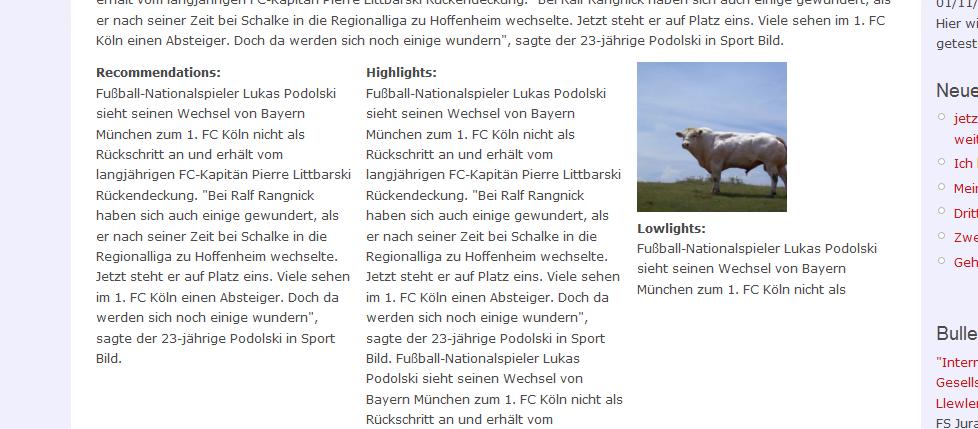
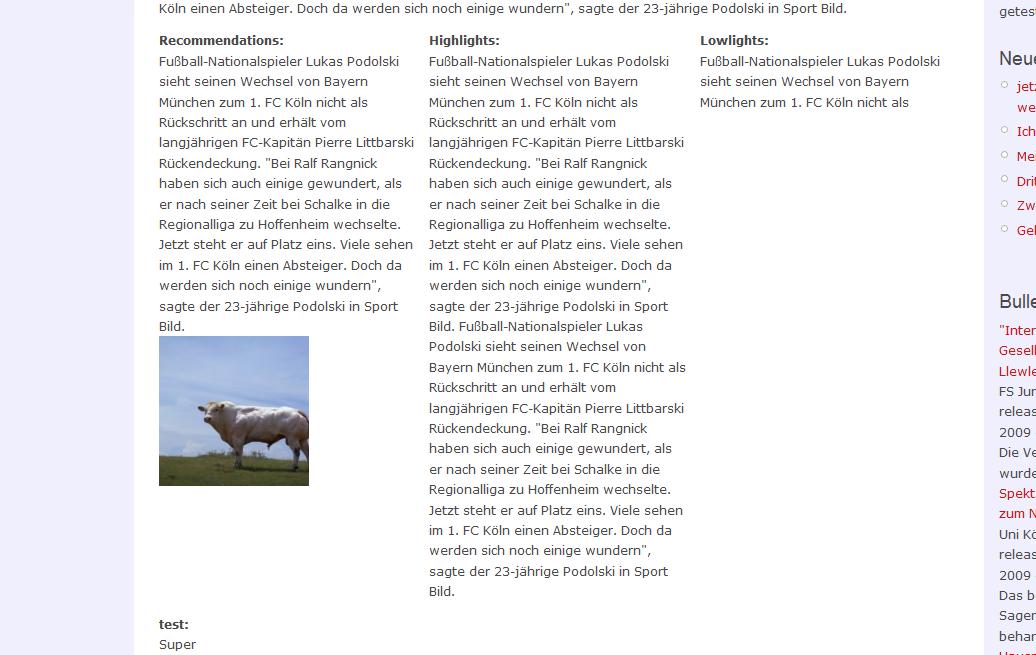
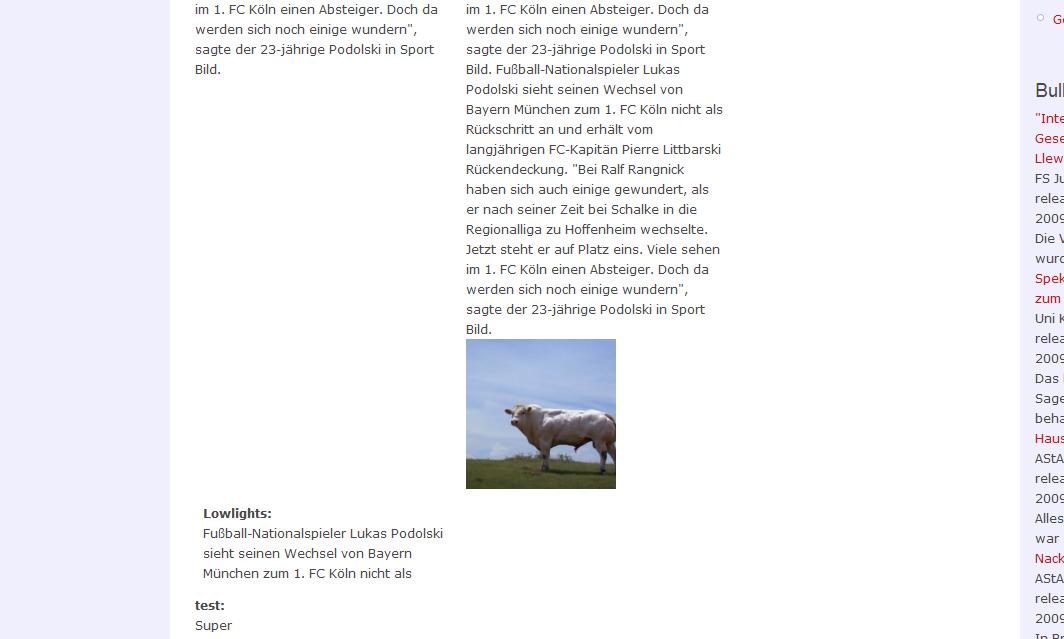
middle_ie shows how ie teared the field "lowlights" down into the left column while in Firefoy (middle_ff) everthing looks as it should.
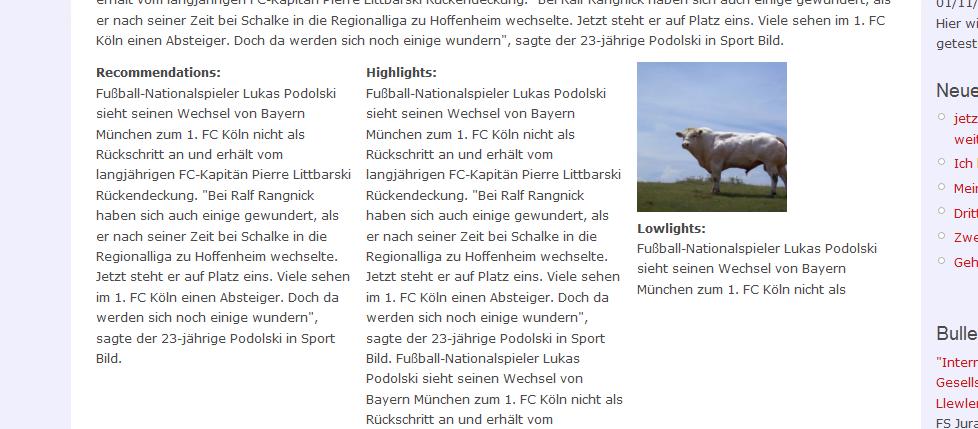
3col_ee shows the phenomenon with the 3 col 33/33/33 layout. Firefox displays correctly while IE makes the fotofield wander around taking another field of the right column with it.
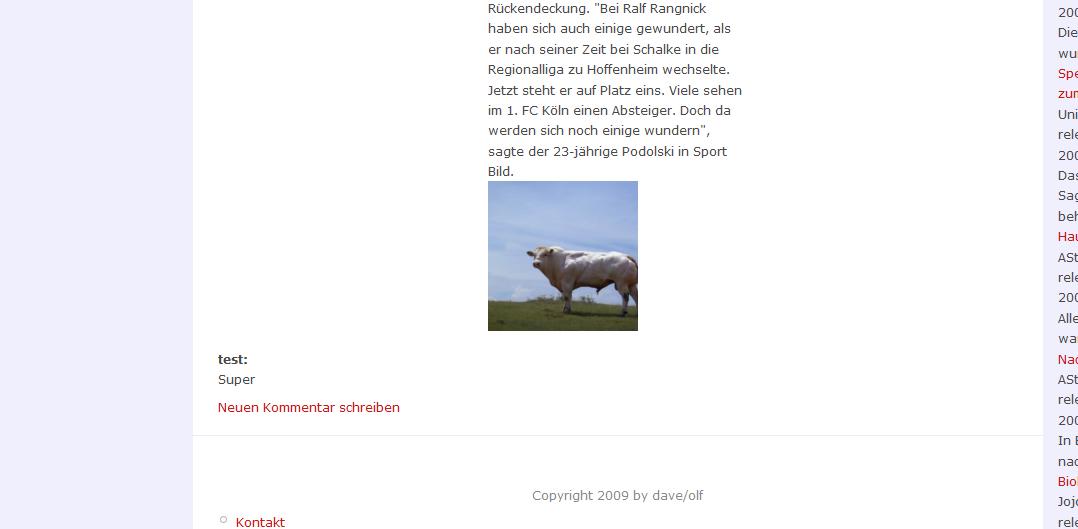
3colflex (flexible grid layout) shows this with the slight change that now only the pic wanders.
Not attached but also produced was this problem when the pic is in the right column. It even tears a big entry on the right side under a small one in the middle(while the pic wanders from right to the left column).
This issue only occurs with three columns.
As a sidenote: Would this qualify as a bug? Or critical? Didn't know which component to choose.


Comments
Comment #1
dddave commentedArgh: got a little confused with left and right. So this:
Should actually refer to a pic in the left column.
Comment #2
dddave commentedChanged the title to make it more discriptive.
I tried to reproduce this phenomenon in content not displayed via Composite Layout but it only happens wit Composite Layout.
Therefore this issue might be pretty relevant because IE is still used by too many users.
If it is something on my side I would be thankful for any advise.
By the way I still like this module very much. ;-)
Comment #3
scott859 commentedGreetings,
I too am having this issue - and like you - only in IE 7. Looks great in FF, and Safari but IE 7 with 3 columns is displaying as your screen-shots indicate.
I second your comment about liking this module!
Scott
Comment #4
webwriter commentedI am having issues with IE as well.
Firefox works fine, but when creating two narrow columns, they simply stack one on top of the other instead of sitting side by side.
I have checked this in my own theme and 2 other themes- Marvin and Zen.
Comment #5
summit commentedSubscribing, greetings, Martijn
Comment #6
dddave commentedWith acquia_marina this does not occur.
Not sure if the theme is the cause because in the meanwhile I installed and deinstalled a bunch of other modules....
Comment #7
bengtan commentedHi,
Sorry for the late reply. I have been on holidays and hence not online much recently.
@ddave: I haven't been able to reproduce the issue, though that's likely because I haven't recreated your exact setup. However, you've since said in comment 6 that it does not occur. So, are you still having this issue? And if so, can you point me to a URL where it occurs, if convenient?
Comment #8
dddave commentedHi bengtan,
I hope you enjoyed your vacation and gained strength and endurance for the upcoming tasks. ;)
I am sorry for not being able to give you an url but at the moment I have only a local installation. Perhaps one of the other guys with issues can provide one.
And I also have to take back the green light for acquia_marina. I retested with 3 Columns Flexible and the problem showed there too. Actually it is even worse because the item dragged from Row1 right to Row 2 left splits the content there in two.
My first try was somewhat superficial. Sorry for that.
But I can confirm that with the 2 Columns layout no problems occur.
Comment #9
bengtan commentedCan you describe your setup? The node in your screenshots is some sort of custom content type, yes?
Can you describe how imagefield is configured within it?
Or better yet, copy-paste me an export of the content type?
Comment #10
dddave commentedMmh, not quite sure what you want to have copied.
Well, my content type consists of the following custom made fields:
2 text fields --> default display
1 text field (multiple rows)-> default display
1 imagefield ---> lightbox2:tiny->fullsize
1 linkfield ---> tilte as link (default)
1 fivestarfield --> as stars
also there are default fields for taxonomy module and node module (title+body) which are displayed.
My platform is Vista with an XAMP installation.
In addition i18 module (6-1.0 beta6) is installed and the content is translated. I think that was also the case for my initial post.
However I am able to create the misbehaviour with other configurations so that the problem seems not to be in one of the fields. I can create every kind of content and when I chose a three column layout the mistake occurs with IE.
Same for the imagefield. My intital post was from content without lightbox installed.
While testing the mistake changed kind of. While the first mistakes where pics dragged into the wrong place, I now get a variation where a certain textfield simply is not displayed. Another variation is a field placed into middle or right column without content left of it is dragged into the first free column of their row.
Did that help in any way or can I do anything else?
Comment #11
bengtan commentedI have another idea for gathering information. You say your site is on a local installation. Can you view the offending page, and then save it to a file? I think IE lets you save as 'Complete web page' or something like that which will save the HTML and all associated CSS and images.
Once you have saved it to disk, can you view that file locally to verify the problem still persists? If so, then can you attach it to this issue? Hopefully, then I can reproduce the issue on my system, which means I can diagnose it.
It's most probably a CSS layout issue with IE.
Comment #12
dddave commentedI tried to do what you wanted but by watching the file the layout was gone so I tried to save the code. Hope I did it right.
Note that the mistake here lies in row 1 right. There should be a textfield which is not shown with IE.
I also attached the code I got by IE.
The third attachment is the firefoxcode.
As far as I can tell (with my very limited understandig of code and CSS and stuff) the textfield "test2" does not make it to IE.
Does this stuff help in any ways?
At the moment I am not able to recreate the mistake where a pic is dragged into the wrong place. Don't know why. Perhaps anybody else could link to a livesite? Webwriter perhaps?
Comment #13
bengtan commentedHi,
I won't know how much it helps until I actually see the issue myself. My biggest obstacle at the moment is trying to reproduce the problem on my system. If I can't reproduce it, I can't fix it. If I can reproduce it, I can investigate as deep as I need to.
So, this information gathering stage is a bit hit and miss at first.
You sort of attached what I asked for, but not quite. My fault, I should have made by instructions clearer.
View the page where you have this problem with IE (btw, is it IE6 or IE7?), then goto File -> Save As and save the file, but make sure to save as "Web Page, complete", not "Webpage, Archive". This should produce a single .htm file and then a subdirectory ending in _files. Please attach both of those. I need the page in "Web page, complete" form so I can view it with both IE and Firefox (and hence also, see the difference between the two browsers).
I have also attached a sample webpage saved in this form so you have some idea of what you're trying to obtain. This is only an example.
Previously, you gave me a .mht file. That's almost correct, but .mht is a proprietary IE format and I have no idea how to dissect it.
Comment #14
dddave commentedHope I got it right now. I am using IE7.
Comment #15
bengtan commentedHi, sorry. That didn't work. I thought I could open up the html file and see everything properly, but that didn't work :(
I think I'll have to leave this issue in the 'unable to reproduce' basket for now.
Comment #16
dddave commentedWell it is not that a big problem because the two column layouts work perfectly.
Perhaps anybody else could provide a link?
Comment #17
halver commentedI'm having this problem too.
Thanks for your help.
Comment #18
halver commentedCould this be related to the fact that IE will only load 31 stylesheets? Add too many modules with their own stylesheets and it starts ignoring some. If so, it seems one solution is to enable CSS aggregation in sites>performance. Unfortunately, this only works if you are using the public download method. Seems to be an effort to make it possible when using private download, but moving slow. See:
http://drupal.org/node/256802
http://drupal.org/node/166759
http://drupal.org/node/146611
Comment #19
halver commentedYes, I solved my problem with IE by aggregating a bunch of stylesheets from my theme. It looks like the pages with composite layout were failing because it was loading too many stylesheets from various modules-more than the 31 IE will allow-and thus never loading those from my theme.
If you are having this problem you may also want to see: http://drupal.org/node/423894
Hope this helps someone.
Comment #20
bengtan commentedMarking this as fixed. It's been a while since it was updated. If the problem still persists, please reopen.
Comment #22
larrymac-1 commentedI'm having this same issue (I think). The right hand column, in both two and three column layouts, get moved to the bottom of the left column. I'm using IE8.
Another weird thing is that it will seem to work fine until I try to change something (say to move something or save it to a layout set) at which point it weill start doing it again. I've tried clearing the cache as well.