

 The 2026 Drupal Business Survey is open. Your response will help shape the future of the Drupal business ecosystem.
Hello,
I'm testing the new uploaded dev version: 23th Jan 2009 and noticed that the user can't bid on an item, error message:
The current minimum bid value is $520.00.
and I try to bid 520, 540 or 560 all with the same result.
I'll check the code.
Fossie
| Comment | File | Size | Author |
|---|---|---|---|
| #17 | uc_auction_bidsMySQL.jpg | 192.84 KB | whatsanike |
| #17 | uc_auction_nowMySQL.jpg | 178.39 KB | whatsanike |
| #17 | uc_auctionMySQL.jpg | 187.86 KB | whatsanike |
| #17 | auction-error.jpg | 179.05 KB | whatsanike |



Comments
Comment #1
fossie commentedHmm,
I've installed everything clean:
- Drupal 6.9
- Ubercart 2 beta 3 (all modules listed on the ubercart page)
- uc_auction-dev (23-01-2009)
Only enabled uc_auction with required modules: store and products
and everything works (Can place a bid).
So maybe my previous post can be ignored, I should debug the other site to see what's causing the problem.
HTH,
fossie
Comment #2
fossie commentedAs in previous post noted, on a clean install drupal it works, but I can't get it to work on a allready existing site.
I think that I know why the uc_auction_bid_table_form_validate gives the error, but I don't know why this is happening:
I placed a var_export message in the uc_auction_bid_table_form_validate function and on the clean install and on the site where uc_auctions isn't working, it gives two different outputs:
clean install (working):
array ( 'nid' => '1', 'max_bid' => 240, 'user_bid' => 120.5, 'op' => 'Place bid', 'submit' => 'Place bid', 'form_build_id' => 'form-aa90a96500358cd049aef792a2910503', 'form_token' => 'a5a00a0371b8efbded8a60a964ec79aa', 'form_id' => 'uc_auction_bid_table_form', )
install not working:
array ( 'nid' => '19', 'form_build_id' => 'form-7917277bad51637ab2d59f1a4241c887', 'form_token' => '6c53736566ee82efbccbd4dce7f26bec', 'form_id' => 'uc_auction_bid_table_form', 'user_bid' => 0, )
It seems that the values from the submit form aren't passed, how can I debug this where the values are lost?
TIA,
Fossie
Comment #3
Garrett Albright commentedCould you please try doing a clean install of just UC Auction? Disable and uninstall the module (use the "Uninstall" tab on the module list), then reinstall it.
Comment #4
fossie commentedI've already did that a few times, try do it once more and keep you informed.
Comment #5
fossie commentedI've just de-activeted, uninstalled and reinstalled without any change.
Note: on a complete clean install it works, but can't get the developmentsite up with uc_auction.
Comment #6
fossie commentedOk, I think the problem is solved. It's a conflict with Meta Tags. I removed module by module and it's working when I delete de Meta Tags module (or disable also does the trick).
Can someone maybe test this, if in combination with meta tags the uc_auction module is working?
Hopefully this was the missing thing.
HTH,
Fossie
Comment #7
Garrett Albright commentedAll right, I'll play around and see if I can recreate the behavior. Are you also using the Buy Now module?
Comment #8
Garrett Albright commentedWhoops, I didn't reload the page to see your new comment before posting.
I'll check out the Meta Tags module and see what's there that might be causing problems, and if there's anything I can do to fix it on UC Auction's end.
Comment #9
Garrett Albright commentedOkay, I think I found the problem. It seems that, if you do not explicitly define a value for the "Description" meta tag value, the Meta Tags module attempts to build its own description by loading and rendering the content of the node - in this case, the product being purchased (metatags/description.inc in the nodewords directory; lines 23-27). I'm guessing this re-rendering is causing the bid form to be rebuilt with a new form_token and therefore no longer accept the data from the submitted bid form, or something along those lines. I'm guessing this will cause a problem with any other module which creates a form when a node is rendered, including the Webform module and core Ubercart itself.
The only workaround is to open up the "Meta tags" fieldset when creating or editing an auctioned product and fill out the Description field manually. Theoretically you should also be able to go to the Meta tags module's configuration page and tell it to stop trying to create a description metatag, but I found that, even if you do that, the offending code still seems to execute and cause the problem, so manually setting it every time you create an auction seems to be the only way.
I'll go post in the Meta tags issue queue alerting its developer(s) about this problem.
Comment #10
fossie commentedYes, that was my opinion as well.
My workaround: I disabled the feature (use teaser of the page if the meta description is not set)and Meta Tags isn't causing any problems (for the moment). This way I don't have to enter a description all the time.
I can't confirm if Ubercart 2 and Drupal 6 with Meta Tags (description generating) cause problems.
I can confirm that their is no issue on Drupal 5 with ubercart 1.x and Meta Tags.
Thx,
Fossie
Comment #11
Garrett Albright commentedI filed an issue in Meta Tags' issue queue some time ago (#364682: Conflict with Ubercart / Ubercart Auction), but there's been no response as of yet. If this is still a problem, maybe head over there and bump the issue?
Comment #12
coloryan commentedThat was my issue, I'll test it out this afternoon and confirm that it's fixed.
Comment #13
coloryan commentedNo love... I just tested it out again and it's causing the problems. If you're running nodewords/meta tags, try and remove and uninstall it. That may fix your problem.
rmh
Comment #14
snowmountain commentedWonderful! Am so glad to find this auction module.
Is anyone else seeing this -
I also am getting an error message when trying to bid - it says
"Your bid must be a multiple of $1.00,$1.00 to be accepted."
I noticed the duplicated value ($1.00,$1.00), and had the js code print out the value of
Drupal.settings.ucAuction.bidIncrement
This also printed out the same duplicated value, comma and all.
I suspect the value should be just 1.00, without the $, without the comma, without the duplicated value, i.e., only the numeric value, especially since there is a bidIncrementF which seems to be a formatted version.
Any ideas on what could be causing this? - Meta tags is in my module list, but is NOT enabled.
I am using Drupal 6.16, and uc_auction version 6.x-1.x-dev, date 2009-Sep-26.
Thanks!
PS - By the way, the bid WAS a multiple of $1.00.
Comment #15
whatsanike commentedJust after your post, I posted a similar error with screenshot. It will not take bids a multiple of 0.01. I also am using Drupal 6.16 Maybe an issue with the new 6.16 version of Drupal?
Comment #16
whatsanike commentedJust after your post, I posted a similar error with screenshot. It will not take bids a multiple of 0.01. I also am using Drupal 6.16 Maybe an issue with the new 6.16 version of Drupal? Here is the link to the screenshot
http://drupal.org/files/issues/auction%20error.jpg
OK here is the text of my previous post:
Description
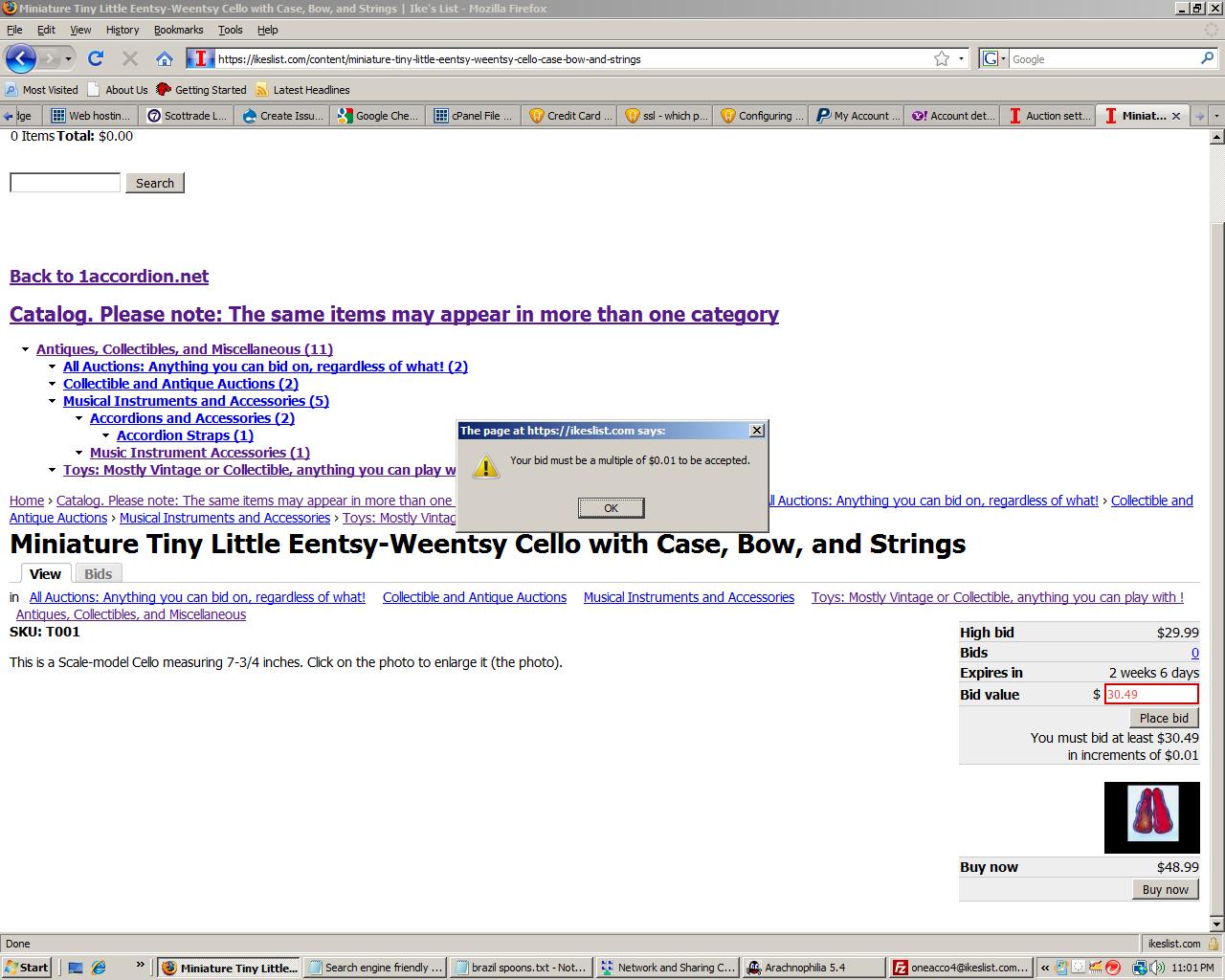
The bid increment in the global settings is $0.01 and for the individual auctioned item also 0.01. The bid for $30.49 is rejected with the error message: "Your bid must be a multiple of $0.01 to be accepted." in a little box in the center of the screen. The Item was listed at $29.99 and the minimum bid was $30.49. In testing with other identity bid could not be placed. This is a serious error, as I have gone live with this site already.
Attachment Size
Attachment Size
auction error.jpg 179.05 KB
more information:
Tried uninstalling and reinstlling the auction modle, and creating a new product auction. listing. Still get exactly the same error. Have just changed the issue to 'critical'
Comment #17
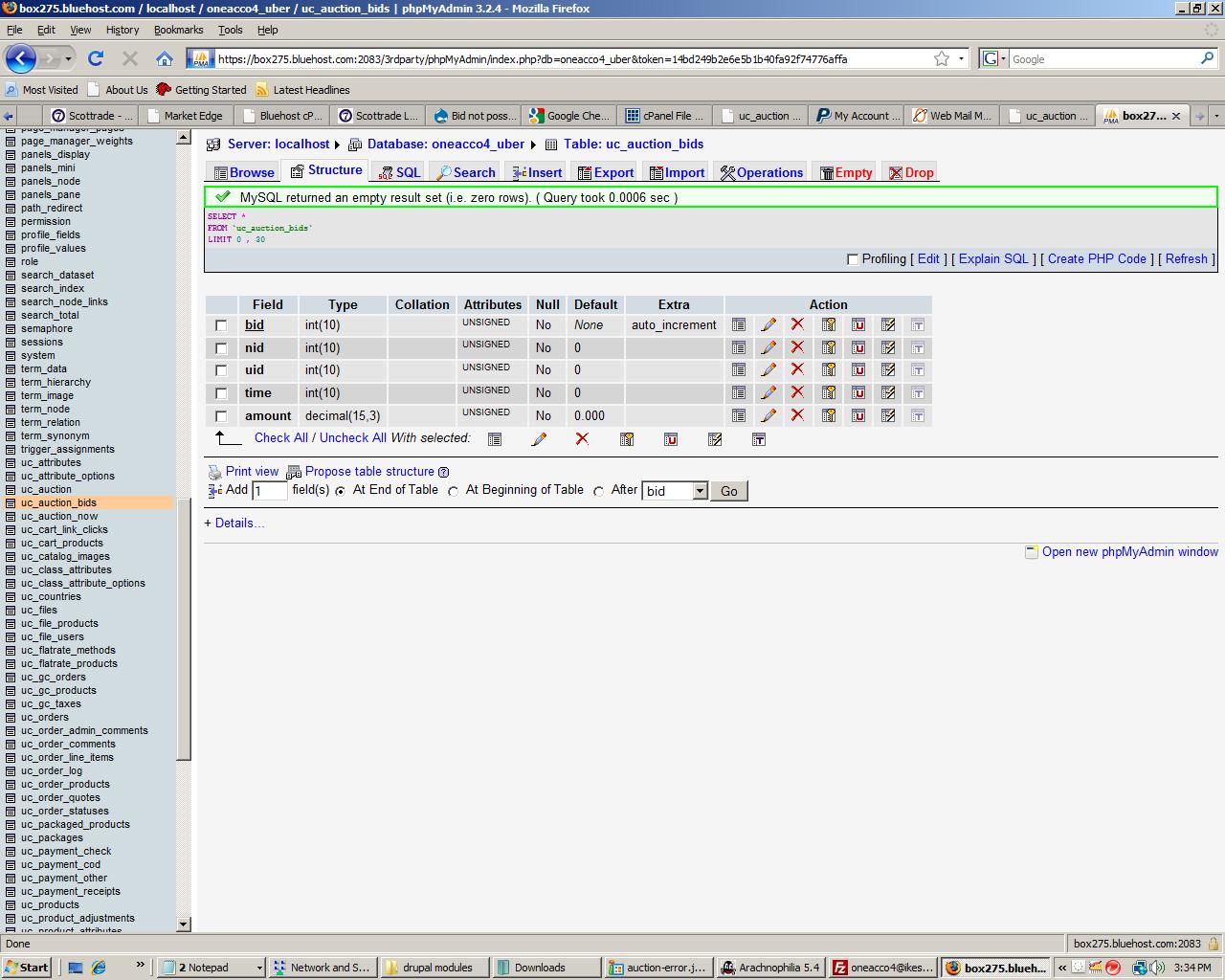
whatsanike commentedHere is some more info, i.e. screenshots of MySQL database lines The last one is a picture of the browser page from the previous post, for your convenience. The product is a different one now, but the error is exacly the same
Comment #18
snowmountain commentedFYI,
In my case, the message that says the bid must be a multiple of the bidincrement displays the bidincrement twice! I noticed in the image that yours displayed the increment once ....??
Is this the same problem, then - or related?
At any rate, it seems similar. Was the auction bidding working for you before going to drupal 6.16, and if so, was any other code changed (upgraded) - especially auction or ubercart code?
Comment #19
whatsanike commentedI did not change anything in the code knowingly. I don't know if it would have worked correctly with 6.15, since I had only tried it with drupal 6.16. I noticed that the other similar problem was also with Drupal 6.16, where the multiple of the bid was $1.00 rather than $0.01 in my case. I was thinking it might have something to do with SSL encryption returning an encrypted quantity to the bid quantity test, since 6.16 was supposed to be an enhanced security update, and the other instance I knew about from the forum was with the new 6.16 version of Drupal also.
Comment #20
Starminder commentedsubscribe...
Comment #21
GoodSeeker commentedsubscribe...
Comment #22
HydroZ commentedHi,
i tried to find some glues, that lead to the validation error ("You must place at least a multiple of ...").
I was wondering, why the message is "You must place at least a multiple of EUR 1,00,EUR 1,00, EUR 1,00...". Therefore I made a litte research with FireBug, found the related script:
Obviously, the following variables or what ever they are (I am really poor in JS and Object-Stuff) must no be arrays.
The last If-Clause will become TRUE, because
bidVal % Drupal.settings.ucAuction.bidIncrementwill produce "NaN" and this is not equal to ZERO...
This is definitly the reason why the error occours. The script (above) was not written do compare the values of the above mentioned arrays.
Sadly, I have no glue, where those (Drupal.settings.ucAuction.minBid, Drupal.settings.ucAuction.bidIncremen) come from, but hopefully, I have saved someone more professional like me a little bit of time...
Comment #23
jepster_the min-bid value inside $node is not passed.
I've inserted under line 1006 in file uc_auction.module
and I've changed the line (ca. 1025 in the same file)
to
now I don't get this error.
Comment #24
jepster_Marking this as fixed, because of the 1.0 release.