

 Come together with the global Drupal community in Rotterdam, 28 Sept – 1 Oct 2026. Sessions, contribution, connection, and Early Bird savings until 8 June.
I posted the following to the forums a couple of days ago and received no response. Figured I'd try here in case anyone monitoring the module through RSS might have a suggestion.
I've spent about an hour messing with this and must be overlooking the obvious. I can't seem to get the control panel to replace the default administer page as in the screenshot for the original announcement for the module.
Using 4.6.3, when first turned on, the control panel shows up in the navigation menu as link "control panel." That works fine in that it properly displays all of the icons. However, it does not have the expanded menu underneath that the administer menu does. I've tried various url aliasing options.
I can get part of the way there by aliasing control_panel to admin. But that does some weird thing where the control panel menu option starts duplicating itself even when disabled.
I have also tried moving all of the admin sub menu items underneath control panel. However, when I do that and then turn off the administer menu option, the control panel icons disappear.
Any suggestions?
| Comment | File | Size | Author |
|---|---|---|---|
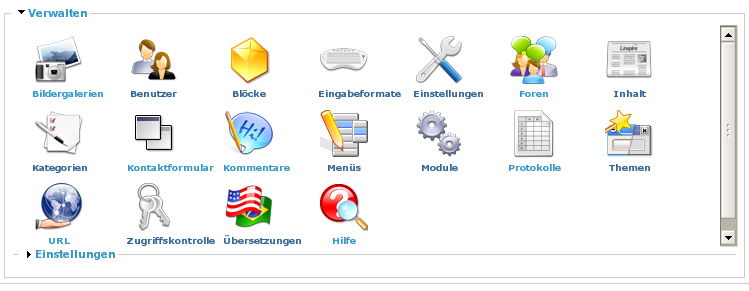
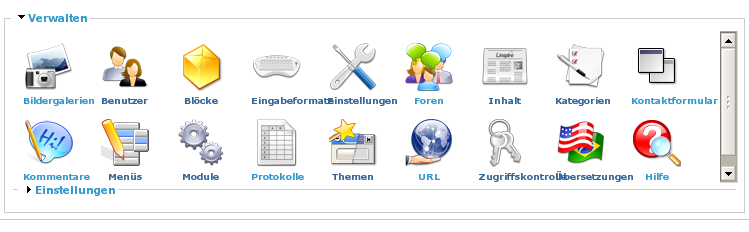
| #9 | controlpanel.css | 1.02 KB | quiptime |
| #8 | after.png | 62.54 KB | quiptime |
| #7 | bevore.png | 60.85 KB | quiptime |


Comments
Comment #1
dreed47 commentedNo need to alias anything to get this to work.
First, there's a patch for core system.module to allow you to define the "home" page for admin. 4.7 patch and 4.6 patch. After applying this patch you will see a new option in admin/settings that will allow you change the default admin home page. I'm hoping the 4.7 patch makes it into the core 4.7 release.
As for the child items not showing? Have you set the "Build Child Menu Panels" option in admin/settings/controlpanel?
Comment #2
dreed47 commentedComment #3
cel4145 commentedThe patch for 4.6.3 worked great. After resetting the default admin page to control_panel, I then disabled the control_panel menu item. To get the admin menu on the left to appear expanded, I had to check expanded (I guess it does this by default normally since it is actually displaying a sub menu item, the logs page).
Good luck with the patch for 4.7. Good feature.
Comment #4
dreed47 commentedComment #5
NoFixedAbode commentedI attempted to apply the patch to the latest 4.7 release (4.7b2), and it failed with this message:
I then attempted a manual patch in system.module. While drupal still continues to function, the admin pages appear inside the site's usual template. As far as I can tell, I've followed the instructions in the readme and in the forums, so I believe this is a case of updated 4.7b2 code breaking the control panel's functionality.
Nice module, BTW - the screenshots look great :-). I'm trying to convince one of my clients to switch from producing CMS based sites in Joomla to Drupal, and this will go a looooong way to accomplishing that (once I get it working).
Comment #6
dreed47 commentedWhat do you mean by:
The Control Panel module does not affect the template in use. It only shows menu items graphically with icons. The patches referenced in this post ONLY allows you to change the default view when the /admin menu item is clicked. By default you get the watchdog log view. The patch allows you to change the view to anything you want. The patch does NOT affect the template in use.
Comment #7
quiptime commentedInsert the following lines in controlpanel.css :
div.control-panel-icon-size-48x48 {
padding: 0 1.00em 0 1.00em;
}
div.control-panel-icon-size-36x36 {
padding: 0 1.20em 0 1.20em;
}
div.control-panel-icon-size-24x24 {
padding: 0 1.40em 0 1.40em;
}
div.control-panel-icon-size-16x16 {
padding: 0 1.60em 0 1.60em;
}
Result:
Better control of would be away between the pictures.
Comment #8
quiptime commentedComment #9
quiptime commentedComment #10
dries commentedComment #11
kvarnelis commentedso what should we do if we want to enable this in 4.7 beta 3? the patch is against an obsolete version of cvs.
Comment #12
dreed47 commentedYou could manually apply the patch or the alias option works in the latest CVS HEAD (not beta 3) so it will also work in future betas and the 4.7 release.
Comment #13
(not verified) commented