

 The 2026 Drupal Business Survey is open. Your response will help shape the future of the Drupal business ecosystem.
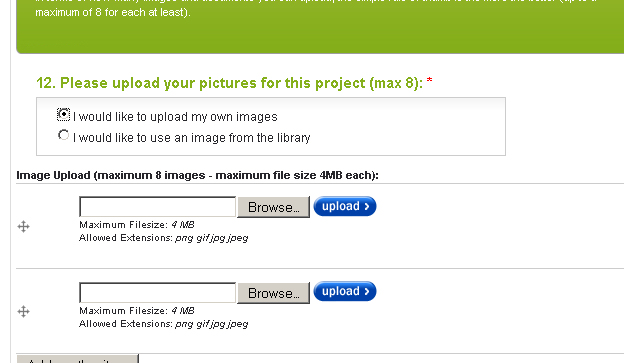
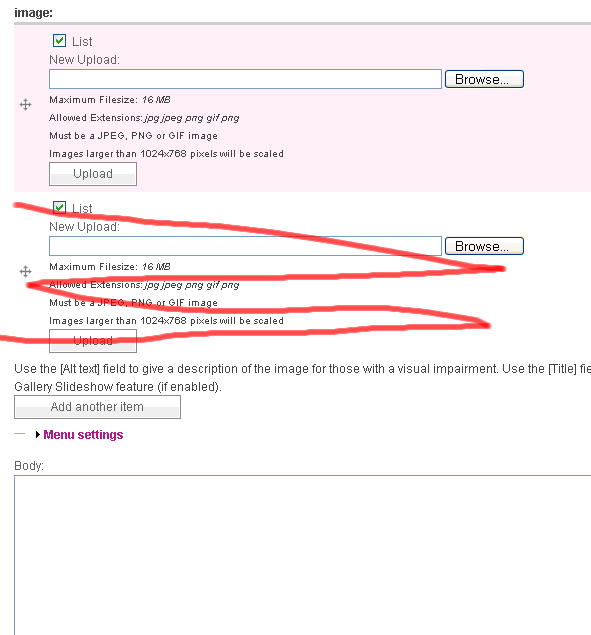
I have number of values set to unlimited, but when I go to create story I have 2 upload sections and under them [Add another item]. 99% of the time my users will only be putting in one picture so I would like to show just one upload section, with another only appearing IF the [Add another item] is clicked. I am trying to make the create content form as simple for my users as possible - can you advise please. I attache a visual for clarity
| Comment | File | Size | Author |
|---|---|---|---|
| #12 | uload.jpg | 96.55 KB | plazma |
| #6 | filefield_default_values.patch | 1.96 KB | quicksketch |
| #4 | filefield-single.png | 22.54 KB | quicksketch |
| oneupload.png | 14.24 KB | artatac |

Comments
Comment #1
quicksketchI agree that this is definitely a usability problem. The "two default fields" is actually caused by CCK, which has this behavior for all multiple value fields. But I definitely agree that we should only show one upload field at a time, especially since uploading two files at once can cause problems.
This is actually a problem caused by FileField which provides the default field used by ImageField, so I'm moving this issue over there.
Comment #2
artatac commentedThanks for the prompt response
Comment #3
quicksketchTurns out this is already fixed in CCK in the #196421: Deleting unwanted multiple values / multiple values delta issues patch. I think we'll be best off to just wait for that issue to complete.
Comment #4
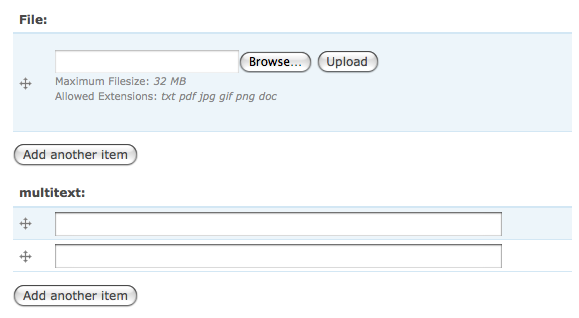
quicksketchOh nope, turns out I fixed this accidentally in #397578: Uncouple ImageField from FileField Custom Hooks. Though I'm not entirely sure how. See the screenshot, both fields are unlimited value fields.
Comment #5
quicksketchWell this seems to effect ImageFields but not FileFields. I'm putting this back to postponed until I can figure out where this is coming from.
Comment #6
quicksketchAlright, I finally found a way to ensure FileField starts with exactly one upload field in all cases. CCK checks the $form_state['item_count'] variable for every field and then bases the number of fields based on that value (if it exists), then adding 1. So by setting this value to 0, we can ensure that CCK only adds one field every time.
Comment #8
artatac commentedThank you - will this be incorporated within the standard (current module) or remain as a patch to be applied?
Comment #9
DeFr commentedFor the record, this conflicts with the latest CCK 6.x-3 development branch where #196421: Deleting unwanted multiple values / multiple values delta issues was fixed: with the patch, there's exactly as many upload fields as the default item_count, which means that there's now 0 upload field by default.
Comment #10
weynhamzWhy Shall We make it default to 1???
in Version 3 development ,if it set to 0,there case an php error warning.......
Comment #11
c_s_c commentedHello everyone.
It seems to concern more than Imagefields or Filefields. I encounter the same difficulty with 'unlimited' location fields (from Location and GMap modules).
I am using Location 6.x-3.1-rc1 with Location CCK activated.
How can this be corrected ? What functions are acting wrong ?
Comment #12
plazma commentedHi all,
I still seem to be having this issue, only happens on a multistep form though from what i can see is that all patches have been applied but still displaying 2, its a weird one, quite annoying also
Comment #13
jrz commentedHi plazma,
did you end up finding a solution to you problem?
Comment #14
dave_______1 commentedHe everyone,
Did anyone find a fix for this?
Dave.