

Closed (fixed)
Project:
dfgallery
Version:
6.x-1.0-beta1
Component:
Code
Priority:
Normal
Category:
Support request
Assigned:
Unassigned
Reporter:
Created:
9 Mar 2009 at 18:41 UTC
Updated:
13 Mar 2010 at 01:40 UTC
Jump to comment: Most recent file



Comments
Comment #1
ctalley5 commentedI'm getting one of the same errors -
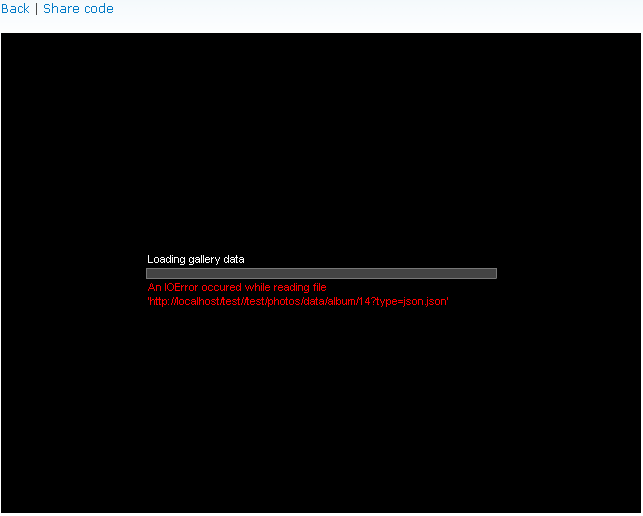
An IOError occured while reading file
'http://..................../sites/all/modules/photos/flash_gallery/dfgallery/resources/locale/dfgallery_en.eden'
Funny thing is - the error shows up for about 2 seconds, then disappears, then it seems to work fine.
Not quite sure what's going on, but after the error it is an extremely nice looking slideshow.... so i'm just thrilled it is working at all!
Comment #2
eastcn commentederror 1: lack of language packs. Based on the wrong path, please create an empty file. eg: ..../modules/dfgallery/dfgallery/resources/locale/dfgallery_en.eden
error 2: Try the revised document.
Comment #3
milanod commentedI can tell you Im far from knowing php, but I did have the same problem as both your pics. I am still trying to figure out the language file problem, but I think the folder/file is missing completely.
By no means am I saying this is the "correct" way to do it, but to fix the other problem, edit the modules/photos/inc/photos.album.inc line 143 and remove or comment the '_photos_l' from the beginning of the array string.
this worked for me and should get the album flash running.
Change this:
return dfgallery_html(array('url' => _photos_/(url("photos/data/$type/$node->nid", array('query' => array('type' => 'json.json')))), 'width' => $width, 'height' => $height));to this:
return dfgallery_html(array('url' => /*_photos_l*/(url("photos/data/$type/$node->nid", array('query' => array('type' => 'json.json')))), 'width' => $width, 'height' => $height));Comment #4
eastcn commentedYou are correct, but better to use absolute path:
Comment #5
design.er commentedGreat, this is the solution. Thanks a lot! :)
Regards,
Stefan
Comment #6
mukatira commentedHi,
I changed the 143rd line in photos.album.inc to
return dfgallery_html(array('url' => url("photos/data/$type/$node->nid", array('absolute' => true, 'query' => array('type' => 'json.json'))), 'width' => $width, 'height' => $height));
Created a directory locale and an empty file :
../modules/dfgallery/dfgallery/resources/locale/dfgallery_en.eden
I still get the error posted by design.er - March 9, 2009 - 18:41 dfgallery_error_01.png immediately followed by the attached Invalid XMD data error
Am I missing something?
Thanks
Sm
Comment #7
design.er commentedHi makutira,
Maybe you should follow eastcn's instructions from comment #2. That was the solution for my problem. Maybe it'll help you, too.
Regards and good luck! :)
Stefan
Comment #8
mukatira commentedHello,
I realized that the dfgallery_en.eden should be in ../modules/photos/dfgallery/dfgallery/resources/locale/dfgallery_en.eden AND NOT IN ../modules/dfgallery/dfgallery/resources/locale/dfgallery_en.eden
Upon fixing this the the error posted by design.er - March 9, 2009 - 18:41 dfgallery_error_01.png
is gone!
However I still get the error(Invalid XML data): http://drupal.org/files/issues/invlidXMLdata_0.jpg
What am I missing now?
Sm
Comment #9
mukatira commentedI found out Clean URL needs to be activated so I went here http://drupal.org/node/55946, configured my .htaccess file and sure enough Invalid XML data error disappeared!
Comment #10
jjancel commentedImpossible for me to activate Clean URL,
What other solution ?
Comment #11
eastcn commentedhttp://drupal.org/node/397456#comment-1350182
Comment #12
tedbramble commentedOkay I did everything as described above...and proceeded to anguish over why it wasn't working for the entire day...reinstalled, copied the code, made new folders, downloaded all the updates... still no go...ready to throw my laptop out the window.
And then eastcn gave me some great advice:
Please remember to TURN ON THE DF GALLERY MODULE in your administration page!
OMG....
works perfectly.
Comment #14
tclusellas commentedHi guys, I had the same problem about the ioerror.... eden, I tried everything that was posted above but didn not work, I changed dfgallery_en.eden to one from ttp://www.dezinerfolio.com/dfgallery-2/free-flash-gallery, and voila, error gone!
(rename the file to dfgallery_en.eden)
Good luck
Comment #15
sandeepkumarbhatt commentedhey Guys ,can anyone tell me how i can group multipe album for swf slideshow in dfgallery
Comment #16
sandeepkumarbhatt commentedhey Guys ,can anyone tell me how i can group multipe album for swf slideshow in dfgallery
Comment #17
andersh commentedI have struggled with this exact problem for some time, and tonight I cracked it! I got the error message "IOError reading file dfgallery_en.eden" for some seconds, and then all worked fine. It was just not very pretty to have all users get an error message in red font every time they wanted to open a gallery.
The flash applet are run on the client side, and therefore the flash applet ask the webserver for this eden-file. I'm running Drupal from an IIS server and IIS only transfer files that is a so called "known MIME type". In IIS Manager you rightclick on your site, properties, choose the tab "HTTP Headers", button "MIME Types". Click "add" and write .eden in the first field, and just type inn somekind of name in the lower field. This makes the server deliver this filetype to clients asking for it.
WOILA! Error gone!
If you are running other kind of webserver software the same type of limitation could be your problem, however the configuration steps will be different. But this may put you on the right track!