

 Come together with the global Drupal community in Rotterdam, 28 Sept – 1 Oct 2026. Sessions, contribution, connection, and Early Bird savings until 8 June.
Table 'feeds.watchdog' doesn't exist query: INSERT INTO watchdog (uid, type, message, variables, severity, link, location, referer, hostname, timestamp) VALUES (1, 'locale', 'Parsed JavaScript file %file.', 'a:1:{s:5:\"%file\";s:14:\"misc/jquery.js\";}', 5, '', 'http://localhost/feed/admin/build/modules', 'http://localhost/feed/admin/build/modules', '127.0.0.1', 1239298936) in C:\root\feed\modules\dblog\dblog.module on line 144.
| Comment | File | Size | Author |
|---|---|---|---|
| #36 | drupal-dblog-watchdog-table-not-created-install-429188-32.patch | 1.61 KB | dmitry.kazberovich |
| #31 | drupal-dblog-watchdog-table-not-created-install-429188-31.patch | 1.59 KB | elijah lynn |
| #16 | 2012-08-02_121144.png | 65.04 KB | redcell |
| #15 | untitled.JPG | 178.46 KB | pizangdesain |
| #13 | watchdog_table.gif | 21.58 KB | cmrsf1 |



Comments
Comment #1
Anonymous (not verified) commentedWhen did you see this and what module(s) were you installing?
Comment #2
haojiang commenteddrupal native database log
Comment #3
Anonymous (not verified) commentedI can understand how this would happen. The logging becomes active before the DB table is created and so the first logging query fails. Did the watchdog table get created?
Comment #4
haojiang commentedno , i can't see a table name "watchdog" in phpmyadmin
Comment #5
Anonymous (not verified) commentedSo to get rid of the errors, deactivate the module then go to the Uninstall tab and uninstall the module. You will see errors about the table not being available. After this you can try the activate operation again but my guess it will still fail to create the table. Hmm... me wonders if there is a simpletest test for this?
If the creation of the watchdog table fails again, below is the SQL to create it.
Comment #6
haojiang commentedthx a lot ,fixed
Comment #7
Anonymous (not verified) commentedI don't know how fixed this issue is. Let's leave it open so I or someone else can look at a watchdog install. It's the default for Drupal to install the watchdog module so I don't know why you didn't have it to begin with.
Comment #8
haojiang commentedbut after i create the table as the above said so , nothing error show up again and seems that everything goes all right
Comment #9
haojiang commentedbut after i create the table as the above said so , nothing error show up again and seems that everything goes all right
Comment #10
Anonymous (not verified) commentedBut why didn't the table create normally is the issue.
Comment #11
mitchell commentedHaving same issue.
Comment #12
mitchell commentedNevermind. Stupid mistake.
Comment #13
cmrsf1 commentedPLEASE DISREGARD. I WAS ABLE TO PLOD ON THRU THIS AND NO LONGER GET AN ERROR MESSAGE...
I was receiving the error message that watchdog was not installed so I used the syntax, above, to create a new table in my phpadmin. Then, when the loading the home page, I got the message:
Access Denied
user warning: Unknown column 'referer' in 'field list' query: INSERT INTO watchdog (uid, type, message, severity, link, location, referer, hostname, timestamp) VALUES (0, 'access denied', 'node', 1, '', 'http://mysite.com/drupal/', 'http://mysite.com/drupal/admin/logs/watchdog?sort=asc&order=User', '174.28.141.124', 1278742535) in /hsphere/local/home/cmrsf1/mysite.com/drupal/includes/database.mysql.inc on line 172.
******************
Line 172 says: trigger_error(check_plain(mysql_error($active_db) ."\nquery: ". $query), E_USER_WARNING);
return FALSE;
so I guess that the error I'm receiving is because of this directive from line 172.
******************
I went back into my database and saw that I had mis-spelled referer (as referrer). I corrected that and saved it and then re-loaded the home page. I now have the error:
Access Denied:
user warning: Duplicate entry '0' for key 1 query: INSERT INTO watchdog (uid, type, message, severity, link, location, referer, hostname, timestamp) VALUES (0, 'access denied', 'logout', 1, '', 'http://mysite.com/drupal/logout', 'http://mysite.com/drupal/admin/logs/watchdog?sort=asc&order=User', '174.28.141.124', 1278749987) in /hsphere/local/home/cmrsf1/mysite.com/drupal/includes/database.mysql.inc on line 172.
I have attached a gif file of the way my table actually looks if that helps. I am a rookie at working in phpmyadmin and am nervous when making any changes in there...
Thanks!
Comment #14
drummmodules/system/system.install creates this table. If for some reason you don't have the table, something went wrong on installation. If you manually deleted the table, we can't anticipate that, don't do it. We even spell referer correctly.
It is the last table to be created, vocabulary_node_types before that. Would be interesting to know if that was created.
Comment #15
pizangdesain commentedsame issue with Drupal 6
when enabling module came fail...
Comment #16
redcell commentedI just tried a fresh installation of:
Drupal 7.15
FreeBSD 9.x-RELEASE (x64)
SQLite
PHP 5.4.5
Apache 2.2.22
Type: minimal installation
I can confirm that on the "Install Profile" page of the installer, I get the error "SQLSTATE[HY000]: General error: 1 no such table: watchdog" and am unable to continue. I'll have to manually create the table.
I also get the "Warning: Illegal string offset 'field' in UpdateQuery_sqlite->removeFieldsInCondition()" warning that I will manually patch.
I suspect that this issue only occurs with the minimal installation, because I did a normal installation a couple of weeks ago on the same system that work ok. There were still a handful of warnings and notices that required manual patches, but at least I could get through the installer.
Comment #17
redcell commentedThis workaround created the table manually.
Comment #18
aspilicious commentedI don't think this is the case in drupal7.
Why pushing this to drupal 7?
Comment #19
Leeteq commentedLets treat this as a support request first, until we have more confirmations of such a problem.
(should move it unto 7.x-dev, too, if no confirmations are posted within a couple of days)
#16/@redcell: Have you try installing again in the same environment? Is the behaviour consistent? Any indication of running out of memory or the like just before the last table was created? (how much memory is reported on the status report page?)
Comment #20
Anonymous (not verified) commentedMy theory on the issue is that dblog_watchdog hook implementation is firing before the watchdog table exists for some obscure reason. To resolve that issue dblog_watchdog() should check db_table_exists() before inserting into it.
Comment #21
Taxoman commentedComment #22
Letharion commented@#20 the idea is that the table should always be there, as it's created by the system module.
That said, I also have stumbled upon this problem several times recently. Could be memory constraints failing to create the tables, but haven't seen any errors during install.
Comment #23
Anonymous (not verified) commentedI know it's supposed to exist already. The unknown here is what is causing the dblog_watchdog hook implementation to execute before the table is created. Something is causing an out-of-order sequence of events; what is that something? We don't know but perhaps someone experiencing the problem could debug it by adding the output of debug_backtrace() to the message in dblog_watchdog(). Something like
drupal_set_message('<pre>'.print_r(debug_backtrace(),true).'</pre>');We can't use devel because we won't be able to get it installed.Comment #24
Letharion commented@#23 that's not what I said, but regardless, it seems my statement was wrong anyway. In D7, the dblog module takes care of creating the table, which implies your assessment is correct.
A backtrace on the error should be very helpful in nailing down what goes wrong.
Comment #25
jonhattanAlready fixed in #1542186: PHP 5.4 "Illegal string offset" warning when install
Comment #26
Letharion commented#1542186: PHP 5.4 "Illegal string offset" warning when install is a sqlite specific problem. I don't see how this issue has anything to do with it.
Comment #27
jonhattanIt's sqlite specific since #16.
Comment #28
Anonymous (not verified) commentedThe issue of dblog_watchdog firing before the table exists is not fixed. The dblog_watchdog function needs to determine if the table exists before trying to insert into it. I agree that the sqlite issue may have caused the function to execute before the table exists, it is not though a fix for the issue since the issue could still occur for some other reason.
Comment #29
damien tournoud commentedPlease don't hijack an old bug report.
We should catch and ignore any PDO exception trigger in
dblog_watchdog(). I just opened #1784548: DB Log is missing watchdog table after enabling - Need to catch and ignore exceptions thrown in dblog_watchdog().Comment #30
pingwin4egWait!
I've stumbled across this issue for a 2 days trying to create my custom installation profile. (Then I found out that the problem exists even if uninstalling Dblog module and installing it again.)
And the problem is not in DB driver (I work with MySQL) and {watchdog} table is really not created by the moment when error occurs.
So here's how it is when installing Dblog.
Function module_enable contains such code:
Function
registry_update()callsdrupal_alter('registry_files', $files, $modules)which in turn callsctools_registry_files_alter(&$files, $indexed_modules)which (in case of some errors - my case) callswatchdog('ctools', '...nonexistent file for class handler', $args)which callsforeach (module_implements('watchdog') as $module) {module_invoke($module, 'watchdog', $log_entry);}and here Dblog is in list of modules but without schema installed yet.Yes Ctools in my case installed before Dblog but it could be any other module to make some alters and to send the errors.
So I think @earnie is right, dblog_watchdog() should check db_table_exists().
Comment #31
elijah lynnHere is a patch against dblog (7.22) to add the if(db_table_exists('watchdog')) to dblog_watchdog(). It now creates the table on install and performs as expected in my brief testing.
Comment #32
zayed-jat commentedhi, I run the installer of drupal 7.23 and not found the table watchdog.
now i will try the patch
thanx
Comment #33
deetergp commentedI just wanted to add that I was experiencing this very same issue in 7.24, in a custom distribution and the patch in post #31 applied correctly and resolved my issue. I was able to continue on with the install and can hopefully now start building SimpleTests for my distribution and custom modules.
Thanks, Elijah!
Comment #34
mimes commentedElijah Lynn's patch in comment #31 also works with Drupal 7.24 and 7.x.
Comment #35
ianthomas_uk#29 still applies. If you want to see this fixed, help out on #1784548: DB Log is missing watchdog table after enabling - Need to catch and ignore exceptions thrown in dblog_watchdog(). If you think this issue should be reopened, then please explain how it differs from #1784548.
Marking this as a duplicate of #1542186: PHP 5.4 "Illegal string offset" warning when install and / or #1784548.
Comment #36
dmitry.kazberovichUpdated the patch
Comment #37
deanflory commentedI'm just running into this error on D7.42 after disabling and uninstalling the following modules which deleted my watchdog table (as I guess it should):
When I reload the Modules page and attempt to enable Database Logging I get this nasty error:
And again, when I reloaded the Modules page and only Database Logging seems to have installed, or partially, I get this error when trying to disable it:
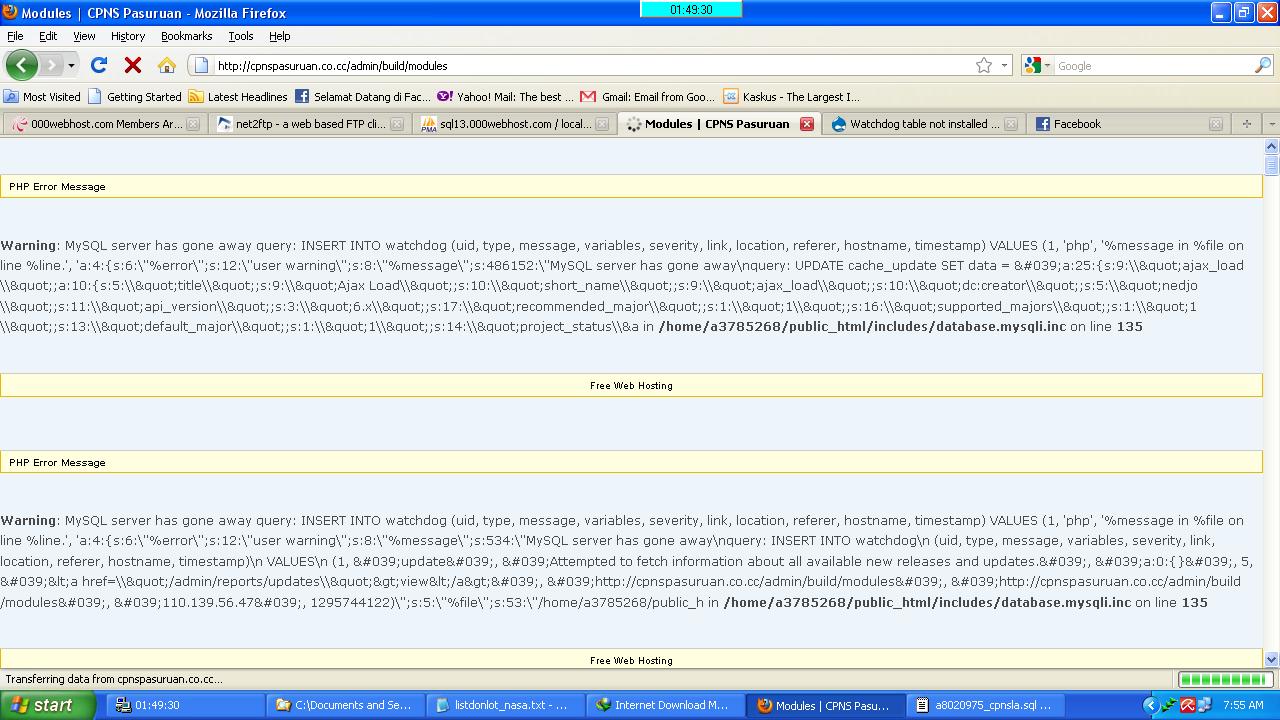
So, disabling and uninstalling the dblog module deletes the watchdog table from the db, but re-enabling it doesn't create the watchdog table...or it fails/errors before it's created. Not cool. I can't imagine how this has gone unfixed for an entire version cycle.
The patch "drupal-dblog-watchdog-table-not-created-install-429188-32.patch" in #36 fixed the problem for me. Thanks!