

 Come together with the global Drupal community in Rotterdam, 28 Sept – 1 Oct 2026. Sessions, contribution, connection, and Early Bird savings until 8 June.
This is going to be a long description. I will try and provide a lot of information. I have screen shots attached, and also, there is a video too: http://cathytheys.blip.tv/file/1977034
The video repeats what is shown here in the text description of my problem, and also in the screenshots, with a little bit more info. I figured, some people might prefer to see a video, some might prefer to see screenshots.
These might be related:
#267168: $head_title and $title never change and look as though they are pulling a taxonomy term
#373373: Ability to override title of page views
The summary of my question, I'll pull out from below and repeat here:
So, why when the nodes use the ViewField, does the title and the window title bar title get messed up. Did I configure something incorrectly, or is there a bug somewhere?
-------------------------------
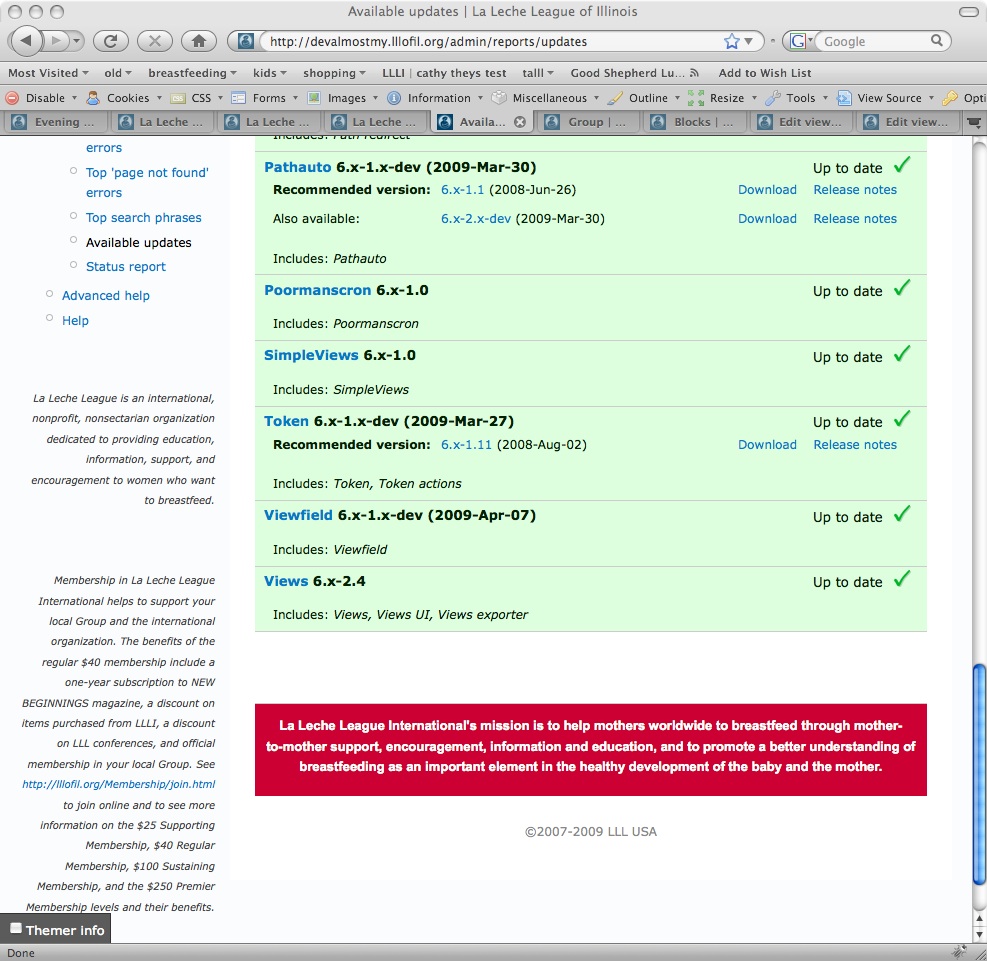
I have Drupal 6.10, Viewfield 6.x-1.x-dev (2009-Apr-07), Views 6.x-2.4 [screen shot moduleversions]
I made some content types: meeting, group [screen shot content-type-group-page1]
group has lots of cck fields, including three View Field [screen shot content-type-group-page2-showsViewField]
One viewfield show the leaders (users) associated with that group and takes the argument %nid [screen shot view-of-leaders]
One viewfield show the meetings associated with that group and takes the argument %nid [screen shot view-of-meetings]
There are no added displays for those, so it just uses "Defaults"
The other View Field on group nodes is to list the 5 nearest other groups. Because of some problems I have with loctation module, I actually create a view for each group (I can't get arguments to work). A drag, but I'm ok with that for now.
For example, here is the view for groups near oak park. [screen shot view-of-groupsnearoakpark]
Which works by finding things near a hard coded lat/long for the city. [screen shot view-of-groupsnearoakpark-latlong]
I needed to theme the nodes of type group, so I copied the node.tpl.php to node-group.tpl.php:
<?php
// $Id: node.tpl.php,v 1.5 2007/10/11 09:51:29 goba Exp $
?>
<div id="node-<?php print $node->nid; ?>" class="node<?php if ($sticky) { print ' sticky'; } ?><?php if (!$status) { print ' node-unpublished'; } ?>">

<?php print $picture ?>

<?php /* I want my title to get printed */ ?>
<?php // if ($page == 0): ?>
  <h2><?php print $title ?></h2>
<?php // endif; ?>


  <div class="content clear-block">
    <?php print $content ?>
  </div>

<?php /* edited the submitted printing, with no if and no username */ ?>
<span class="mysubmitted"><?php echo "Last edited on "; print format_date($node->changed, $type="large"); echo "."; ?></span>

  <div class="clear-block">
<?php
// took out the taxonomy terms printing. See node.tpl.php
?>

    <?php if ($links): ?>
      <div class="links"><?php print $links; ?></div>
    <?php endif; ?>
  </div>

</div>
I used the theme registry link and the empty cache link in the dev block from the devel module, and I went to the themes admin page.
In the node-group file, I moved the date to the bottom, and changed the format, I also forced the title to display, because it disappeared.
Check out this oak park group page. [screen shot grouppage-oakpark-forcedtitle-wrongwindowtitlebar]
The title under the view/edit/etc tabs is the one I forced to print in the node-group.tpl.php file, also look at the top of the window, in the menu bar, it says The Site Name | The Slogan instead of The Node Title | The Site Name.
In the edit oak park group page [screen shot grouppage-oakpark-edit-page1]
can see the title has been renamed, and what the title of the node should be.
In the second screen shot of that page, paged down to where the viewfields are, can see the arguments and the selected view [screen shot grouppage-oakpark-edit-page2-shows-ViewFields]
For comparison, the Stark group page [screen shot grouppage-stark-doubletitle-correctwindowtitlebar]
And the screen of the edit stark group page [screen shot grouppage-stark-edit-page1] shows what the title should be.
In the second screen shot of that edit page, paged down to where the view fields are, can see that the ViewFields arguments are not set, and that the view is not selected for the third viewfield. [screen shot grouppage-stark-edit-page2-shows-ViewFields]
In the stark node, the views are not returning anything, and the view for the proximity search has not been created, so for the ViewField it is , AND the "automatic" title and the one I forced are both on the page and the window title bar at the top shows the *correct* title of The Node Title | The Site Name.
So, why when the nodes use the ViewField, does the title and the window title bar title get messed up. Did I configure something incorrectly, or is there a bug somewhere?
I dont know if it would provide extra clues, but, when I turn on the Themer Info checkbox part of the devel module, I get the red wireframes around the components of the nodes that are groups... unless the component is one I changed in node-group.tpl.php That part (along with a repeat of what is described here and shown in the screen shots) is shown in the video. http://cathytheys.blip.tv/file/1977034
Thanks for reading so long, and if you can point me in the right direction, I would appreciate it. Thanks a ton!
| Comment | File | Size | Author |
|---|---|---|---|
| grouppage-stark-edit-page2-shows-ViewFields.jpg | 269.85 KB | yesct | |
| grouppage-stark-edit-page1.jpg | 272.54 KB | yesct | |
| grouppage-stark-doubletitle-correctwindowtitlebar.jpg | 246.68 KB | yesct | |
| grouppage-oakpark-edit-page2-shows-ViewFields.jpg | 266.11 KB | yesct | |
| grouppage-oakpark-edit-page1.jpg | 286.9 KB | yesct |


Comments
Comment #1
yesct commentedAh, one of the 3 Viewfields was a page view. I switched to a block view, and it works as I wanted. :)
Comment #2
ionmedia commentedsame problem with $view->view_execute('page_1')
with your help i change page to block and all works fine