

 Come together with the global Drupal community in Rotterdam, 28 Sept – 1 Oct 2026. Sessions, contribution, connection, and Early Bird savings until 8 June.
My issue is related to the restoration option available with the "Backup & Migrate" module. I had a Drupal 6.10 installation on "Server-1" which contained my sites original content - this you could consider the production site. Then created a new Drupal 6.10 installation on "Server-2" and "Server-3" - these were setup to be development sites or 'sandbox' as they say. All installations were set to Off-line mode and Garland theme.
A Back-up (Back-up 1) was created from Server-1 installation. On my Server-2 installation, I used the restore option with Back-up 1 as the restore file.
This restore worked perfectly and migrated all of the menus, nodes, comments, etc with no currently detectable problems. This made Server-1 and Server-2 identical.
Another Backup (Back-up 2) was then created from the Server-2 installation. On my Server-3 installation, I used the restore option with Back-up 2 as the restore file.
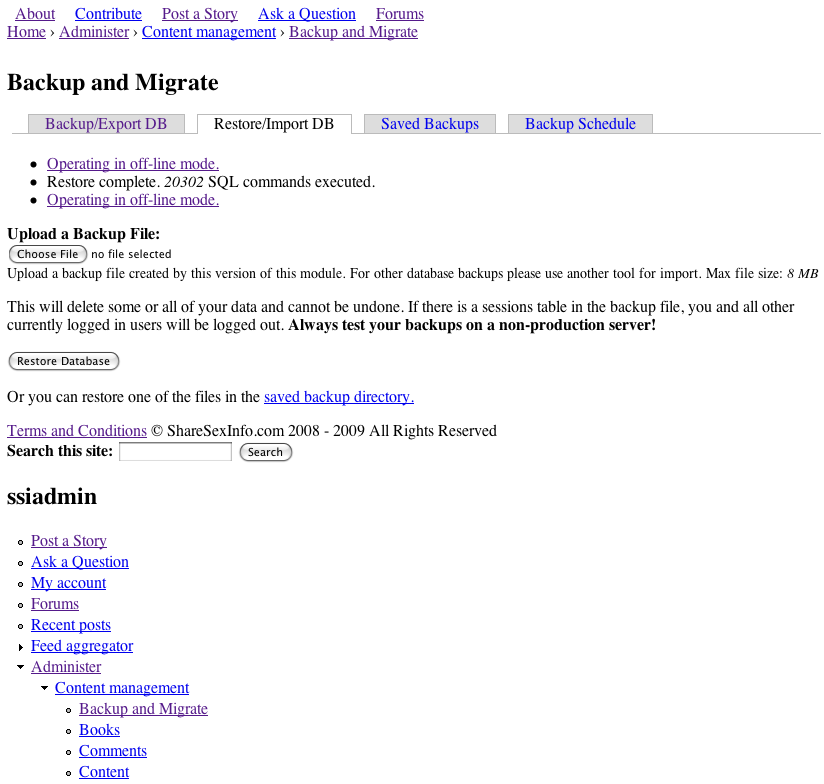
After clicking "Restore Database" the page is reloaded after MySQL is updated. The end result is a page which displays the menus, comments, nodes, of the production site. But the issue I am having is that the theme is non-existent, and the links are broken.
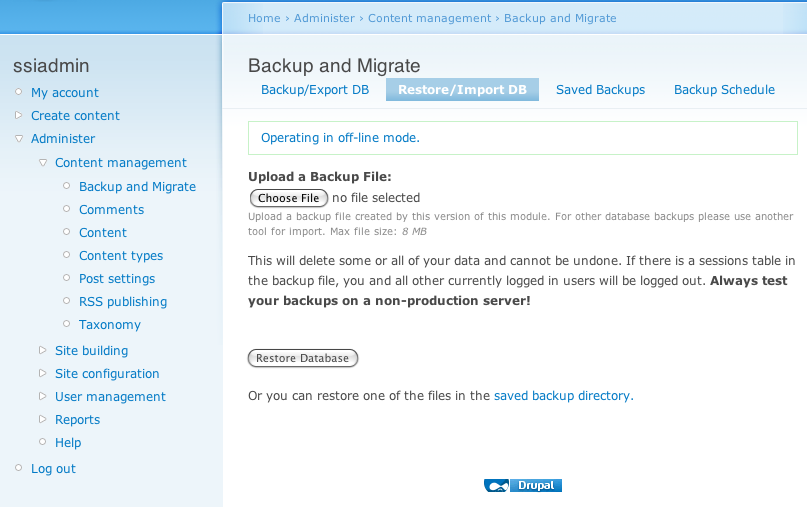
Here is a screen shot of the new Drupal 6.10 installation on Server-3 - BEFORE restore:
http://drupal.org/files/Before.png
Here is a screen shot of the new Drupal 6.10 installation on Server-3 - AFTER restore:
http://drupal.org/files/After.png
I know that some of restoration is working, there are blocks below the Navigation Menu that show up after the restoration that weren't part of the new untouched installation on Server-3. But, the theme just seems to disappear, and the links don't work.
This is what I get for the links:
http://drupal.org/files/link.png
Any advice or help would be sincerely appreciated as I have researched this issue extensively and cannot find any documentation or help related to this issue.
Thank You!
| Comment | File | Size | Author |
|---|---|---|---|
| #1 | screenshot.png | 128.95 KB | davisjan |
| After.png | 96.11 KB | charlesclayton | |
| Before.png | 78.79 KB | charlesclayton |



Comments
Comment #1
davisjan commentedI experienced the same problem with version 6.x-2.2. See attached screenshot.
I found that switching themes, then switching back to the original theme, made site theming work again.
Comment #2
ronan commentedDid you try going directly from site 1 to site 3? Do you still have the backup that worked successfully on site 2? Can you try that on site 3 and see what happens? Sounds like either the second backup got corrupted or the restore failed.
THe missing theme could also be a problem if the themes aren't in exactly the same place on each site (if it's in sites/default/themes on one and sites/example.com/themes on the other for instance)
Comment #3
davisjan commentedronan, the themes are in the same place on each site. I experience this consistently (on every restore), and as far as I can tell the issue is that the theme color files are missing after restoring the database. Configuring the theme colors also fixes the site, as well as switching themes and back again.
Comment #4
ronan commentedBackup and migrate (out of the box) does not copy files, so generated files like the your theme's color files or compressed css files might need to be recreated after a restore. Rebuilding your theme color files is probably a bit beyond the scope of this module, but it sounds like you've got a reliable fix.