

 Come together with the global Drupal community in Rotterdam, 28 Sept – 1 Oct 2026. Sessions, contribution, connection, and Early Bird savings until 8 June.
My issue is related to the restoration option available with the "Backup & Migrate" module. I had a Drupal 6.10 installation on "Server-1" which contained my sites original content - this you could consider the production site. Then created a new Drupal 6.10 installation on "Server-2" and "Server-3" - these were setup to be development sites or 'sandbox' as they say. All installations were set to Off-line mode and Garland theme.
A Back-up (Back-up 1) was created from Server-1 installation. On my Server-2 installation, I used the restore option with Back-up 1 as the restore file.
This restore worked perfectly and migrated all of the menus, nodes, comments, etc with no currently detectable problems. This made Server-1 and Server-2 identical.
Another Backup (Back-up 2) was then created from the Server-2 installation. On my Server-3 installation, I used the restore option with Back-up 2 as the restore file.
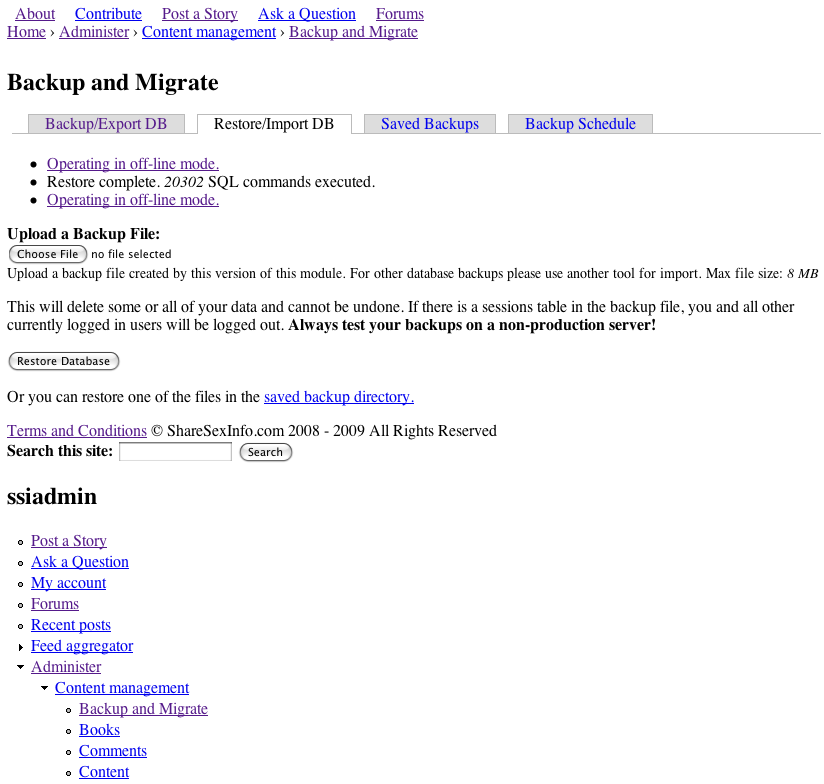
After clicking "Restore Database" the page is reloaded after MySQL is updated. The end result is a page which displays the menus, comments, nodes, of the production site. But the issue I am having is that the theme is non-existent, and the links are broken.
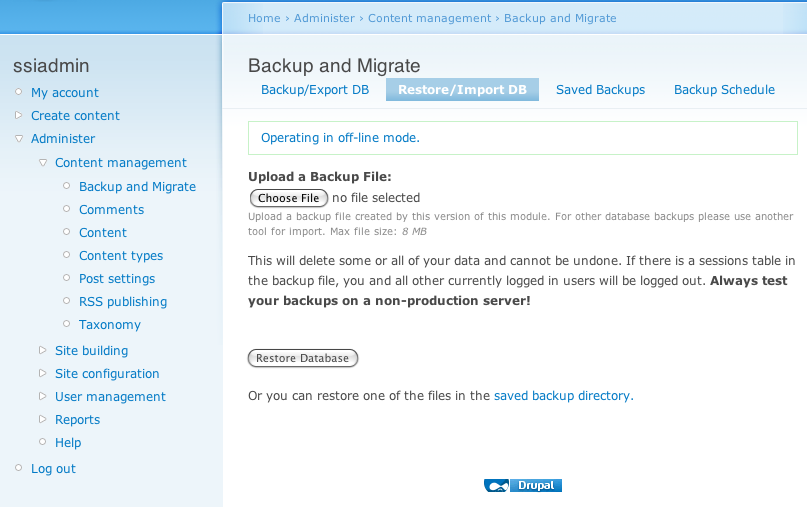
Here is a screen shot of the new Drupal 6.10 installation on Server-3 - BEFORE restore:
http://drupal.org/files/Before.png
Here is a screen shot of the new Drupal 6.10 installation on Server-3 - AFTER restore:
http://drupal.org/files/After.png
I know that some of restoration is working, there are blocks below the Navigation Menu that show up after the restoration that weren't part of the new untouched installation on Server-3. But, the theme just seems to disappear, and the links don't work.
This is what I get for the links:
http://drupal.org/files/link_1.png
Any advice or help would be sincerely appreciated as I have researched this issue extensively and cannot find any documentation or help related to this issue.
Thank You!
| Comment | File | Size | Author |
|---|---|---|---|
| After.png | 96.11 KB | charlesclayton | |
| Before.png | 78.79 KB | charlesclayton |


Comments
Comment #1
Anonymous (not verified) commented#435916: Site is broken, but restore option dumps tables.