

Closed (fixed)
Project:
Ubercart Discounts (Alternative)
Version:
6.x-1.0-beta21
Component:
Code
Priority:
Normal
Category:
Feature request
Assigned:
Unassigned
Reporter:
Created:
22 Apr 2009 at 15:01 UTC
Updated:
15 Sep 2009 at 12:50 UTC
Jump to comment: Most recent file

Comments
Comment #1
gtfourdreams commentedthe easiest way to do this is to create 100 discounts, each with a unique code. you can make it less time intensive by using the COPY feature in the Discount Settings. you can also use a random string generator like www.random.org/strings
Comment #2
gtfourdreams commenteddouble post
Comment #3
gtfourdreams commentedyou can also create 1 coupon with 100 codes.. but... i think there's a bug.
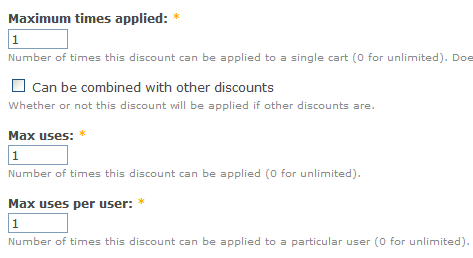
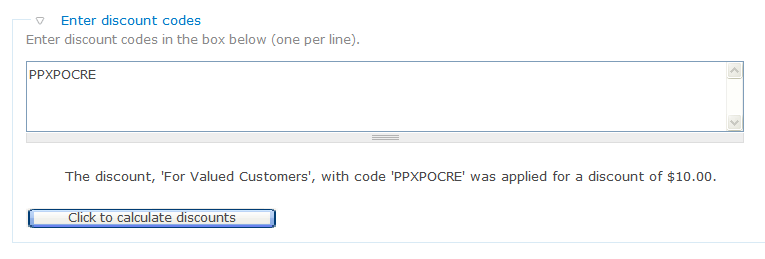
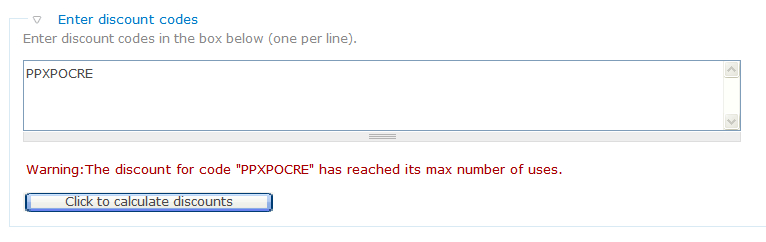
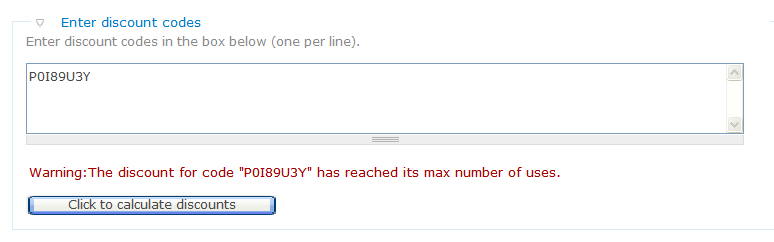
so if i create 1 discount, with 100 coupon codes, then set 'max use' of 1. you would think that if i use one coupon code, all the rest are still valid. but instead, if i use one of the codes, the other 99 are also nullified.
attached are the results.
Comment #4
ARray commentedYep... This is a problem. You can't limit discount usage per one code only.
So I think it's a feature request: Make new textbox in discount settings:
[ 3 ] Max uses per code
I think there can be another cool feature in discount edit page:
[v] Delete used codes from code-list.
Or just move used codes to another read-only textarea.
Comment #5
ryangroe commentedI hadn't thought of that usage but it makes sense. I think the best thing to do is to add a flag to indicate whether the max usage applies 'per code' or 'per entire discount'. I wouldn't dream of forcing you to add 100 separate discounts :)
I will work on this over the upcoming weekend (sorry that's the earliest I can get to it).
Comment #6
ARray commentedI think it is more flexible to add new setting "Max uses per code". So you can limit usage per code and limit whole discount usage.
So this scenario will be possible: only first N coupons will give discount and one coupon (with unique code) can be used only one time.
And as I mentioned before may be it is useful to show only unused codes in the list (in settings)? It is good for long-time discounts with big amount of codes, so you can see how many codes left and generate new codes if it is needed. So used codes won't be accumulated on settings page (and it won't so big after two years of discount usage).
Comment #7
gtfourdreams commentedin response to ARray, and to suggest maybe a solution to his feature request.
Simply generate N coupon codes with for discount $X
then make another coupon code that can be only used once.
i don't see a reason to have both of those in the same discount when it can easily be seperated into two. (am i missing something?)
this one i can somewhat understand. for example, you want to generate a unique code (ie. 10% off the next purchase) for every customer who buys $100+ on your site. I can see why you would want a unique code... but again, i think you can easily do this with one code. 'TENOFFNEXTVISIT', have it limited to a customer using it only once.
wouldn't that work?
Comment #8
ARray commentedI need unique codes because I should know which places and ways are more effective to distributes coupons. So I need to track every code. Also coupons can be given to a customer with buying as a gift. And after he used this coupon (with unique code) nobody shouldn't use it again.
Comment #9
ARray commentedNo news?
Comment #10
ryangroe commentedI'll have it done by Thursday. It's not a big change I'm just swamped with work right now, sorry.
Comment #11
ARray commentedany news? ;-)
Comment #12
ryangroe commentedI just wrapped up a demo at work so I can work on this module again.
Comment #13
ryangroe commentedThis feature has been added. Please download beta 27 to be release shortly.
Comment #14
ezra-g commentedThis has been committed, so I'm marking it as fixed ;).