

 Come together with the global Drupal community in Rotterdam, 28 Sept – 1 Oct 2026. Sessions, contribution, connection, and Early Bird savings until 8 June.
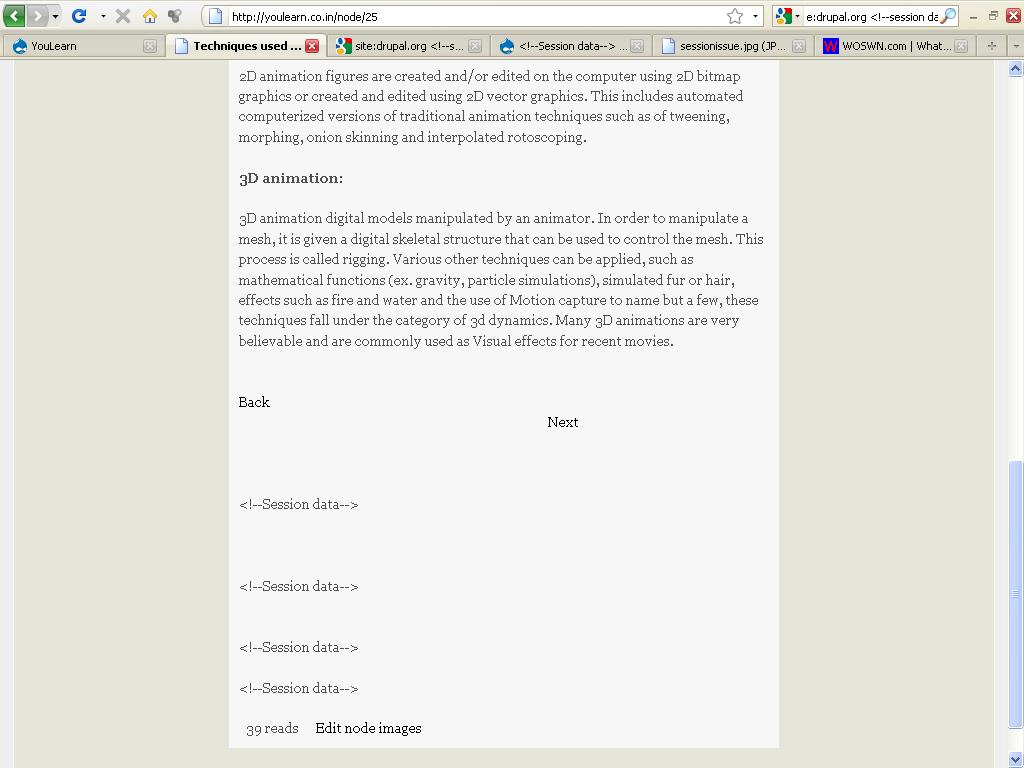
When I use the FCK editor to create a new listing on my site http://www.woswn.com boxes as shown on illustration show up in text editor field as soon as I click on the content create prompt as necessary. I do not add anything; I just open the node create and these show up.
Upon saving, 2 more such boxes appear and the message
appears below each text entered via the text editor.
The HTML code created is as follows:
. If I remove this output via the plain text editor then the
disappears but as members use the site they cannot be expected to remove the extraneous output.
What causes this and how can I remove this? It spoils the text output and distracts site users. Thanks.
| Comment | File | Size | Author |
|---|---|---|---|
| #4 | Session data issue | 80.56 KB | sai571 |
| sessionissue.jpg | 75.88 KB | ISchier770 |


Comments
Comment #1
ISchier770 commentedBS"D
Update; this also happens with 6x-1.3 in another site of mine http://www.gimmesix.com and it occurs when entering any type of content in both sites.
Comment #2
ISchier770 commentedBS"D
Turned out to be caused by malware in Firefox and is happening in many sites using this type of editor.
Comment #3
sanestrategy commentedDo you know what malware is doing it? One of my coworkers managed to get the same thing, and I disabled all his Firefox add-ons so it wouldn't happen again, but I'd like to know exactly what's causing it in case somebody else manages to install the plugin. Sadly, Google didn't help that much.
Comment #4
sai571 commentedI'm also facing the same problem with my site YouLearn. Please solve this issue as soon as possible
Comment #5
benshoemate commentedIts the "Browser Highlighter" that comes with Skype - http://www.benshoemate.com/2009/10/26/the-session-data-in-my-content-bug...