

Closed (fixed)
Project:
IP to Country
Version:
6.x-1.1-beta3
Component:
Miscellaneous
Priority:
Normal
Category:
Support request
Assigned:
Unassigned
Reporter:
Created:
4 May 2009 at 02:49 UTC
Updated:
23 Aug 2009 at 14:30 UTC
Jump to comment: Most recent file


Comments
Comment #1
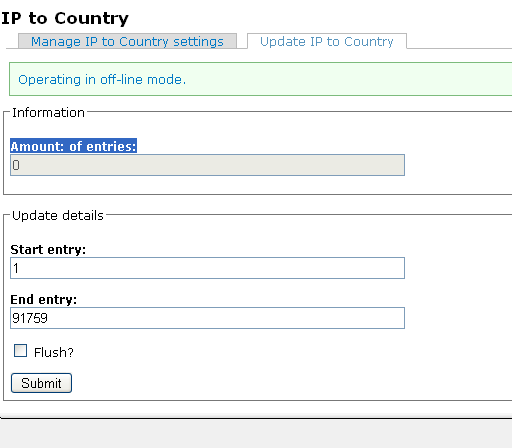
mrfelton commentedDid you import the database at admin/settings/ip2cc/update ?
ps. the current installation method is an absolute mess and way too manual... I'll be working on that this week hopefully.
Comment #2
mrgoltra commentedyes I did I was going crazy because it was still reporting zero but when looked at the db table, it was getting inserted. thanks
Comment #3
mrfelton commentedplease try with beta3.
Comment #4
mrgoltra commentedHi mrfelton
noticed new format. Followed instructions and clicked on update button and waited for 30 minutes. Checked database did not see any new table or entry related to ip2cc. I am assuming that update will insert to ip_to_country table?
Thank you very much
Mark
Comment #5
mrfelton commentedno, there is no ip_to_country table... the table it inserts into is named ip2cc. Does that table exist in your database? What is in it?
Comment #6
mrgoltra commentedok. table does exist. just checked the logs and getting this
Table 'drupal.ip2cc' doesn't exist query: INSERT INTO ip2cc VALUES('3758096384', '4294967295', 'US', 'Unknown', 0) in /hsphere/local/home/drupal/mysite.com/sites/all/modules/ip2cc/ip2cc.inc on line 21.
Comment #7
mrfelton commentedstrange. I'd sugest uninstalling and reinstalling the module - make sure you actually uninstall it, disabling it wont do. First, disable it at /admin/build/modules/ then uninstall it at /admin/build/modules/uninstall. Then reenable it at /admin/build/modules... it should create the table for you and populate it.
It's curious that you didn't have the table though - how did you install the module before? did you upgrade from a previous version?
Comment #8
mrgoltra commentedok will try it. Yes I just upgraded.
Comment #9
mrfelton commentedupgraded from which version?
Comment #10
mrgoltra commentedthe one prior to new release.
Comment #11
Sunil Mohan commentedI think the problem is that insert statement does not take into account Drupal database prefixes by wrapping the table name in {}. The attached patch with the simple change fixed the problem for me.
Also included in the patch is a small fix to correct the parsing of CSV format. It was missing a double quote at the end earlier.
Comment #12
mrfelton commentedCommitted to CVS. Thank you, I believe this fixes the problem.