Closed (fixed)
Project:
Avatar Crop
Version:
6.x-1.1
Component:
Code
Priority:
Normal
Category:
Support request
Assigned:
Reporter:
Created:
7 May 2009 at 03:05 UTC
Updated:
26 May 2010 at 15:17 UTC
Jump to comment: Most recent file


This module almost works perfectly for me, just having a problem with certain JPEG files.
Cropping works for GIFs, PNGs, and some JPEGs. I only have problems with JPEGs that were taken with my cell phone camera. After uploading the JPEG and cropping, I receive the following errors:
* warning: imagecreatefromjpeg() [function.imagecreatefromjpeg]: gd-jpeg, libjpeg: recoverable error: Corrupt JPEG data: 142 extraneous bytes before marker 0xd9 in /home/content/.../html/sites/all/modules/avatarcrop/avatarcrop.module on line 231.
* warning: imagecreatefromjpeg() [function.imagecreatefromjpeg]: 'sites/default/files/profilepictures/Andy005_17.jpg' is not a valid JPEG file in /home/content/.../html/sites/all/modules/avatarcrop/avatarcrop.module on line 231.
* warning: imagecopyresampled(): supplied argument is not a valid Image resource in /home/content/.../html/sites/all/modules/avatarcrop/avatarcrop.module on line 232.
The user picture is changed to be a completely black square of the dimensions I specified (probably created from ImageCreateTrueColor($targ_w,$targ_h).
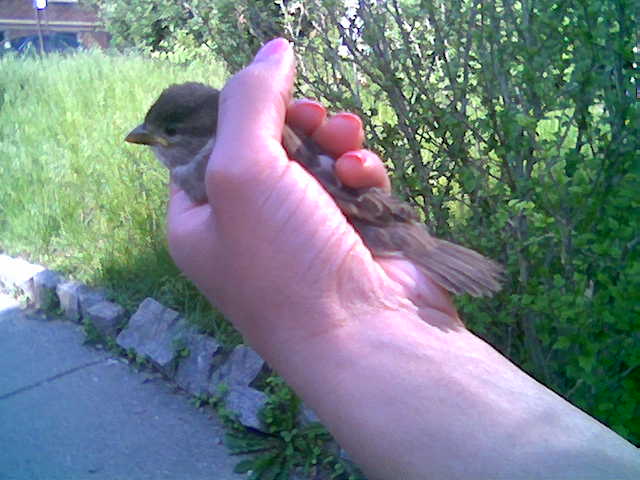
I attached one of the images that doesn't work. See if the problem reproduces on your system too. Any work arounds or fixes for this?
Thanks!
| Comment | File | Size | Author |
|---|---|---|---|
| #1 | Region capture 1.png | 49.57 KB | mmachina |
| Bird002.jpg | 41.09 KB | goldschmidt.a |

Comments
Comment #1
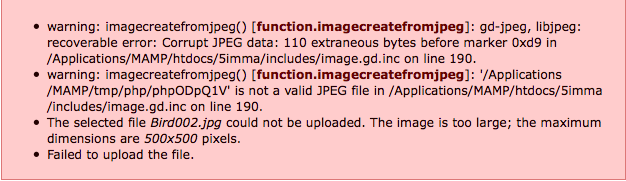
mmachina commentedI tried using that same picture... and sure enough, there was a problem... see the attached file for my error message...
Comment #2
adeel.iqbal commentedWell i haven't got any error while cropping and uploading the picture "Bird002.jpg". From errors in snapshot provided by "mmachina " it seems that problem is not with Avatarcrop module but with GD image library and/or php. I have tested the provided picture using Avatarcrop 6.x.1.3 with drupal 6.9 and 6.12 versions and i have php version 5.2.10-2ubuntu6.4 installed.
Please check "status report" of your drupal site and make sure that image specific settings i.e. "GD library", "Image toolkit" etc are done and working fine.
Comment #3
adeel.iqbal commented