The root of the problem may be the fact that even though there are image_nodes in the database and that I can access on my site, they do not show up under "existing images" upon creating a new node. I can however attach an image, it just disappear when I edit the node again (the image node remains though accessible).
In updating the database after installing the last dev version I had these errors:
* user warning: Can't DROP 'PRIMARY'; check that column/key exists query: ALTER TABLE image_attach DROP PRIMARY KEY in /home/xxx/public_html/includes/database.mysql-common.inc on line 386.
* user warning: Can't DROP 'iid'; check that column/key exists query: ALTER TABLE image_attach DROP INDEX iid in /home/xxx/public_html/includes/database.mysql-common.inc on line 448.
* user warning: Can't DROP 'PRIMARY'; check that column/key exists query: ALTER TABLE image DROP PRIMARY KEY in /home/xxx/public_html/includes/database.mysql-common.inc on line 386.
* user warning: Can't DROP 'image_fid'; check that column/key exists query: ALTER TABLE image DROP INDEX image_fid in /home/xxx/public_html/includes/database.mysql-common.inc on line 448.
I did not execute the queries manually so far. Should I?
Thank you!


Comments
Comment #1
joachim commentedIt sounds like your tables are broken.
What do they look like? Do they have those columns?
Comment #2
tomski commentedThank you for your prompt reply!
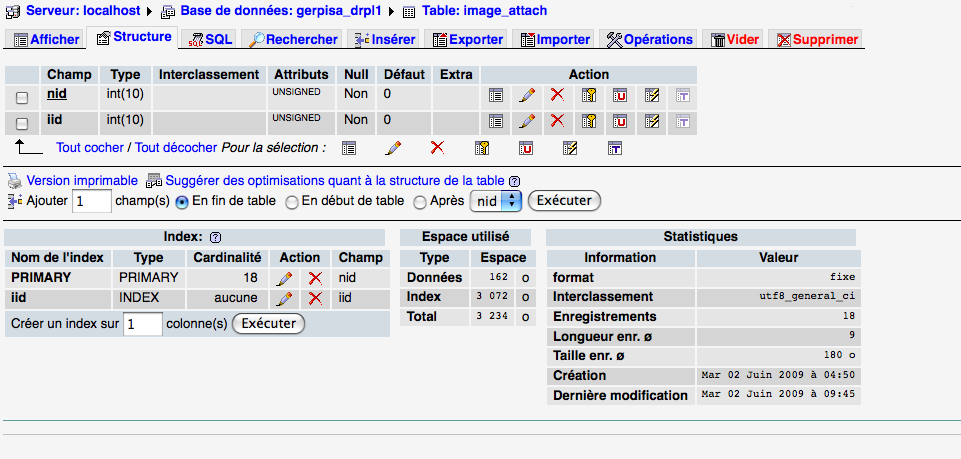
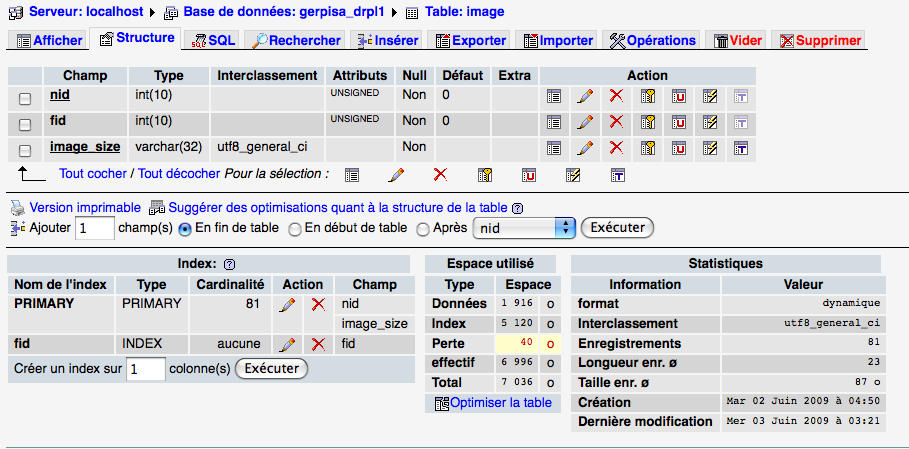
I am not an expert in analysing database, but the columns are there, and as far as I know the tables do not look broken (I attached two screen captures of the tables via php admin so you can have a look).
Just in case, I forgot to add that my filesystem is set on private.
Comment #3
esmerel commentedI just updated to alpha 5 and had these same errors, with one additional. Here's my list:
* user warning: Can't DROP 'PRIMARY'; check that column/key exists query: ALTER TABLE image_attach DROP PRIMARY KEY in /var/www/adbear/includes/database.mysql-common.inc on line 386.
* user warning: Can't DROP 'iid'; check that column/key exists query: ALTER TABLE image_attach DROP INDEX iid in /var/www/adbear/includes/database.mysql-common.inc on line 448.
* user warning: Can't DROP 'PRIMARY'; check that column/key exists query: ALTER TABLE image DROP PRIMARY KEY in /var/www/adbear/includes/database.mysql-common.inc on line 386.
* user warning: Duplicate entry '181-thumbnail' for key 1 query: ALTER TABLE image ADD PRIMARY KEY (nid, image_size) in /var/www/adbear/includes/database.mysql-common.inc on line 374.
* user warning: Can't DROP 'image_fid'; check that column/key exists query: ALTER TABLE image DROP INDEX image_fid in /var/www/adbear/includes/database.mysql-common.inc on line 448.
This was more or less working (derivative thumbnails were never built on import, but the images themselves would enter fine) before upgrade. I'd been meaning up upgrade because of the thumbnails problem, but. I have no idea if these are related.
I will attempt to attach copies of what my database tables look like later today.
Comment #4
sunYou can safely ignore these errors. Drupal does not provide a way to check for existing database table primary keys/indexes, so we can only "try" to remove them without knowing whether they already exist (and, yes, due to the history of Image module and all possible ways to upgrade this module, we really do not know this).
Comment #5
dman commentedGosh, that's reassuring!
I'd been seeing that a bit in various upgrades, and was blaming my own development and migration path for confusing things!
I'd been waiting to see what was going to break!
(although I realized that a failed DROP wouldn't stop things from working ... just be messy)
Renaming issue to flag it better in the queue.
Comment #6
joachim commentedIs it possible to display messages during upgrade so we could tell the user this error is ok?
Comment #7
captcha commentedSame warnings/message at our end after update to alpha5