I've spent the past days pimping my first real Quick Tabs implementation (http://observers.gohernandez.com/election/results/2005/kabul) and just wanted to share.
This proof of concept uses QT, AJAX, views, pass-through arguments, views theming, and Google Charts. It's a port of the 2005 Election Results for Afghanistan from an ASP/Access build I did on contract in 2005 (http://d8680609.u106.forthost.com/province.asp?ProvinceID=1).
Constructive feedback is always appreciated. For example, I know the CSS could be condensed a bit but it's my theme from the bottom up, and before I release it, I will definitely clean that up a bit.





Comments
Comment #1
equalspeterd commentedAny chance of posting a tutorial on how you accomplished this? It's a great example of composing multiple modules together for customized presentation.
Comment #2
abendy commentedWould also love some tips on refreshing a view with ajax & view arguments
Comment #3
santam commentedHi a very very nice demonstration. And a very viable project indeed. As above a tutorial would be highly appreciated. This is a great way of demonstrating the flexibility of drupal too.
Comment #4
betovargVery nice indeed! i found this when googled for a demo, because the official demo is dead. Im downloading and installing.
Comment #5
pasquallechanged QT demo link to this issue, till an official demo site is not functional..
Comment #6
defconjuan commentedAwww.... I'm not sure when I can get to a demo but feel free to scrape the css/js/theme as you wish. I'm in the process of migrating servers and in doing so, I'm updating these sites from 6.04 to 6.20 (before the inevitable D7 migration) so hopefully soon, I'll have a 6.20 compliant version up.
Comment #7
sdrews commentedVery nice work! I have a QT project and my problem is with equal columns. The heights of my two areas (left sidebar & main content) are calculated on load which works fine for the first/default tab view. But, the heights are not being adjusted as user click through the tabs - which have different heights. How do you control that function?
Comment #8
chaosmind commentedI'm not sure if this is "constructive feedback," but that is completely awesome. and exactly what i was looking for, thanks!
and let me add a "bump" to that comment asking "Any chance of posting a tutorial on how you accomplished this?" a tutorial on how to recreate the functionality of that page would be most excellent.
Comment #9
js commentedVery nice. What module, if any, did you use for Google Charts? Did you use Views for the charts?
Comment #10
bolo79 commentedHow did you alter the list classes for the tabs?
Comment #11
GreenLanterrn commentedGreat job,
& I add my voice to those who would love to have a detailed (or simple) tutorial on this views/qt integration and the google charts api usage is quite impressive as well
Awesome exercice
Comment #12
dubois commentedAwesome and inspiring.
Comment #13
tcroarkin commentedLooks very useful. Just wondering if the scripts associated with the charts run in the background when the tab is not open. I have charts that notify my when the values reach a certain level and would need to know when there is an issue whether the tab is open or not. Any input would be appreciated. Would also love a tutorial.
Comment #14
larkydoo commentedNice! Thanks for posting.
Comment #15
nandwabee commentedJust curious.What did you use for the map there?Thanks
Comment #16
Nora McDougall commentedI agree with the trend in the previous comments:
1. Way cool implementation
2. How did you do it?
Comment #17
defconjuan commentedHere's some screenshots of the important steps and configs (which are basically the same in 7.x). The quicktab set in the demo below uses just 1 quick tab set, and 2 views.
01 - Go to your QuickTabs admin
02 - Edit/Create the Quicktab Set
03 - Add Tabs to Quicktab Set
These are all of the tabs in the demo linked above. I'm passing some arguments, and setting some manually as you can see in the "argumetns" settings.
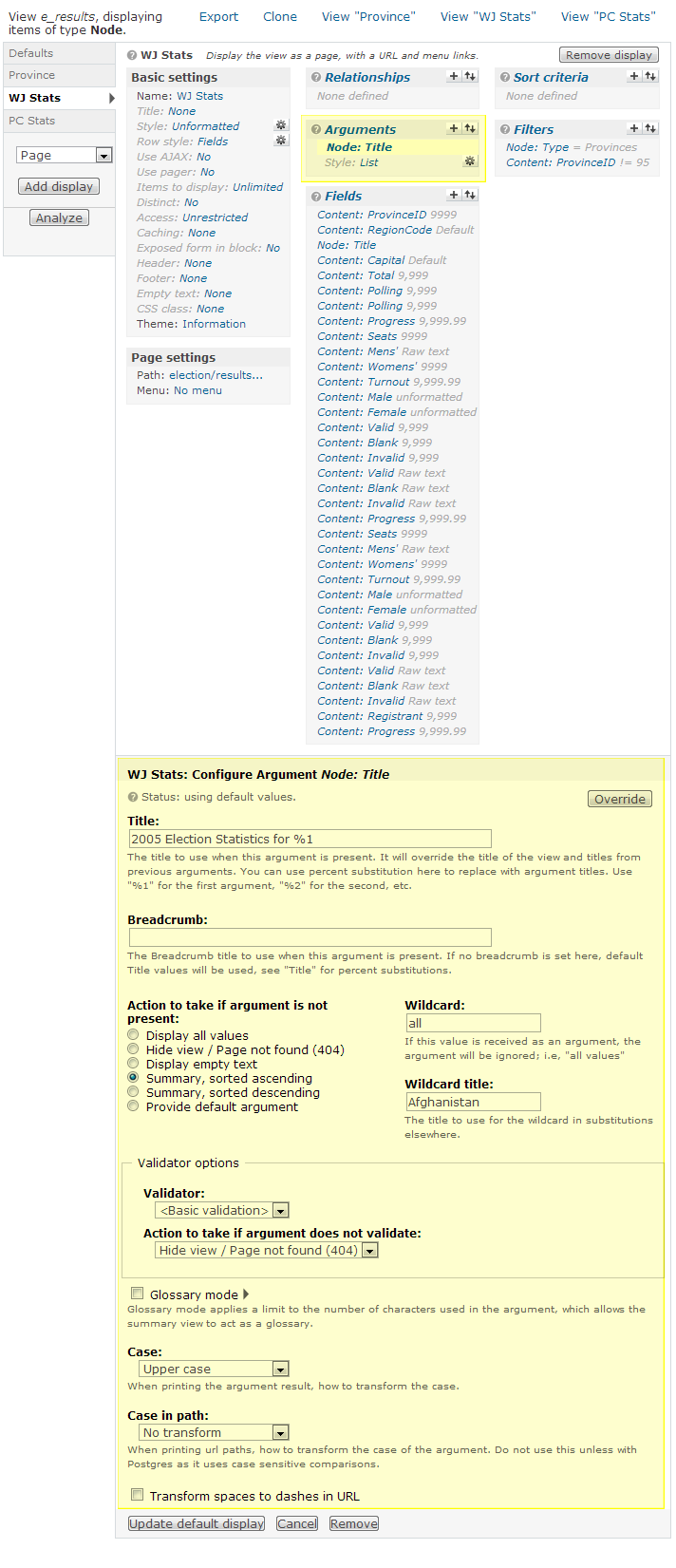
04 - 'e_results' View
The important settings are highlighted.
05 - 'e_results' View Path Settings
06 - 'e_results' View Argument Settings
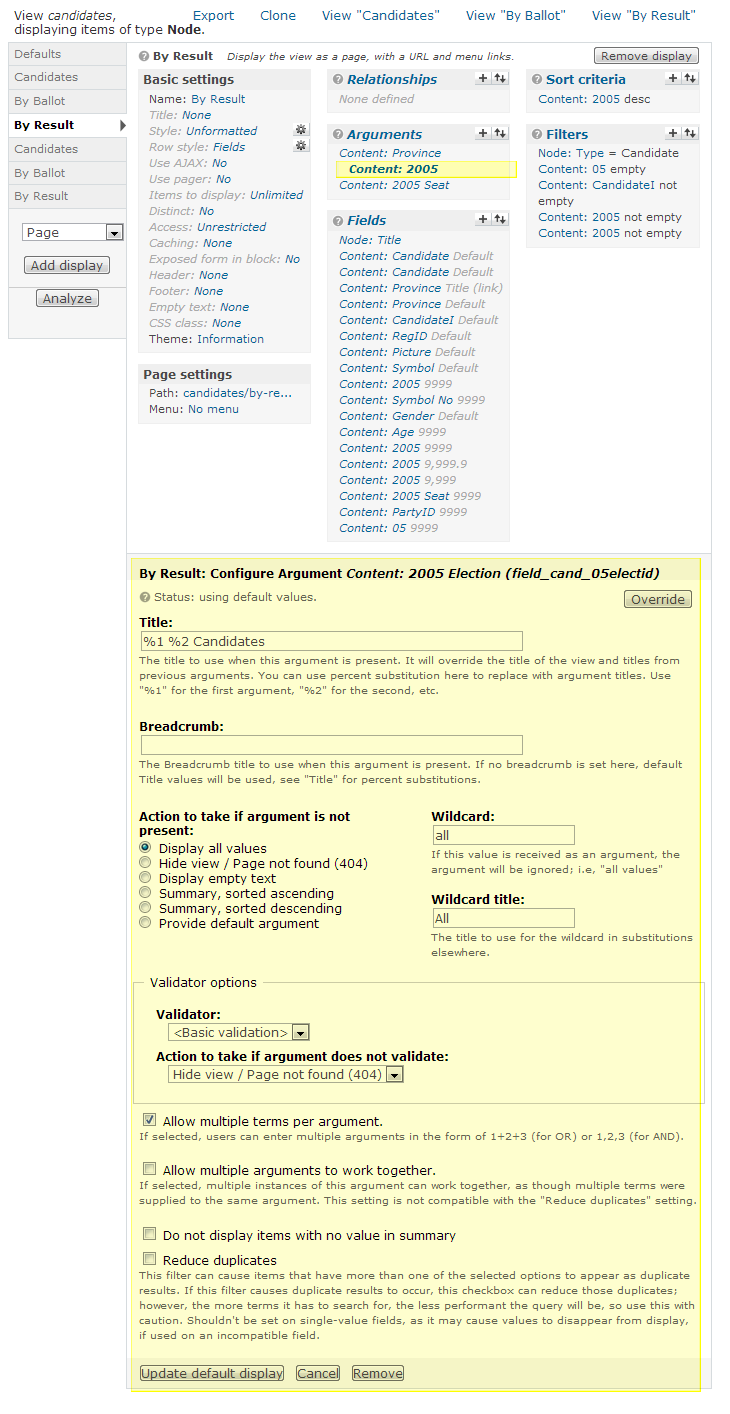
07 - 'candidates' View
The important settings are highlighted.
08 - 'candidates' View Argument Settings
09 - 'candidates' View Argument Settings
10 - 'candidates' View Argument Settings
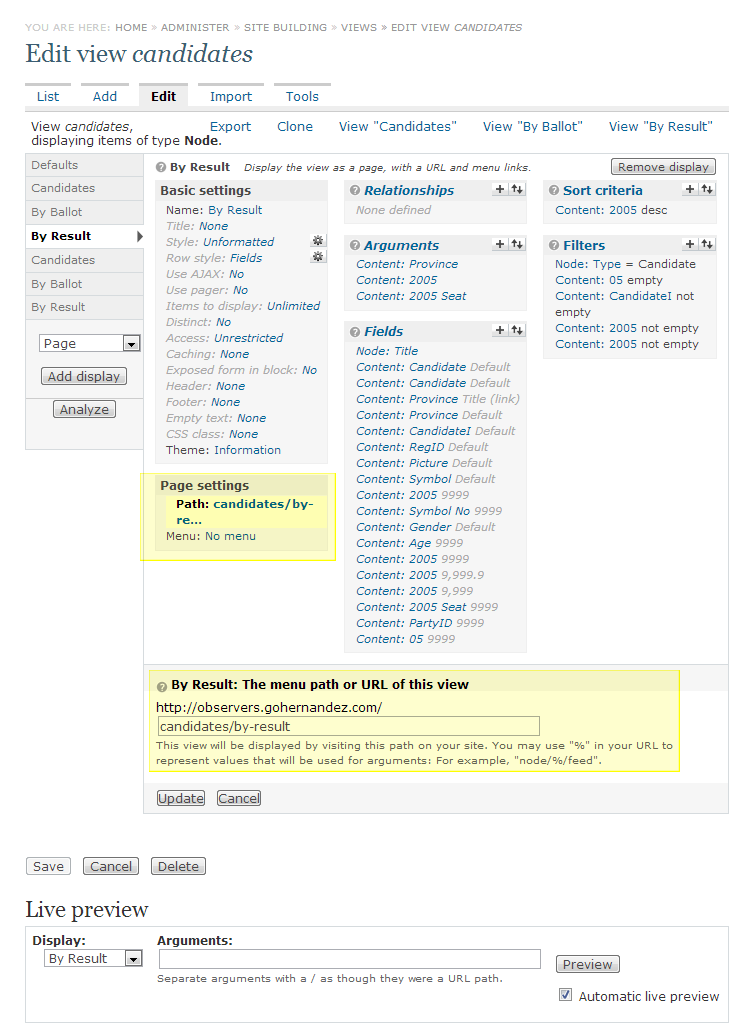
11 - 'candidates' View Path Settings
Comment #18
ocim commentedWonderful!Thanks.
Comment #19
avpadernoI am closing this issue, since it's for a Drupal version no longer supported.