Closed (fixed)
Project:
Fancy
Version:
master
Component:
Code
Priority:
Normal
Category:
Bug report
Assigned:
Reporter:
Created:
16 Feb 2006 at 10:36 UTC
Updated:
7 Mar 2006 at 11:32 UTC


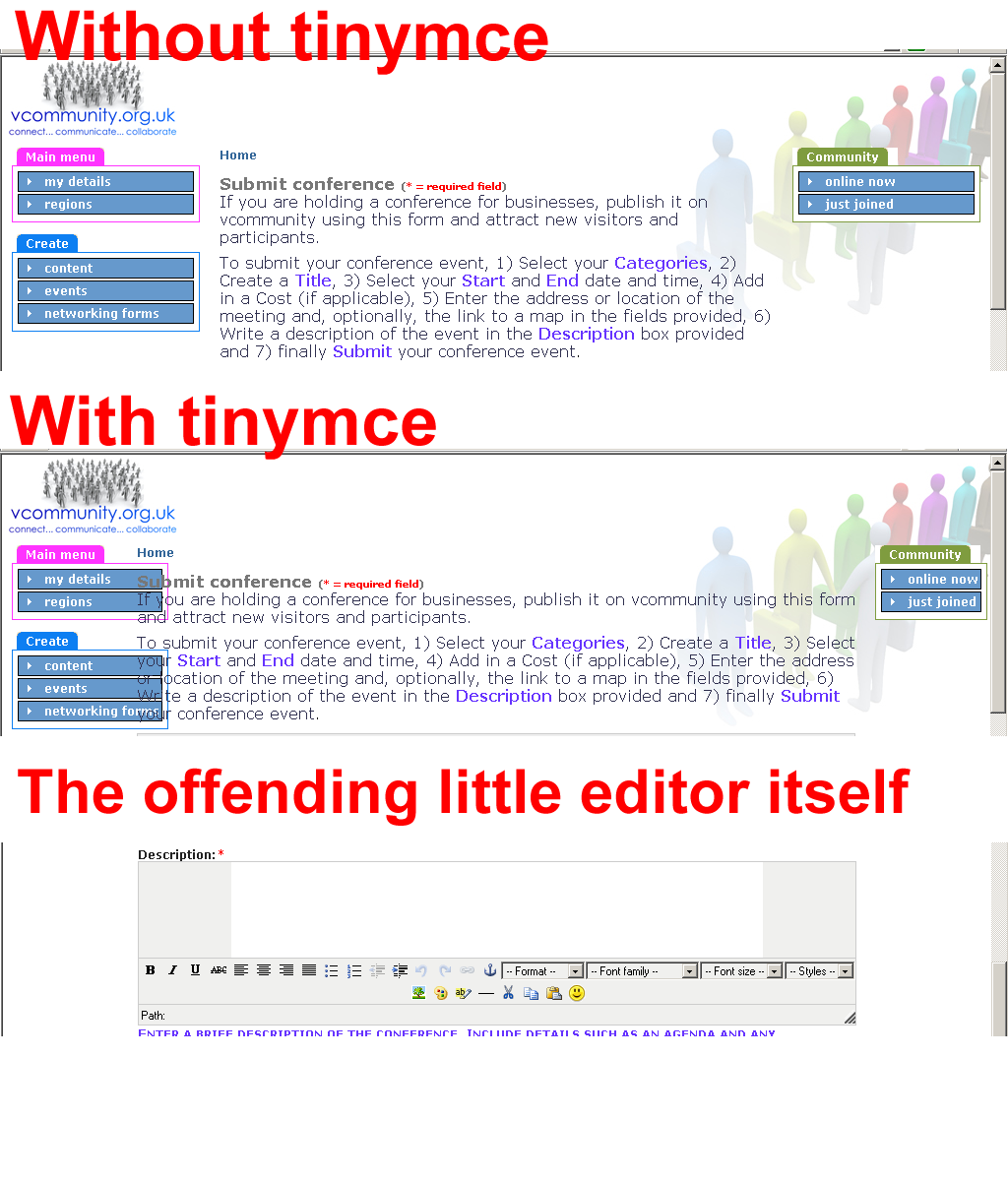
Check out the screenshots in the attached file. When tinymce is enabled, it pushes the content into the block space on the left hand side of the screen.
I'm sure that the fix for this is simple, but I'm not able to solve it due to a lack of knowledge.
In this post, Budda reckons the fix is down to the theme and not TinyMCE or the Drupal module and the grey borders are "down to the CSS you are associating which is nested in the node div."
| Comment | File | Size | Author |
|---|---|---|---|
| drupal_screenshot_sample_9.png | 382.86 KB | Patrick Nelson |

Comments
Comment #1
sangamreddi commentedI am using Tinymce 2.0.2 and I don't have any problems. Anyway I'll go through it in the next few days.
Comment #2
Patrick Nelson commentedsangamreddi,
Can I ask, are you using the latest 4.7 HEAD files and the latest version of TinyMCE? Just to compare like-for-like?
Comment #3
sangamreddi commentedI am using cvs version of tinymce module and latest cvs version of Drupal 4.7 and tinymce 2.0.2 package.
Comment #4
Patrick Nelson commentedYeah, me too...
It must be a css file from one of the other modules I'm using. Thanks for the feedback, sangamreddi.
By the way, 'fancy' is the best theme I've seen for Drupal, IMO :)
Comment #5
sangamreddi commentedThank you. In tinymce CSS settings I have defined default Tinymce css.
Comment #6
sangamreddi commentedNelson Did the issue solve? I have tested again and don't see the problem. There many be conflict with other modules, what all the contributed modules are you using? if the issue is solved. Please close the issue.
Comment #7
Patrick Nelson commentedsangamreddi,
Sorry. Cannot test at the moment - my server is broken (sob). Will be up again on Monday and I'll be able to test and answer then.
Regards
Patrick
Comment #8
Patrick Nelson commentedI have tested again from a clean install and everything is working fine now. I'm going to go through the contrib mods I had installed and watch to see when/if it breaks again.
In the meantime, I'll mark this issue as 'closed'.