

Closed (won't fix)
Project:
Drupal core
Version:
7.x-dev
Component:
forms system
Priority:
Normal
Category:
Feature request
Assigned:
Unassigned
Issue tags:
Reporter:
Created:
27 Jun 2009 at 10:27 UTC
Updated:
26 Aug 2009 at 06:10 UTC
Jump to comment: Most recent file

Comments
Comment #1
skilip commentedWell, an extra form element was a little overdone. All action is done by javascript, so I'll stick to a preprocess function which adds the script (behavior) when #expandable is true.
Comment #2
skilip commentedRemoved _form_set_class()
Comment #3
skilip commentedAdded possibility to use selection lists. Rerolled a singe patch for all three files
Comment #5
moshe weitzman commentedNice work. Instead of calling drupal_add_js() directly, please set #attached_js instead. Better for caching.
Comment #6
skilip commentedThanks for reviewing moshe.
Comment #7
moshe weitzman commentedtested and it works for me. i would change the code comment to mention #attached_js instead of drupal_add_js. if you did use drupal_add_js, then add parens at the end so it hyperlinks properly in the api docs.
the js code could probably use a code review. pinging quicksketch now ...
am i supposed to see a link for closing the expanded elements after opening? i am not seeing that with or without the patch.
Comment #8
skilip commentedYou should see a [done] link after expanding, weird you don't see it. Which browser did you test it on?I'll try to reproduce it.
Are you saying that the comments are automatically parsed for API docs? That's awesome. I'll put some more love into it then. I also should also attach expandable functionality for the rest of the form field types. Currently the patch only provedes this for textfields and select lists. Next patch...
Comment #9
Bojhan commentedCan you put some screens up of the interaction.
Comment #10
skilip commentedhttp://skitch.com/skilip/bi746/block-edit-regions-expandable
Comment #11
Bojhan commentedCan't it just save, when you select one? I don't see the point in, the done button.
Comment #12
skilip commented@Bojhan: The [done] link is only intended to re-hide the element. Initially I didn't place the link there but that was a bit confusing. Having. The possibility to expand something, brings the expectation it can be collapsed back in it's original state.
Comment #13
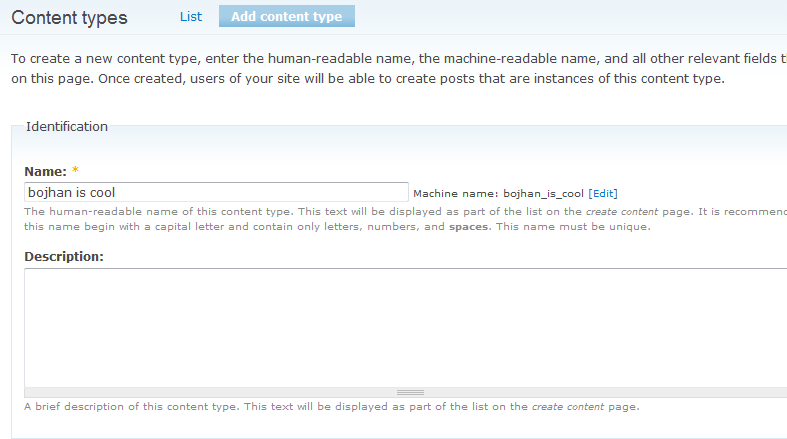
Bojhan commentedWell, I undestand - but I think it should behave as all other form expands we have in Drupal (content types) that, you edit it and it closes automaticly.
Comment #15
sunThis is somehow related to #471018: Generic pattern/js for hiding machine readable names (applied to menu and content types).
However, I don't see the point in hiding form elements as is and putting a link next to them to unhide them. That usually means that the form should either use vertical tabs or some other better organization (like fieldsets) to conditionally display elements.
For this sake, I'm marking this won't fix. Feel free to re-open this issue if you have good arguments for why this would be a good UI pattern.
Comment #16
skilip commented@tha_sun: this patch was based on the 'human readable / system name' issue and was discussed at the D7UX sprint. I wanted the behavior be really generic, that's why I wrote if for form elements.
Since this is discussed at #471018: Generic pattern/js for hiding machine readable names (applied to menu and content types), there's no need for further follow-ups here. I missed the boat again ;)