

Closed (fixed)
Project:
Bibliography Module
Version:
6.x-1.5
Component:
Code
Priority:
Critical
Category:
Bug report
Assigned:
Unassigned
Reporter:
Created:
28 Jun 2009 at 20:38 UTC
Updated:
17 Jul 2009 at 23:20 UTC
Jump to comment: Most recent file

Comments
Comment #1
agrigor1 commentedIt seems it has to do with the Hovertips and Clicktips module. I had this enabled. When I disabled it the problem dissapeared, but I also lost the nice hovertips.
Do you have any idea how I could make them work together?
Comment #2
agrigor1 commentedComment #3
rjerome commentedI've looked into this a bit, but still have nothing substantial to report. I will continue to look for a solution.
Comment #4
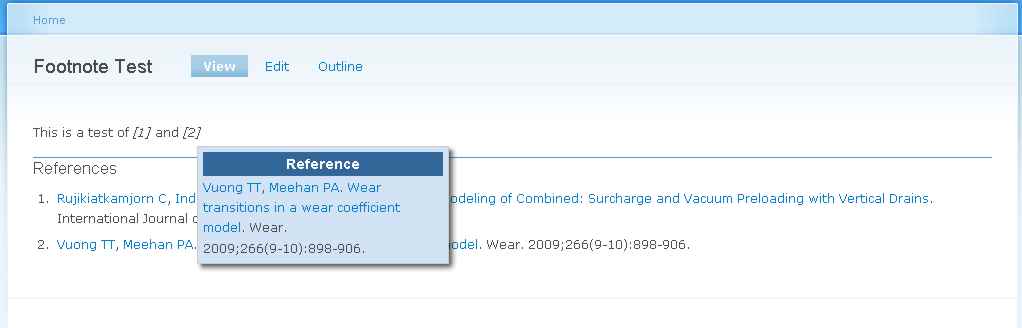
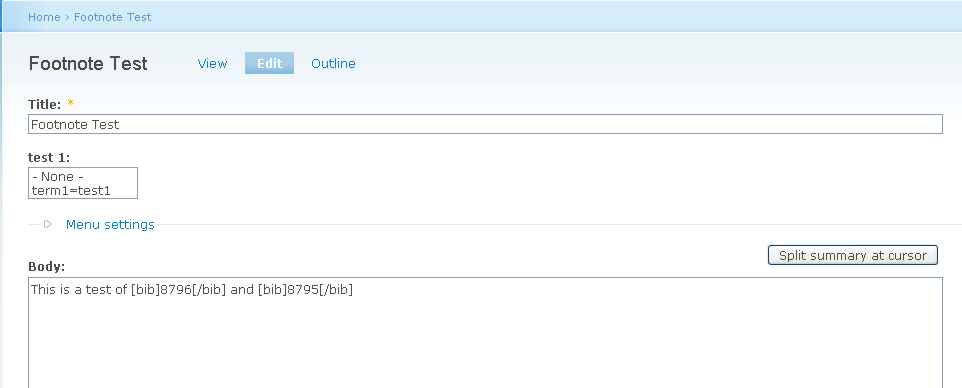
rjerome commentedI can't seem to reproduce this issue, as you can see in the attached images, I have two [bib] tags in a sentence and it is not split and hovertip is active.
Comment #5
agrigor1 commentedPlease have a look at http://...........
There are three references but the problem is always with the first.
For example I deleted the first so that the second became the first. The problem occured again.
Also I tried it on a clear page with only biblio filter activated (trying to exlucde confict with other input filters) and had no luck.
I chekced the source of the page generated and to be honest I cannot explain why I get this line break (but I am not an experienced programmer).
Comment #6
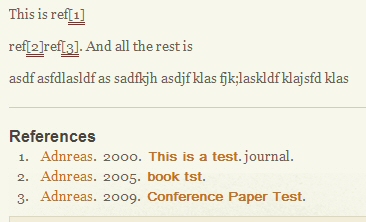
agrigor1 commentedI also tried it in another site with different theme
The result is the same. See the image
Comment #7
agrigor1 commentedI found it.
It seems that the problem comes out when the [bib] tags are inside a paragraph marked with the p tag.
I replaced the p tag with a div and the problem disappeared.
I still dont know if this is related to hovertip or the bib filter
Comment #8
rjerome commentedOK, well that gives me a little more to work with. I'll see if I can reproduce the problem now.
Ron.
Comment #9
rjerome commentedOK, I just committed the fix for this issue, there were some divs surrounding the hovertip data, I changed them to spans and they now work properly even when enclosed in p tags.
http://drupal.org/cvs?commit=233118
Ron.
Comment #10
agrigor1 commentedThank you very much.
I dont know how the cvs system works.
Does this mean we will have a new version, something like 1.6?
Comment #11
rjerome commentedYes, the fix will show up in the 1.6 version when it's released (probably in about a week or so), or you could use the -dev version in the interim if you need the fix right away.
Ron.