Closed (fixed)
Project:
Zero Point
Version:
6.x-1.7
Component:
Code
Priority:
Normal
Category:
Bug report
Assigned:
Unassigned
Reporter:
Created:
5 Jul 2009 at 19:33 UTC
Updated:
24 Jan 2010 at 13:30 UTC
Jump to comment: Most recent file


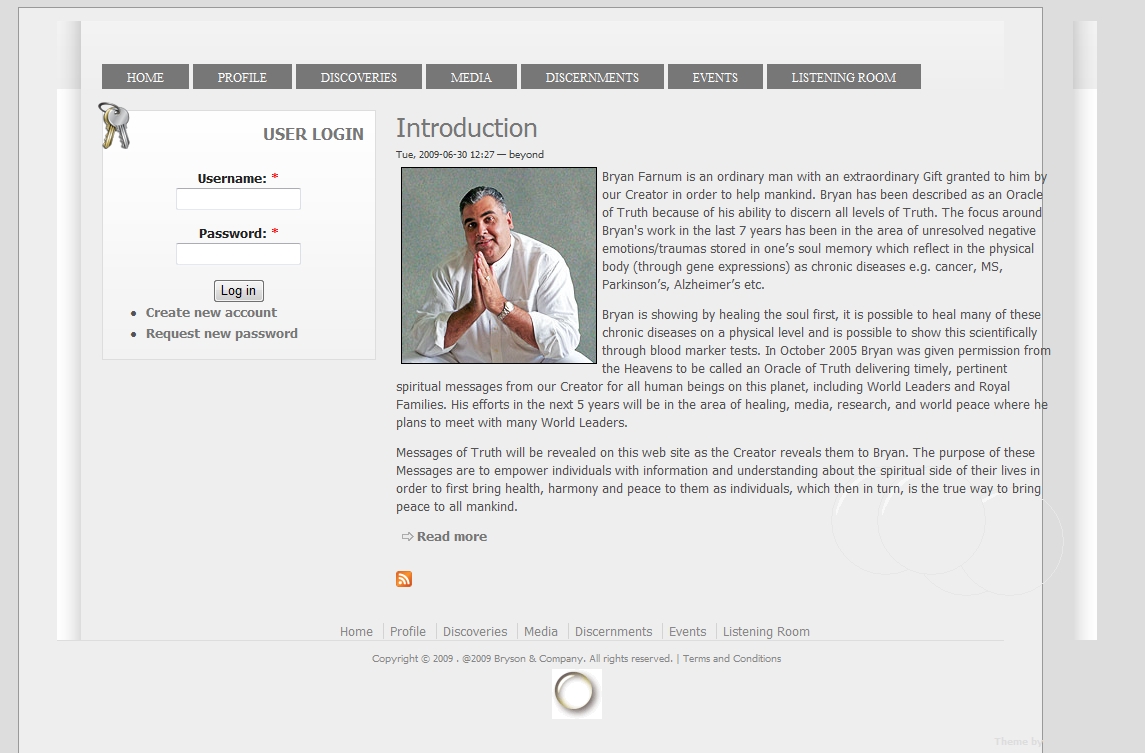
The background of the theme doesnt repeat itself properly and the content text runs off the sides in internet explorer 6 and 7. These issues do not show in IE8 or firefox. Image is attached.
| Comment | File | Size | Author |
|---|---|---|---|
| #21 | zero-screen-ff3.5-1024-960.JPG | 77.45 KB | kmnair |
| #15 | ie6.jpg | 81.4 KB | gmasky |
| #6 | layoutbug2.jpg | 293.91 KB | beyond67 |
| layoutbug.jpg | 133.6 KB | beyond67 |



Comments
Comment #1
florian commentedYou broke it :) Download the last version 1.7 and use _custom-style.css for any additional work. Please, refresh Drupal cache and browser cache because this version is a major CSS rework.
Comment #2
beyond67 commentedIm still getting the same issues after upgrading and refreshing cache. Plus, in ie6 the logo image doesnt show at all in the header. Im using the program IEtester, to test the various internet explorer versions. Im surprised nobody else noticed this.
Comment #3
florian commentedmay I have you URL?
Comment #4
beyond67 commentedIm using a localhost right now. I did try another drupal installation and the same issues occurred. I just added a logo and left everything else unchanged. It looks ok to you in ie7 or ie6?
Comment #5
florian commentedYes, everything looks ok in all browsers. The only possible issues are with IE6 but you have to take care not to exceed custom sidebar block dimensions (like image, etc - see readme.txt). The logo must have reasonable width. If you want something wider you may use other regions, like above or head.
Comment #6
beyond67 commentedI reseted to defaults and flushed the cache. I then unchecked the logo option to eliminate any logo size image conflicts. Im still seeing layout issues in ie7. Attached is screenshot.
Comment #7
florian commentedDid you installed the theme at /sites/all/themes/zeropoint? Is it possible to send me your theme exactly as it is now?
I still need to see your URL.
Comment #8
beyond67 commentedYes i did install it to that directory. You want me to attach the zipped theme folder?
I just noticed something. If I run the drupal site from a subdirectory (http://localhost/drupalsite/) then the issues show up, however if i use virtual host to make it seem like im running the site from the root (http://localhost), then the issues are gone. Are you testing the site from a subdirectory install?
Maybe it has something to do with this code??
Comment #9
florian commented1) The theme must be located exactly at /sites/all/themes/zeropoint;
2) If you install Drupal in a subdirectory, then check and modify .htaccess as appropiate.
All the sites in examples are live sites... and I'm sure there are many live at the moment.
Anyway try to remove the / after href=" in the line you posted and see if that solved your problem.
Comment #10
gmasky commentedI can confirm that the theme has issues with IE6. I was alerted to this by one of our users yesterday.
I tested with IE Tester. The page loads without the header displaying correctly and with IE script errors. In IE7 the home page loads ok but with IE script errors. IE8 has no issues and loads correctly like FF3.5 and Chrome 2.0.172.33
My live site http://stanislausbandra.in/stanschool/
Comment #11
florian commentedDid you uncomment this line in .htaccess file?
... and change it to:
Comment #12
florian commentedAn workaround until this will be finaly solved is to use fixed layout width .... see _custom/custom-style.css for directions
Comment #13
gmasky commentedAre you suggesting that either one (comment #11) or the other will work (Comment #12) will solve the IE6 issue
Thanks
Comment #14
florian commentedThere are no IE errors. In fact there are hundreds of users never complaining about IE errors. It seems that we are in a trial and error situation. To solve the issues I must reproduce your server environment. That's why I am asking for all the details you can give me, like URL, modules, etc.
Comment #15
gmasky commentedThe picture here http://drupal.org/files/ie6.jpg illustrates how http://stanislausbandra.in looks in IE6-IETester
The header is broken, the blocks are out of place etc. The theme is great but with issues in IE6, I do not know why people cannot just upgrade to IE7 or 8.
Comment #16
florian commentedI am sure you have to "define Drupal" by applying comment #11. I suspect it is a pth problem so IE6 can not see ie6.css and drop-down JavaScript. You can check the installations showed in theme description using IE6. Do they work well?
Comment #17
gmasky commentedI changed RewriteBase /your_folder/ to "my folder" but I have the same problem while using IE tester.
Can someone who actually has IE6 confirm that http://stanislausbandra.in breaks in this version of IE
Thanks
Comment #18
florian commentedI can confirm that your site breaks in IE6 and I am working to find the reason. I can't reproduce myself ... so, why your site?
The error IE reports is very strange:"Line: 45, Char: 1, Error: Drupal is undefined, Code: 0"
Comment #19
kmnair commentedHello,
The same true for me. I upgraded to IE8. Works okay.
But even then, there is a slight width problem, bioth in IE8 and FF3.5. This can be seen from the stanislausbandra site. The site develops horizontal scroll bar even in 1024. I too have the same problem. I tried to setup a fixed width layout through custom css and changed the sizer to 960px. But no remedy.
By the way, can I change the right side bar width to something other than the default 234?. Also, can I make the left/right sidebar 160(?) even for a single sidebar layout? 250 and 300 look very wide!
Regards
kmnair
Comment #20
florian commentedIt is not a promise but I will try to have all those options you are talking about in themesettings in the next release.
In the 1024px width the active page fits 100% without the lateral shades, so this behavior is by design.
To have a fixed custom width, do as per /_custom/custom-style.css (release 1.7):
... in fact you have only to uncomment that section and write your own width.
Comment #21
kmnair commentedHello Florian,
Thanks for the reply.
In fact, I did try setting custom theme as said in your reply through the custom css. But no luck. I posted this only after that.
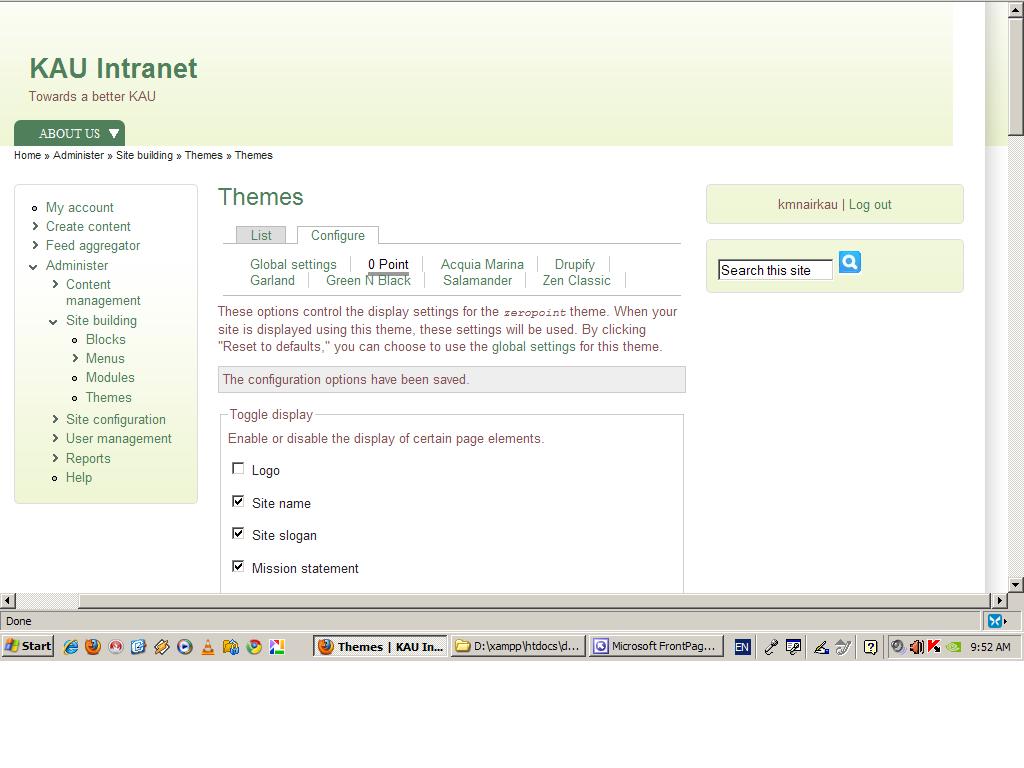
When I set custom width, the left lateral shade border widens and the whole active window shifts to the right. Please look at the attached screenshot.
Yes, I agree that the active window in 1024 (in normal fluid setting) just sits inside the screen. But I am a damn perfectionist, so I usually go to dotting the the last "i". Is there a way to reduce the width of the left lateral shade through css, otherthan reducing the width of the associated png.
I will also try changing the path as suggested in post 8 above and let you know. I will also try 11.
Do you have plans of upgrading this to Drupal 7.
It is a really nice theme. Thanks for sharing it.
Regards
kmnair
Comment #22
kmnair commentedHello Florian,
I have reduced the right sidebar through choosing a fixed width layout and editing the "layout-fixed" css.
Edited sidebar-right width, cRcwv and cRddv.
Will this break anything else?
By the way, there seems to be a typo in that css file. On line 19, it is written /*** cLcwv ***/
now. Looks like this has to be /*** cRcwv ***/.
Regards
kmnair
Comment #23
florian commentedComment #24
florian commented