

Closed (fixed)
Project:
Token
Version:
6.x-1.x-dev
Component:
Miscellaneous
Priority:
Normal
Category:
Support request
Assigned:
Unassigned
Reporter:
Created:
14 Jul 2009 at 00:14 UTC
Updated:
18 Feb 2012 at 00:30 UTC
Jump to comment: Most recent file


Comments
Comment #1
danny_joris commentedSame question in the Post Installation forum. With some response.
http://drupal.org/node/518808
Cheers,
Danny
Comment #2
danny_joris commentedCause I posted this issue 3 months ago, it might be a good time to bump this up.
Comment #3
kenorb commentedhttp://drupal.org/node/483036#comment-1682916
Comment #4
danny_joris commentedI'm building another website where I want to use this functionality. Any developments in this?
Cheers,
Danny
Comment #5
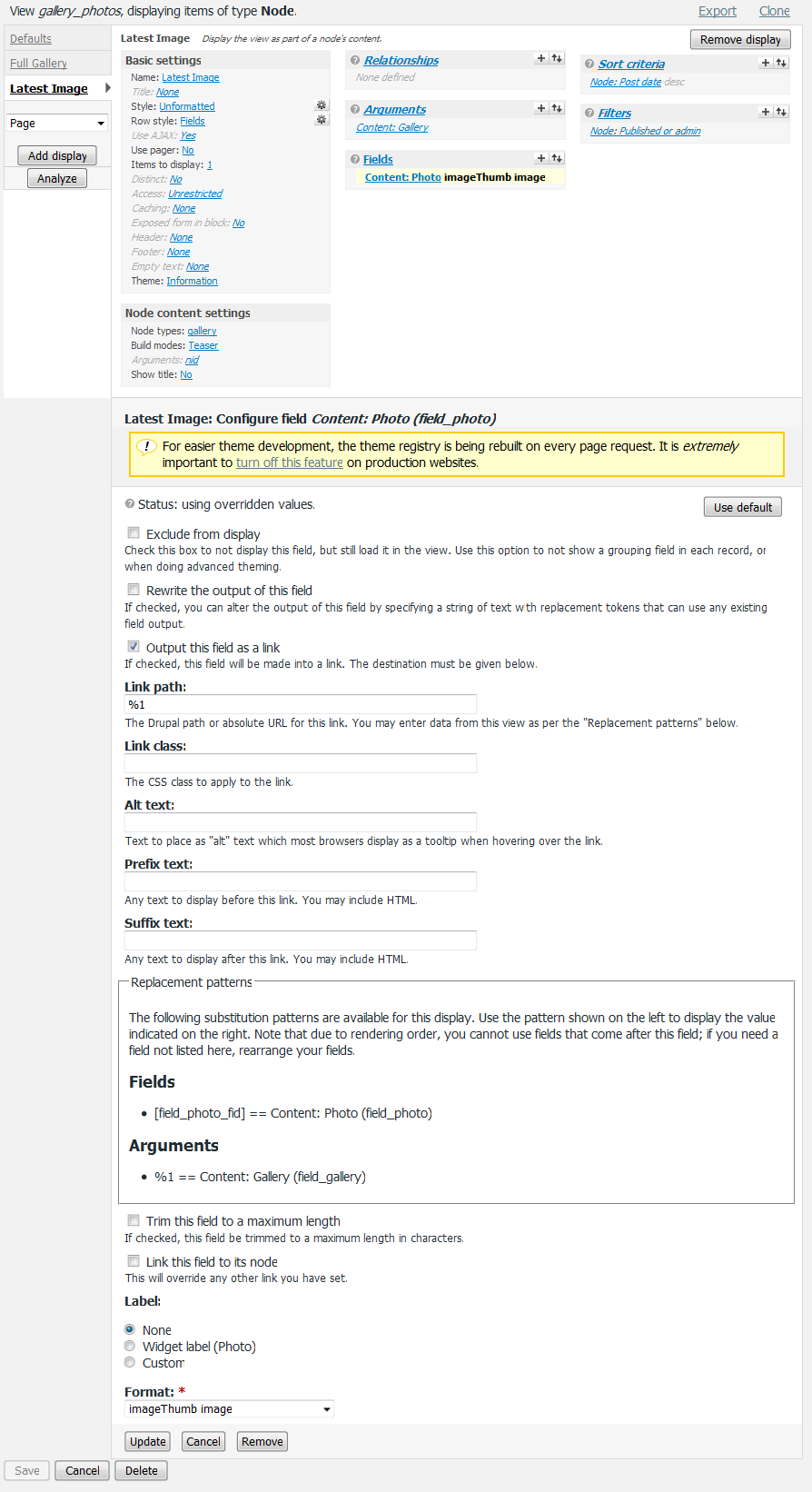
danny_joris commentedToday I found the solution using "relationships".
1. add the 'node reference' as a Relationship.
2. add a Node ID in Fields.
3. In this field you can select "node reference" from a dropdown, because it is set in Relationships. Select it.
4. check "exclude from display"
5. In your image-field, set output as normal/imagecache image. Just don't set it as "link to node".
6 Check "display as link" and as link fill out: "node/[nid]". This [nid] will be the node Id of the referenced gallery node.
7. Save. That's it!
An image example in the attachment.
Hope this is helpful for others as well.
Cheers,
Danny
Comment #6
danny_joris commentedComment #8
amielcar commentedI have used Views Custom Field and PHP code field
1. Added field "Customfield: PHP code" and made it hidden with value:
return $data->node_data_field_pacjent_field_pacjent_uid;(to know what fields are in $data you can print_r them)
2. Then this field shows in replacement patterns as [phpcode_1] - simply use it
Comment #9
jjjames commentedSubscribing