

 Come together with the global Drupal community in Rotterdam, 28 Sept – 1 Oct 2026. Sessions, contribution, connection, and Early Bird savings until 8 June.
Using CCK and Filefield.
Uploaded and converted files, including thumbnail, are getting saved with multiple slashes in file table filepath column. For example filepath = a//b. Later, when a/b is requested, Filefield knows nothing about this file as it is stored as a//b. I've isolated this to flashvideo.module file after I updated to rc3.
| Comment | File | Size | Author |
|---|---|---|---|
| #3 | Capture1.PNG | 7.65 KB | venkiparam |
| #3 | Capture2.PNG | 8.41 KB | venkiparam |

Comments
Comment #1
venkiparam commentedI am having a file issue where I am getting a warning message which says
warning: rename(/opt/lampp/htdocs/qa.thesite.com/sites/default/files/tut_venkatesh/video/source/United in fight against AIDS_0.flv,/opt/lampp/htdocs/qa.thesite.com/sites/default/files/[user]/video/transcoded/United in fight against AIDS_0_110.flv) [function.rename]: No such file or directory in /opt/lampp/htdocs/qa.thesite.com/sites/all/modules/flashvideo/flashvideo.module on line 1026.
I am using the CCK module and the output path consists of a [user] token.
Thanks in advance
Comment #2
attheshow commentedDear venkiparam,
I noticed that your video filename contains spaces. I highly recommend using the Transliteration module ( http://drupal.org/project/transliteration) to eliminate spaces and other unacceptable characters from your filenames.
FlashVideo 1.5-rc3 includes a fix for when tokens such as [user] are used in file paths configured in your fields. Are you using this version of the module?
Comment #3
venkiparam commentedHi,
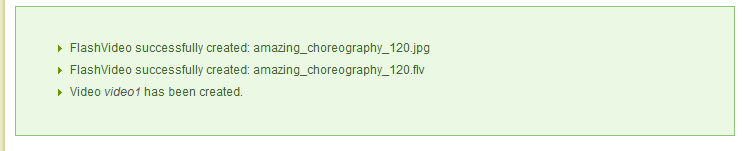
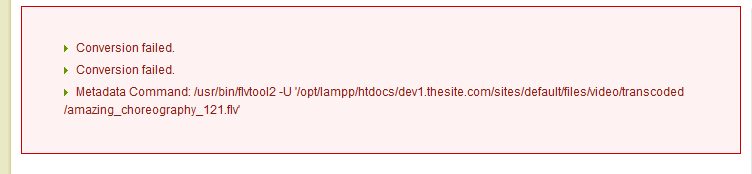
Yes i am using the FlashVideo 1.5-rc3 version. Conversions are failing, Even after i changed the file paths to not include tokens. I have attached screen shots of the error message i am getting.
One which is getting passed is the previous version of Flashvideo(6.x-1.5-rc2) and the one which is failing is 6.x-1.5-rc3. Just in case any problem with the files folder ,I checked it and its writable.
For upgrading i followed this procedure
->Replace the old flashvideo folder with the new one
->Ran update.php
->Checked whether all the my settings where right. (As previous)
->Removed the Token from the file path option.(Cause this was getting displayed in the error, so though of removing and checking)
->& Saved the configuration
Hope i am clear, please bear with me as i am new and learning.
And thanks very much for pointing me to the transliteration module. Its really the one which i needed.
Venkatesh
Comment #4
attheshow commentedAre you sure that all of the directories where files are being sent are writable by the web server?
Comment #5
attheshow commentedNo further response here in two months. Closing issue.