

Closed (fixed)
Project:
Google Programmable Search Engine
Version:
6.x-1.2
Component:
Code
Priority:
Critical
Category:
Bug report
Assigned:
Unassigned
Reporter:
Created:
5 Aug 2009 at 06:00 UTC
Updated:
24 Aug 2009 at 03:50 UTC
Jump to comment: Most recent file

Comments
Comment #1
alexkb commentedI'm also having the same issue with a site we maintain, johnross.c.
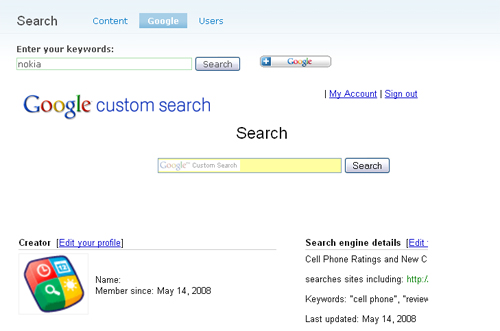
When you submit your search via the second search box that gets displayed, it seems to work ok - but the URL of the page doesn't change, so it looks like its using javascript to get the results back from google.
Does anyone know if these changes have effected normal google custom search engine website integrations or just the google_cse module implementation.
Thanks.
Comment #2
mfbIt looks like Google Custom Search stopped accepting the "query" parameter as a substitute for the "q" parameter (the "q" parameter is already used by Drupal and therefore not compatible). Unless someone comes up with a workaround, you'll just have to complain to Google about this.. I don't have any solution yet.
Comment #3
Cornell Jake commentedI have also the same issue, thinking Google is stopping to support the query parameter..
Also in 6.x - 1.2
Comment #4
comrad commentedSame problem here, stopped working and shows the welcome page instead (Module-Version 6.x-1.2).
Comment #5
RJW1975 commentedsame problem here, it was all working perfectly. I only noticed it today but it seems to be affecting various sites based on Drupal that I know of. Why does Google have to change things :o(, would be great if anyone knows a workaround for this as naturally for many people I can imagine this is going to cause them pain.
Will be contacting google to see what's happening but don't expect to get very far...
Comment #6
chadd commentedsame issue here.
quite annoying that they would change this basic functionality without any notice (at least i can't find any).
hopefully someone finds a workaround because this is the worst possible time for our site search to be down as we just launched a new drupal site 2 days ago, so the search was being used heavily to find content...
Comment #7
warmnoise commentedAlso seeing this issue. Just to clarify on this issue a bit, it is occurring when the results are displayed through JS overlay on the site. Parameter carries through correctly when set to display the results on google's site.
Same behavior on 5.x-1.6
Comment #8
dakku commentedsubscribing ++
Comment #9
pdrake commentedThe fix for this is to add the following in google_cse_results.tpl.php:
var googleSearchQueryString = 'query';
Patch:
Comment #10
paoloteo commentedConfirming same issue on 5.x-1.6
Comment #11
chadd commented@pdrake: that worked, thanks!
Comment #12
jrbeemanI'm using an older version of the 5.x module, but was able to fix the issue by adding:
to roughly line 237 of google_cse.module, at the end of the CDATA block.
Comment #13
warmnoise commentedPdrake is right on the money here. It was the missing queryString. Here's the same patch for the 5.x version. google_cse.module is affected.
Comment #14
ronald_istos commentedcan confirm that this works
Comment #15
RJW1975 commentednice one pdrake, you are the greatest :o), works like a charm, many many thanks
Comment #16
mfbfixed in CVS
Comment #17
alexis commentedThanks jrbeeman(#12), that line fixed our problem in Drupal 5.x.
Comment #18
LindsayC-1 commentedIf you were previously using the as_q work around, you can use the same line of code mentioned here, but define the query string as "as_q" instead of "query." See below:
var googleSearchQueryString = "as_q";Comment #19
alexkb commentedDid google fix things already? I haven't had to apply pdrake's changes yet, and its started working as expected again. Thank's anyway though!
Comment #20
comrad commentedWorking!! :-D
Comment #21
johnrosswvsu commentedIt works..... YAY!