

 Come together with the global Drupal community in Rotterdam, 28 Sept – 1 Oct 2026. Sessions, contribution, connection, and Early Bird savings until 8 June.
Thanks for this module.
See attachment for link to my example page.
I'm trying to put the pager between the image and the slide text. Can you help me with this?
Another question: is it possible to put the tinymce editor inside the slide text window (content news item)?
Hoop to hear from you.
Best regards,
Elton Eerkens
| Comment | File | Size | Author |
|---|---|---|---|
| #4 | IE7.png | 265.31 KB | ankycooper |
| #4 | FF.png | 267.62 KB | ankycooper |
| link.txt | 43 bytes | eltoneerkens |


Comments
Comment #1
eltoneerkens commentedComment #2
ppblaauw commentedElton, Sorry missed this issue in the issue queue.
You can do this by adjusting the CSS.
Make the pager position absolute, position:absolute
Set top to just under the image, top:496px
Give a z-index of 100 to make the pager in the front, z-index:100
Display the pager as a block, display:block
Make the slider height bigger to fit the slide text, add height:520px;
Set the slide-text below the pager, bottom:-13px
With my fckeditor wysiwyg editor it is automatically added to text areas, I don't know the settings for tinymce.
Hope this helps you further, please let me know.
Comment #3
ppblaauw commentedclose issue, 8 weeks without activity.
Comment #4
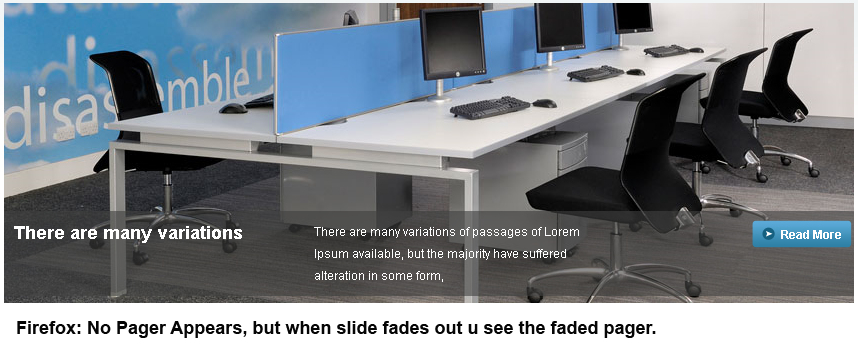
ankycooper commentedI have DDBLOCK installed. The previous next pager gets hidden behind the slide in firefox, i have tried to set the z-index but no go. but it Works fine in IE7 please see the attached screenshots.
this is my CSS for DDBLOCK
Comment #5
ppblaauw commentedCan you give a link to the slideshow on your Drupal site.
Note: I normally give only CSS support when I have some spare time and only when I can have a look at the slideshow. It would take to much of my time to solve all CSS issues users have.
Tip:
Setting support request to critical will not give quicker answers, maybe even the opposite.
Have a look at the Issue queue handbook
Comment #6
ankycooper commentedhttp://121.243.150.104/ email me ankycooper@gmail.com, if you need further detials.
Please Look Into It.
Comment #7
ankycooper commentedPhilip u Rock!! thanks 4 the great module and the solution.
div.ddblock-cycle-modest-grey20p div.prev-next-pager {display:block;height:35px;left:0;position:absolute;width:850px; z-index: 10;
After changing the value of z-index to 10 it stated working.
Comment #8
ppblaauw commentedset status to fixed
Changed the issue title