Running Google Page Speed or YSlow on Drupal sites recommends using a compressed version of files in /misc. It's only small bytes of difference, but the compressed product is visually identical. Using these smaller versions will save a lot of messages for people when they're trying to optimize their sites and won't want to be bothered with messages about 20-30 bytes here and there on images they didn't create.
In #511114: Use smaller feed.png image, we decided Yahoo's Smush.it service has the best compression algorithm, so these attached images were processed through that service alone.
Byte savings summary:
- menu-collapsed-rtl.png 22 bytes 16.92%
- menu-leaf.png 57 bytes 29.38%
- arrow-desc.png 1 byte 0.84%
- draggable.png 87 bytes 24.93%
- druplicon.png 58 bytes 1.42%
- forum-closed.png 5 bytes 0.45%
- forum-hot-new.png 4 bytes 0.30%
- forum-new.png 6 bytes 0.53%
- grippie.png 54 bytes 33.33%
- tree-bottom.png 40 bytes 4.10%
- tree.png 40 bytes 4.09%
- watchdog-error.png 19 bytes 2.38%
- watchdog-ok.png 2.74 KB 87.22%
- watchdog-warning.png 19 bytes 5.60%
- powered-black-135x42.png 19 bytes 0.67%
- powered-black-80x15.png 12 bytes 0.82%
- powered-black-88x31.png 19 bytes 0.90%
- powered-blue-135x42.png 18 bytes 0.59%
- powered-blue-80x15.png 17 bytes 1.68%
- powered-blue-88x31.png 16 bytes 0.76%
- powered-gray-135x42.png 19 bytes 0.70%
- powered-gray-80x15.png 17 bytes 2.24%
- powered-gray-88x31.png 19 bytes 0.92%
- marker.png 149 bytes 22.85%
- mask.png 19 bytes 0.94%
- wheel.png 19 bytes 0.16%
I intentionally left the ui directory alone because I assume editing those images would make it slightly harder to sync with updates from jquery ui official releases.




















Comments
Comment #1
deekayen commentedOf course as soon as I submitted that I discovered ImageOptim which uses a combination of OptiPNG, PNGCrush, AdvPNG, and PNGOUT to maximize the shrink. I'm running it all over again because it found even more savings over Smush.it.
Comment #2
deekayen commentedAfter some research, Smush.it claims to use PNGCrush for optimizing. Yahoo's Exceptional Performance group also recommended using pngout, optipng, and pngrewrite to find lossless savings. Google recommends OptiPNG or PNGOUT. ImageOptim has them all except pngrewrite, but has AdvPNG instead.
Only the following images were better through Smush.it: druplicon.png, mask.png, watchdog-ok.png, so I'm attaching those again to make it easier to discuss a group. Otherwise, these attachments are all new.
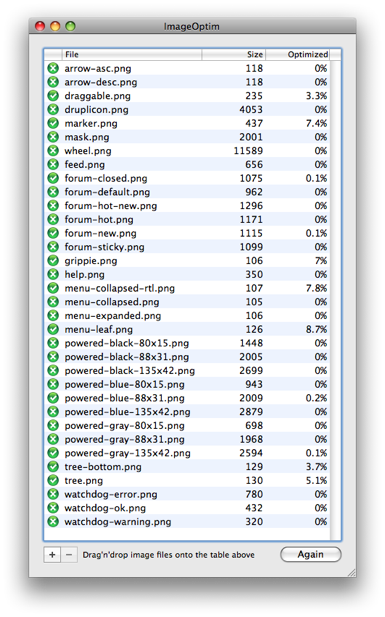
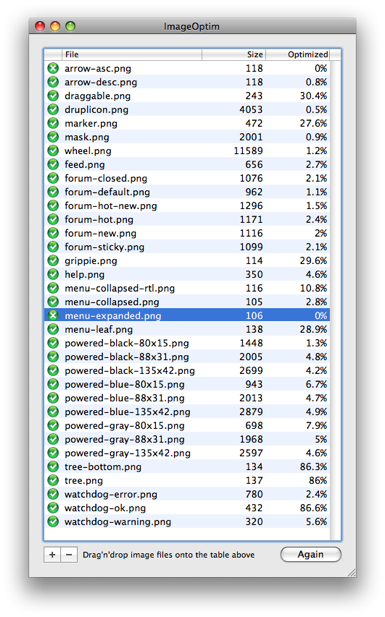
ImageOptim even found some savings over #511114: Use smaller feed.png image for feed.png, so here's the big list. Note ImageOptim has an Again button to do it all over again for additional savings. The algorithms can improve on themselves it seems.
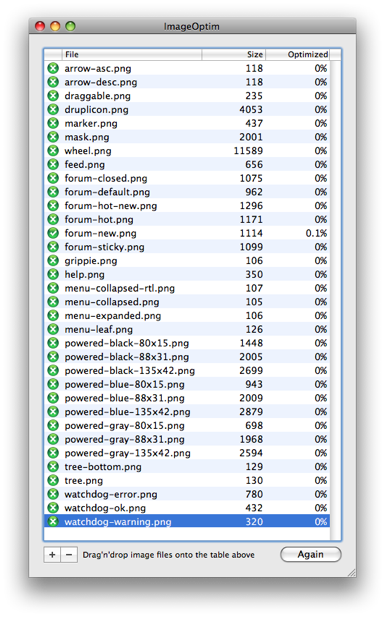
Fun fact: ImageOptim on one run found 21.6% savings on the second and third screenshots taken and saved with Skitch.
First run
Second run
Third run
Comment #3
deekayen commentedThe sum of the changes takes the size of all misc PNGs from 152k to 144k.
Comment #5
sivaji_ganesh_jojodae commentedI have already created an issue regarding this #543888: use compressed images in drupal core but this seems to have better description so let me mark that as duplicate.
Comment #6
catchTagging. If we don't lose anything visually, seems no reason not to do this.
Comment #7
Bojhan commentedI can't really be bothered to compare every single image. Would be nice if would have supplied an comparison chart. But yhea, as catch said - if there is no visual difference, its good to go
Comment #9
mcrittenden commentedWouldn't expect there to be any loss resulting from PNG optimization programs like those, so I'm for it. Subscribe.
Comment #10
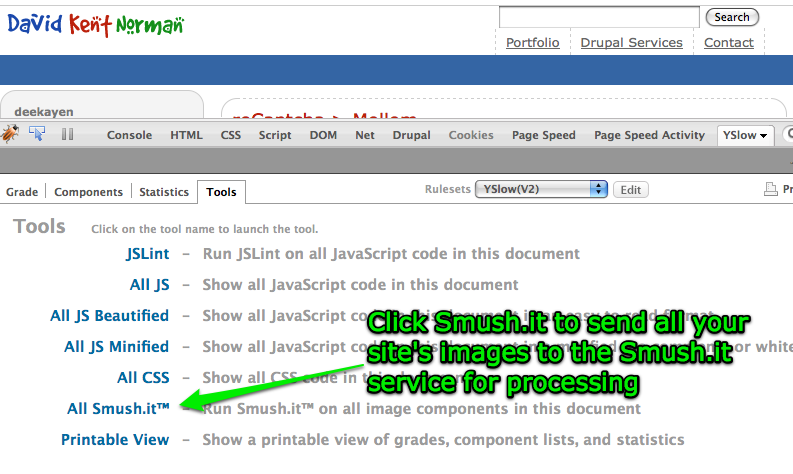
deekayen commentedHere are some screenshots for comparison.
Comment #11
mcrittenden commentedHas my vote. Anybody else so we can RTBC?
Comment #12
figaro commentedI am doubtful whether this will make a noticeable difference, even for sites with pages that are heavily reliant on the icon set. We should instead bank on a CSS sprites approach and optimise the icon set there. Time is spent in HTTP requests instead of actual transfer for files this size. Someone with a different theme and icon set will have to redo this optimisation. Even so, it doesn't harm to have this in.
Comment #13
deekayen commentedThe goal here is not really performance as catch tagged it. We're really only talking about a couple of bytes per image. It's not hugely significant there.
My reason for going through this issue is because every time someone runs YSlow or Google Page Speed to optimize their site, they're going to get notified that their site could be faster if they had used compressed or optimized images, then it will list these images and their compressed options.
When I start thinking about having to swap out core files on my production site to make error messages go away and get a nice clean report, things start leaking out my ears. That's my reasoning. If people think it's also a performance issue, that's fine as well, but even I'll loudly proclaim that's not a great argument on its own.
Google and Yahoo are investing a lot of money in their performance teams, so I expect Page Speed and YSlow have enough users to make this worthwhile in just making Drupal look good that it passes their tests. Latest stat: 1,309,372 downloads of YSlow - note Smush.it is plugged repeatedly on the add-ons page.
Comment #14
mcrittenden commentedExactly. RTBC.
Comment #15
webchickJust quickly, deekayen can you confirm that said warnings from Google Page Speed go away once you put the images this patch? I only saw a "before" screenshot, not an "after".
And thanks a lot for taking the time to lay out before/after images!
Comment #16
webchickAdditionally, let's make sure we have this procedure documented somewhere so whenever a new image is added to core we can make sure this tool has been run on it. It's useful for contributed modules as well.
Comment #17
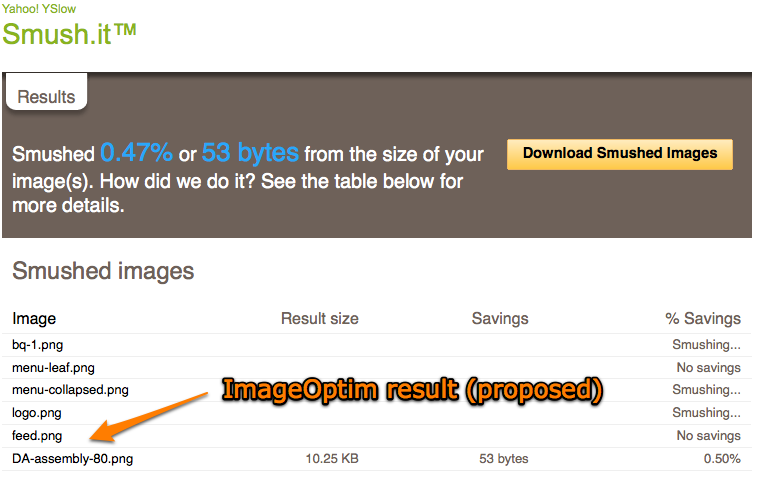
deekayen commentedMore screenshots. I uploaded all the proposed in #2 to http://deekayen.net/misc if anyone wants to try it themselves. The DA icon is cached on Coral, so it'll take some time to update. Smush.it is being slow, so I got impatient and took screenshots before it finished processing all of the images, but it shows the feed.png result.
Comment #18
catch@figaro CSS sprites are a good idea, but we'd need something which generates them - adding a sprite to core is a maintenance nightmare. I don't think this'll make any measurable performance difference either, but it's good to have clean reports from those tools, so that when something shows up which is an actual problem, it's not obscured by the noise.
Comment #19
dries commentedSprites are good when you display many of its images on one page. In this case, a lot of the images are displayed on different pages, which could make sprites sub-optimal. Imagine you only want to use a single image of the sprint ...
Comment #20
FiReaNGeL commentedThats not 100% true Dries - remember that images are cached, so you would download it once and that would save http requests on other subsequent pages, assuming that the user actually visit multiple pages. Anyway, I think it wouldn't be a good idea to implement anyway - for logistic issues. We could always adopt an automated sprite generator to fix the logistic issue, though.
Comment #21
dries commentedFair enough, good point. Most websites have bounce rates of 50% and more so it could still be sub-optimal. ;-)
I'm happy to commit this "patch" but it is a bit time consuming to have to download all of these images. Happy to do so after code freeze though.
Packing them as a single zip file would help a bit.
Comment #22
deekayen commentedThe last attachment on #2 is "misc.tgz of all the images".
Comment #23
figaro commentedJust to keep the focus on what this issue is about:
1- Avoiding a repeat alert on a tool that is maintained outside drupal (#18)
2- Having a process in place that ensures that this issue does not regress (#16)
I am happy to propose some text to our documentation team, if someone is willing to point out which page(s) this concerns. At the same time, it would help to have similar guidelines for the Drupal theming guide and I would like to propose the best practices guide (http://drupal.org/node/37156). Despite #21, no change in status.
Comment #24
dries commentedCommitted to CVS HEAD. Thanks!
Comment #26
figaro commentedClosed it may be, I have yet added the Smush suggestion to the following page: http://drupal.org/node/37156
Please review.
Comment #27
deekayen commentedWhat you had looked fine, even though I tacked on a few more links. It's a little weird to be on the HTML and CSS page. Is there a better place?
Comment #28
marcingy commentedComment #29
webchickI think this works for now. Thanks!
Comment #30
wim leersSimple, yet great change :)
For the people who end up reading this issue and are interested in optimizing *all* the images on their site *automatically* (and optionally syncing them to a CDN): use the CDN integration module in combination with the File Conveyor daemon.
Comment #32
andypostFollow-up #851496: Invalid to use the CSS background to display non-background images in Forum
Comment #33
XiaN Vizjereij commentedAs we are getting close to the UI freeze in RC1, can anyone please recheck this for beta3 again ... or even better as a last step before getting out RC1?
http://pornel.net/imageoptim/en is not available for for windows, else i would do it :(
Comment #34
philbar commentedPlease use the following issue:
#935122: Compress Images using Lossless Techniques
It has the proper instructions for converting all the images in Drupal core quickly.
Comment #35
deekayen commentedCrossposting for people who want to compress jQuery UI's images.
I intentionally left jQuery images out of this and its other followup issues. Drupal manages images in most places like Bartik, which makes future maintenance of all its changes our problem. I think modifying the jQuery image files makes them a fork and that if you want those to be optimized to submit the compressed versions to the jQuery UI project, not to Drupal.
Comment #36
philbar commentedExcluding Jquery UI there are still a dozen images needing compression.
I've compressed and attached the remaining images which need compressing. They are not in the exact directory hierarchy, but are in folders based on theme which they reside.
For the jQuery UI, I've created a git branch and recommended the improvement in their project version control:
https://github.com/jquery/jquery-ui/pull/41
Comment #37
philbar commentedCommitted to jQuery UI:
https://github.com/jquery/jquery-ui/commit/ff4154bb5d5a463cdb1750745b05e...
If we can get #36 in we can close this issue.
Comment #38
XiaN Vizjereij commentedAnd before we close that issue, we need a way to make sure that all drupal's cvs committed images get optimized before.
But nice one on the jquery stuff :D !
Comment #39
webchickCommitted #36 to HEAD. Thanks!
At BADCamp, there was some concern from the Bartik maintainers that smushed images might remove transparency that previously existed? Except when Tim went digging, he wasn't able to actually find hard evidence of this. But that's the only potential reason to back out any of these changes. We'll see if this breaks anything, but in clicking around everything seemed copasetic.