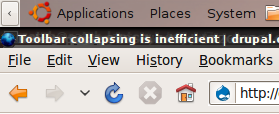
OK so I've been using Drupal with the default (toolbar + Seven) profile for a while, and since I work 95% of the time on a 13" laptop, the toolbar takes up something like 10% of my screen real estate, which means it's currently collapsed:
The main/only buttons I use when testing are:
1. Content
2. Add
I'm probably clicking 'Content' as much as I type it into the address bar, I never got used to installing admin_menu on sites unless it's already there since I'm firmly a URL typer, but it's slightly quicker to click that direct link than click the address bar and type. This isn't the case for any other page, since my muscle memory is currently faster then working out which link something lives under (not necessary for a single page like content admin).
However, when I want to click on node/add - but I can't, because I'm keeping the toolbar collapsed for the 99% of pages where it just takes up extra space. When I do want to click on node/add, I need a click to expand the toolbar, then another click on node/add, then another click on the content type, then another click to collapse the toolbar again. At this point, firefox beats the toolbar by about 1000% in terms of efficiency.
Suggestions:
1. Use .hover for the collapsed state to toggle things on and off dynamically, and have the mouse-off even hide the toolbar when I leave it again, that might mean a slightly bigger target area for expanding / collapsing. On ubuntu, I have the awn dock which sits invisible at the bottom of the screen until I mouseover, then I can click on stuff, and go back to full screen by moving the mouse away - that's really handy, and the core toolbar seems to be based on the same model, so it's a shame it doesn't work like that too.
2. Try moving the collapse icon to the left side of the toolbar, next to both menus, then it'd be a much shorted distance to traverse when expanding and collapsing.






Comments
Comment #1
TheRec commentedIsn't the root of this problem the flexibility of the layout of Seven ? In terms of usability, the flexible layouts are often criticized for what you describe. And long mouse travels are also proven inefficient when you need to select something precisely (but oh well, the toolbar shortcuts are big enough). I was thinking about posting an issue yesterday about something related, all the HTML tables become really wide on flexible layouts, to the point that you are never sure of what you've just selected or which element you are going to edit or delete (when clicking on operation links). Those issue are all due to the flexible layout, I doubt we will drop this type of layout since Seven seems to fit many people... but has this been discussed already ?
P.S.: On a side note, in terms of accessibility, the button to trigger collapse/expand of the shortcuts is present even without Javascript and if you hover it, it will turn into the classic hand cursor, which makes you think it will do something when you click but won't do anything without Javascript. This button should be added via Javascript, but that could be another issue I guess.
Comment #2
Everett Zufelt commentedOn a related note see #540282: Accessibility improvements for the toolbar
Comment #3
TheRec commentedI implemented some of catch's propositions (I think all... except the hover, for the moment), and also cleaned up the way the toggle element is added, so it is not present anymore when it cannot be used (when Javascript is disabled). I also modified the CSS a bit to avoid having the unncessecary space given for the toggle element when it is not added.
There is only one screenshot for the "before" situation, because it is exactly the same when Javascript is enabled or disabled (which is part of the problem ;)).
I did not make previews for the images, it would break d.o layout and wouldn't be very visible since it goes behing the right menu.
I agree with catch, getting the toggle element closer to the actions it can reveal/hide makes it more efficient... less mouse travels means more precision and better usability :)
There is still concerns for too wide tables, due to the flexible layout of Seven, but that might very well be another issue, what do you think ?
Comment #4
catchThat looks the same as I was thinking, nice work. Don't have time to try the patch probably until tomorrow though.
Comment #5
Everett Zufelt commented@TheRec
I applied the patch in #3. As a screen-reader user the "Show shortcuts" link is not recognized at all with JAWS 10.1154 / FF 3.5, and is appearing, but is not actionable with VoiceOver 10.5.7 / Safari 4.0.1.
My recommendation would be to make the span that contains the icon an anchor, and to set the title attribute of the anchor to "show shortcuts. Alternatively, make the span an anchor, do not use a CSS background image (the icon is not semantically a background), but use an img element inside of the span and set the alt attribute of the img to "Show shortcuts".
Comment #6
TheRec commentedUsing an anchor will indeed improve accessibility, but it was not the purpose of this issue in the first place so I did not change it on purpose. This could be changed of course, and it would be more consistant, since an action should rather be triggered by an "active" element (such as
<button>, anchors, etc.). So here a patch, which should solve this accessibility issue, it also enabled to toggling with , now that it is an anchor.If you want to push it further, by replacing it by an image, you should open another issue, but semantically speaking an image does not make much more sense, it would also require to be wrapped in an anchor. There is no harm in using an image background in this case, knowing that this element of the layout is an image is not that important to the disabled users, as long as they get the text of the anchor and it is meaningful enough. In addition, it would be even more complicated to provide the two states of this icon (collapsed and explanded) for all the users.
The screenshots are the same as shown in #3.
Comment #7
Bojhan commentedI think this makes sense, also disables me clicking logout all the time when I want to hide the shortcut bar.
Comment #8
catchTried the patch out and it's much more appealing expanding/collapsing the toolbar now. Could probably do with a once over from Mark/Leisa, code changes all look sane enough.
Comment #9
dries commentedThe wide tables will probably be addressed by the overlays.
I've pointed Mark and Leisa to this issue as well. Curious about their feedback.
Comment #10
Everett Zufelt commentedThe patch in #6 doesn't appear to correct the accessibility problems.
1. JAWS 10.0.1154 can still not seet the toggle icon, I imagine that this is because of the text-indent: -9999. It would be better to get rid of the text indent and to place the text "Show Shortcuts" into the title attribute of the anchor.
2. VoiceOver 10.5.7 can see the link, but clicking the link performs no action. I imagine this is because the on_click action is bound to the span and not to the anchor.
3. (new) I am not sure if "show shortcuts" is toggled based on the shortcut toolbar visibility. If not it may be better to use text like "Toggle short visibility".
Comment #11
TheRec commentedEverett Zufelt> Ok, but we are concerned by usability as a primary goal for this issue... once the usable way will be decided, I'll be glad to make a patch to take into account the accessibility, but this should be done in another issue and be postponed until this very issue is done... I do not think that doing everyting at the same time is the productive approach, maybe you could create another issue dedicated to the accessibility of the toolbar, and postpone it until this one is done (wether this patch gets in core or not, I'll be willing to improve accessility):
Comment #12
Everett Zufelt commented@TheRec
If a screen-reader user cannot activate this link, then IMO it is a usability issue. There is already an issue open for accessibility.
Also, your patch has regressed the accessibility of the show shortcuts link, as unpatched JAWS can at least see the "Show Shortcuts" link. i can't tell you exactly why that is.
Comment #13
TheRec commentedEverett Zufelt> I can tell you why, because I removed the empty HTML element used to toggle from toolbar.tpl.php and it is now added with Javascript... which improves usability when Javascript is disabled (users should not see a "button" they can't use). I suppose JAWS can see the link when you don't apply my patch, but you can't use it... my patch does not make accessibility regress, the toolbar is simply inaccessible in the first place... and this should be worked of course, but not at the same time.
Once the concept of the putting the toogling element on the left part of the layout is approved (and maybe toggling with hover... that is up for discussion), I'll consider improving the accessibility of it (either in this issue... or in another one if you decide to create one)... doing this work at the same time than changing the concept of toggling visibility is not the productive approach. Please let Mark and Leisa review usability.
Comment #14
Everett Zufelt commented@TheRec
Your approach, is not accessible. Unless we are promoting the idea of putting inaccessible code into core, which I do not, then your patch needs work before it should be accepted. The link that you are creating through JS is not accessible with the most popular screen-reader in the world. If we don't stop putting inaccessible coe into core, and IMO Seven and the toolbar should not have made it into core with their accessibility problems, then we will never have an accessible system.
Comment #15
TheRec commentedI did not say it is accessible. We are discussing a change of concept in toolbar (moving the toogle and maybe change the way it is toggled). Accessibility is not the main concerne at that stage... And you did not answer, right now (with current HEAD, without the patch), can JAWS use the toggle ? As far as I know, it cannot... it can see it, but cannot use it (and that is bad usability... just like people without disabilites can see the toggle element when they have Javascript disabled, but cannot use it). Please let's review the conept, and then the application (which MUST be accessible, I told you I'll be glad to make a patch for this once the concept is approved).
The approach I used in the "example" patch (to demonstrate how it would work), can be accessible with few modifications, but it is not the main concern of this issue. Could you please point me the issue you were talking about, so we can continue the discussion there maybe ?
Comment #16
Everett Zufelt commented@TheRec
In comment #2 of the current issue... #540282: Accessibility improvements for the toolbar
Comment #17
yoroy commentedmarked #547730: Fitts's law in full effect: I repeatedly logged myself out when wanting to collapse the shortcut bar duplicate
Comment #18
gábor hojtsy@TheRec: Well, it would make sense to have that toggle and update the relevant cookie server side when clicked if JS is disabled as a fallback behavior, so we have a richer UI when JS is disabled (and people can still get rid of the shortcut bar if they don't want to have that without needing to disable the whole module if there is no JS).
Comment #19
TheRec commentedGábor Hojtsy> This is true and can surely be implemented relatively easily, but it is also out of the scope of this patch (we are discussing the concept of toggling and its usability). You should suggest exactly the same in the issue Everett Zufelt pointed out in #2, it concerns the accessibility of this functionality (which is fairly broken right now, but we are working on it in this other issue). Thank you for your input :)
Comment #21
TheRec commentedTestbot #34 was bogus according to the log... let's retry :)
Comment #23
TheRec commentedPatch applies and tests pass locally.
Comment #24
mgiffordPatch does apply, but even after clearing the cache there's an overlap between the show/collapse button and the content link.
Comment #25
TheRec commentedIndeed thanks mgifford. I did not notice the jQuery.once() introduced a new CSS class for elements that have been processed, it now uses
<css_id>-processedinstead of just "processed". Here's a working patch... still waiting for a review of the concept (moving the toggle to the left). Screenshots of #3 still applies... and I cannot create previews see why here if you want to help : #561680: 'Trusted' drupal.org role with same perms as documentation ;)Comment #26
mgiffordOk, tested and it applies nicely.
There's no option to minimize to toolbar if javascript isn't enabled (top image)
In Safari there isn't as much space between the expand/contract icon & the 'Content' text.
Looks fine in Chrome & Opera.
All on the Mac.
Comment #27
TheRec commentedI used the same space than there is between logout (when you put you mouse over "Logout" when patch is not applied you will see the same behavior, it is intended in my opinion) and the toggle element. Spacing is consistent with the current toolbar design.
The javascript alternative will not be implemented in here. We are discussing the concept of this toggle and it's place, not the graceful degradation. See my last 3 or 4 comments about this please.
Comment #28
mgiffordNo worries. The inconsistent spacing in Safari is my only concern at this point and that is pretty minor.
+1 for this improvement. Will be a usability enhancement for sure.
Comment #29
TheRec commentedmgifford> Well not really... the spacing between the elements is supposed to be this way, look at this screenshot (Safari 4, PC), that is HEAD without the patch, while having mouse over "Logout" side by side with HEAD + patch while having mouse over "Content" and spacing is the same. This spacing is on purpose, I just replicated the same design, it is designed to be this way in my opinion. If you find it ugly, fill another issue, who knows maybe you're not the only one ;)
Comment #30
mgiffordI'm fine with that. Think if you get the Needs design review done it will be RTBC.
Comment #31
casmaron commentedComment #32
casmaron commentedI checked patch #3 too and did some minor browser testing (Safari 4.0.3 and FF 3.5.2 on Mac; even kinda works under IE6 / WinXP SP2) and see no issues.
Comment #33
markboulton commentedThere needs to be more space on the right hand side of the toggle. I'd suggest double the spacing between menu items. Then there is a relationship with the space, rather than it being arbitrary.
Comment #34
TheRec commentedmarkboulton> Do you mean : more space between the toggle and the first menu item... or more space between ALL the menu items AND the toogle ?
Comment #35
yoroy commentedTheRec: spacing between the toggle and first menu item should be double the amount that's used to seperate individual menu items.
Comment #36
TheRec commentedIt wouldn't be very consistant... see #29 (which shows there is no space currently betweem menu item and toggle) and also the attached screenshot which shows there is no space between menu items. Those all show how it is when you have your cursor over one of the items next to the currently active menu item.
I'd say, either we add space between all the items... or we leave it as it was, no space at all.
Comment #37
yoroy commentedOf course there's spacing between the items, 20px even:
So the suggestion is to set the toggle 40px away from the first item.
Comment #38
TheRec commentedI know and there's spacing too with the current patch... please review it. See the screenshot attached (and the ones in #3), it is EXACTLY the same, but on the other side... if you hover "Logout" on HEAD (without patch) it also looks like there is "no" spacing (yes there is 10px on each side... I am talking about visual perception when mouse is over the element next to the toggle).
So my question is do we want more space for every items of the menu or only between the toggle and the adjacent menu item... markboulton's sentence is not clear about it for me :
If I only change the space between the toggle and the adjacent menu item, it won't look the same as the current design, and it is somewhat a waste of space, it's already tight on low resolutions... I am not sure it is wise to waste more space.
Comment #39
TheRec commentedOh well... here's a patch with 10px more space between the toggle and the first menu element. Screenshot attached shows the difference (in comparison with #3) with mouse out and mouse over.
Comment #40
yoroy commentedSorry for any confusion. Yes, I think that looks very good. Screenshot from #39:

Comment #41
leisareichelt commentedthis looks much better :)
+1 from me
Comment #42
Bojhan commentedOk, RTBC it is.
Comment #43
webchickIt looks like this has support from Mark and Leisa, and I know I've accidentally logged myself out on a number of occasions with the current position of the collapse bar. It also sounds like the accessibility issues are being sorted out in #540282: Accessibility improvements for the toolbar.
Therefore, committed to HEAD!
Comment #44
Noyz commentedI just updated head to find this shortcut on the left. I find this to be really weird and limiting. Limiting in that I'd like to brand my toolbar (having the brand naturally appear in the upper left) but now i can't because it looks like I'd be able to toggle my brand. Weird in that the majority of collapsible triggers like this happen on the right.
Seems the move was the result of accidentally logging out, which I'd like to challenge:
1. Few users will collapse this bar. Readers of this message will, because you're advanced users and this bar – probably – gets in your way. I'm not saying nobody will collapse it, but most will not.
2. It's a much more common convention to have UI controls in the right - unless you're talking about a tree or accordion.
3. Adding a bit of padding to the right of the logout link would also address this problem.
4. Most readers read left to right diagonally down the page. In such a paradigm, collapse is the very first thing they'll see. I'd argue that we wont users focusing on content first.
Comment #45
Bojhan commentedI understand your concerns and I totally agree that not all notions of why this collapsing was so bad are totally solid. I am not very keen on defending or working on this though. Branding is sadly the least of my worry here, I'd rather adress the other parts.
1. Agreed, it has a lot of visual prominence now it probably does not deserve. I don't want to guess the who will vs who wouldn't ratio.
2. It is, not sure whether it fully applies to this though - since its a navigational element, that is unique.
3. It would have, that was the actual first suggestion on it - its wrong to assume that was the main reason for this change though.
4. Agreed, as before it holds to much visual prominence, where the user should focus on the content.
Sadly, I am somewhat distracted by other UX-Team activities - Noyz if you could take this one up and provide some more reasoning and possibly solutions to the problems moving this item addressed, we can work on it. Although I completely agree on your notion of it being mostly an intermediate function, lets not underestimate the amount of that user group - hence why we initially went with that. It wasn't an uninformed decision, we took this intermediate use over the majority use - where an assumption was made that the experience wasn't hurt too much in balancing both cases. We could be wrong there.
Comment #46
catchNoyz, just to clarify, I opened this issue because it was a pain to collapse and uncollapse the toolbar - see http://drupal.org/files/issues/toolbar-distance.png - moving it back to the right would re-introduce that problem, which for me makes the shortcut bar completely unusable on the machine I use for 90% of development (13" laptop).
Comment #47
Noyz commentedYes I'm aware of that. Yes it's a long distance to travel, but I don't think your case is the common case. You're an expert user that uses URL's most of the time, and you're on a 13 inch laptop.
If you need to expand and collapse that frequently, there's a larger problem at hand. I also think the problem your having may be an artifact of having an unsolved solution for shortcuts. At present, node/add is the only meaningful item in the shortcut bar for you. Had there been a solution for adding more meaningful items into the bar (as there is now), perhaps you'd be less apt to close it so frequently.
I'd be open to other solutions, but I'm immediately at odds with this design because I need to brand the bar and cant.
Comment #48
catchWell I think we should prioritize ease of use over branding. Only a few people will need to add branding (and that's more "power-user" than me who's primarily an end-user of the toolbar in that I don't want to have to customize it if I can help it). Those who need to add branding can do so by overriding theme functions, images and CSS if needs be, which won't be possible for everyone person administering a Drupal site who has similar usage patterns to me.
Also I really disagree that a 13" laptop is an exception. Many people will be doing light administration of Drupal sites on 8-10" netbooks, at least as many as use 20-30" monitors. And with pages like admin/content and admin/config/people/permissions (which will be longer than now in the overlay), you need all the space you can get if trying to review a long list.
Comment #49
Noyz commentedI don't disagree with the branding. Ease of use definitely comes first. I also won't disagree with 13' or 8-10" - I just don't believe that's the normal case. If it were, the web standard would be back to 800X600.
There were two problems identified in this thread:
1. accidental click of logout
2. not enough meaningful links to warrant the loss of real-estate. The distance you have to travel was also mentioned, but that problem is an artifact of having a lack of meaningful links.
Issue number 1 is easily solved with space
Issue number 2 is solved by allowing users to customize and make the bar meaningful.
I just think we prematurely moved the toggle, and as a result have a toggle an in unconventional place that will A) take prominence away from primary tasks B) make personalization harder. Instead we said, "since the links are meaningless, I need a faster way to expand and collapse"
Comment #50
Noyz commentedI don't disagree with the branding. Ease of use definitely comes first. I also won't disagree with 13' or 8-10" - I just don't believe that's the normal case. If it were, the web standard would be back to 800X600.
There were two problems identified in this thread:
1. accidental click of logout
2. not enough meaningful links to warrant the loss of real-estate. The distance you have to travel was also mentioned, but that problem is an artifact of having a lack of meaningful links.
Issue number 1 is easily solved with space
Issue number 2 is solved by allowing users to customize and make the bar meaningful.
I just think we prematurely moved the toggle, and as a result have a toggle an in unconventional place that will A) take prominence away from primary tasks B) make personalization harder. Instead we said, "since the links are meaningless, I need a faster way to expand and collapse"
Comment #51
webchickI have to say that having actually played around with this the past few days I do find it quite awkward and it might be worth rolling this back and/or coming up with another solution.
The shortcut bar collapsing icon is ridiculously prominent now, and it pushes the primary IA links, where my attention is *supposed* to be, off to the right where I never see them. As a result my eyeball does this:
Those are in exact reverse over of their intended prominence.
And now, instead of accidentally clicking Log out when collapsing the bar, I now accidentally click the collapsing bar when I'm trying to click Content, which is not exactly a better situation, since I click Content far more often than I collapse/uncollapse the shortcut bar.
Over at #540282: Accessibility improvements for the toolbar, the collapsed/uncollapsed state of the shortcut bar moves to a session variable, which would hopefully satisfy the people who really REALLY REALLY want this to be collapsed all the time.
Catch, what do you think?
Comment #52
webchickThought: Move /help over to the right of "log out", move the shortcut collapsing back to the right, then you'd at least accidentally click a "safe" link. ;)
Comment #53
catchWell, I want to be collapsed all the time when moving around the site (and a session variable would help with that), but I also want to be able to click node/add with less movement than clicking on the address bar and typing, otherwise it's not a shortcut for me
If we allow people to collapse the toolbar, which has been in the design from day one, then it's quite obvious that people going to want to use that, and having several centimetres from everything else you want to click in the toolbar is a long way. So moving it back really doesn't help here.
One thing I experimented with, but don't have the js chops to mock-up, would be a larger hover area, where the toolbar expands or collapses when you mouseover it, then maybe an icon to lock it in position. Same as AWN for linux, or how I imagine the OSX one works (never used OSX though). Another option would be to allow the toolbar to be collapsed horizontally as well (again, various linux taskbars allow you to do this), so it's off-screen entirely apart from a small clickable area (on a 960 site this would be outside the normal viewport of the site itself, but still very accessible in top left/right corner), but can be brought back easily when you need it.
I also find it really, really unlikely that people who need to look at the front-end of their sites often (anyone doing development, anyone doing content moderation, anyone with admin privileges on a site they also use, like Drupal.org) would keep the toolbar expanded all the time while doing that - since it's intrusive during normal browsing - but that's also the situation were you might want to go to node/add real quick to post content.
Comment #55
Noyz commentedStill think it comes down to content. If the bar is filled with meaningful links, you'll be less apt want to close it. I'm hopeful that Gardens will open Drupal up to a lot of new users, and I'm certain those users will not collapse the bar at the frequency you do.
I like webchicks idea to move logout/help, and I also like the idea of the OSX shelf that reveals itself on hover. In situations where a toggle is needed however, I'd still advocate for the right side vs left.
Comment #56
webchickcatch, Bojhan, and I spoke at length about this in #drupal.
catch is okay with this being rolled back as long as we file the following critical follow-up issues:
1. Look into creating a version of the shortcut bar that takes up less vertical space, either by designing it that way or by using one of the alternative options catch mentions in #53. Right now, it's about 1/5 of the viewport in 800x600 resolution, which is quite significant. I'm sure on mobile browsers it's even worse. And while those might not be "the norm" atm, they are a highly growing market segment and we need to be thinking out as far as 2013 in D7.
2. Add "Help" to the right-hand side of "Log out" to prevent "damaging" mis-clicks.
3. In the same patch, make the same spacing improvements that were done in this patch (see screenshots @ #40) to help prevent mis-clicks altogether.
I'll create these later today if someone doesn't get to it before me.
Comment #57
TheRec commentedHaving this as a mouse over toggle only wouldn't be good for accessibility, typically users who are not using the mouse to navigate (navigation with TAB key for example), won't be able to toggle it (unless #540282: Accessibility improvements for the toolbar finds its way to core, then they could use the link to toggle I guess, if it's not an unaccessible link).
Moving "Help" doesn't convince me, I'd usually search for the last menu item of the main menu of an applcation to find the help link, not the right top (that's where I find the "X" to close my application... that's also why "Logout" is at the right spot there).
If the toggle ends up going on the right again, I suggest we should add some more space between it and "Logout", because the accidental logouts are really annoying... I would call that useful waste of space in this case.
catch,webchick> The status of visibility (collapsed/expanded) was always stored accross pages in a cookie (with Javascript ... and with #540282: Accessibility improvements for the toolbar, it's also stored through PHP when the toggle is used without Javascript).
Comment #58
Noyz commentedWoot - glad to hear it.
Re: accessiblity: I think we could have a setting in the shortcut bars configuration that's basically the same as the MacOS ("automatically hide and show the shortcut bar"). Keep this on by default, but allow it to be set so the bar is always shown. I'll see if I can work with Paul Lovvik to get this (our javascript ninja), and some of Catch's concerns addressed.
Comment #59
yoroy commentedI'm not sure if it's fair to throw in mobile platforms to support an argument here, I don't get the impression that 'make it work on an iphone' was part of the requirements for Seven.
Either way, I'm fine with rolling back and looking into other solutions.
Comment #60
catchActually, rather than followup issues, let's just keep this one open even if the patch gets rolled back since the original report and bugs found here still stand.
Attached another screenshot to show the issue in context. As I explained on irc, I think my real problem with how the shortcuts bar currently works is a few separate (but linked) issues:
1. My eyes naturally focus on the area just below firefox tabs whenever I start looking at a web page - with an expanded toolbar there, they have to refocus an extra 30mm downwards each time - whether it's coming from another tab or clicking on the next page - in both of those cases, it's likely that I want to see the content of the page first, not click on another one.
When it's collapsed, the 5-10mm that takes up doesn't bother me since what I was originally aiming for is still within the centre of my gaze rather than starting to head towards peripheral vision (in reading terms at least). So even with lots of useful links in the shortcuts bar, I'd still keep it collapsed when clicking around. Not co-incidentally, admin_menu stays at that 5-10mm size all the time (even the Drupal 7 shortcut enabled version), and while I don't go out of my way to install or use admin_menu on any sites, it doesn't bother me as much when it is installed.
2. Currently the toolbar takes up as much space as the firefox 3 address bar, live shortcuts, and tabs combined (see screenshot). I can count 26 buttons and links in that space within firefox - including direct url typing, history, bookmarking, search, rss reader etc. Even a completely full toolbar might have about 13-15 links in it at most, taking up the same amount of space.
@yoroy - scaling the button down would been an even smaller area to aim at when you want to expand/collapse it, if that was combined with a hover thing as well though, I wouldn't mind.
@TheRec, I'd only want hover in combination with a button which would lock it in it's current state - so it'd be both rather than either/or.
Here's the gnome/ubuntu toolbar to explain the 'horizontally collapse' thing mentioned earlier - I use this in combination with the AWN/osx-style dock - both can be set to be hidden so your active window expands to full screen height when they're not in use - in this case I just activated a button toggle, but there's also autohide as well.
collapsed:

expanded:
Comment #61
webchickOk. I have reverted the previous patch. I agree with catch it makes sense to continue discussing this here since all of the relevant parties are subscribed. So let's take another stab at this.
I can't tell off-hand how the Ubuntu screenshots are supposed to work, but I don't think I'm opposed to having the toolbar slide in/out from the side. We should get Mark and Leisa's feedback, though.
Comment #62
Everett Zufelt commentedI like the idea of the toolbar expanding and collapsing on hover, but it must also be able to be locked in an expanded state.
Comment #63
TheRec commentedOk, here's a first take on this and few things to know about this patch :
/misc/jquery.hoverintent.js, it follows the logic ofjquery.cookie.jswhich was also added in/misc/when the toolbar started to use it... and this plugin might very well be used in other places in core if we decide to use hover for other things, it avoid problems when you move your mouse quicly over the triggering element (jQuery queues the mouseOver/mouseOut actions immedialty if you use .hover(), with .hoverIntent() the mouse mouvement is tracked and the actions are triggered only when you really intend to do them).Comment #64
TheRec commentedOops... seems like I've left some code used before using hoverIntent and a little bug that prevented the toolbar to collapse when it was not docked/undocked at some point at least once. My bad, this is corrected. Remarks and screenshots above still apply.
Comment #65
yoroy commentedAnything else to do besides applying the patch to test this? I'm getting a half-visible shortcut bar without the top level menu items.
Hiding the top level menu items is a bad thing and, afaik, the discussion is about the shortcuts, not the top level IA menu items?
My install now looks like http://drupal.org/files/issues/555712-toolbar-docking-1-js-undocked-mous... and I don't see how I can make it show again.
Comment #66
TheRec commentedNothing else... Maybe clear Drupal's cache and your browser cookies... but the "half-visible shortcut" is what I was refering when I wrote (it also concerns the dock/undock toggle).
Reading this, I seem to understand the whole toolbar is taking too much space, not only the shortcuts. Anyways... it would be possible to have only the shortcuts displaying this way... just wouldn't look very intuitive interface either.
To answer your last question, you should just have to put your mouse cursor over the "half-visible shortcut" and the whole toolbar should appear.
Comment #67
TheRec commentedOk, after talking with yoroy and catch on IRC, here's another alternative (I'm not convinced yet that we cannot hide the whole toolbar). So with this one only the shortcuts are hidden and I added a dock/undock icon on the left most of the shortcuts. The icon used could very well be changed (it's under CC licence which is not compatible with GPL afaik) and it should be included in the toolbar.png that regroups all the other images related to the toolbar, but this shall be done if this alternative is the one chosed by the majority and also when the right icon will been found. The icon path is attached and should be placed here
/modules/toolbar/toolbar-dock.png.The trigger to display the shortcuts is achieved by hovering the main menu of the toolbar (in fact, any part of the
#toolbar, which allows to keep it open even when you are outside the main menu). Unfortunately there is no visual hint for this... so I also changed the default behavior... by default the shortcuts are docked, if the user needs space he can click the anchor and they will disappear as soon as he moves his mouse outside the toolbar and reappear when the mouse is over the toolbar again.I also re-added the shadow, yoroy was concerned that this wasn't the purpose of the issue to remove it, but it still find it ugly, even more when it is animated.
Some screenshots attached to show these changes, but as this relies on animation, you're always better of testing it live ... and please do not forget to clear Drupal's cache after applying the patch. One thing you won't see on the screenshot is that dock/undock toggle changes of background color when it is hovered. In the screenshot with the docked toolbar, the background color is also different so we are aware that it is "active".
Comment #68
sunDocking stuff is for power users only. I haven't seen any novice user that uses docking features in any OS/browser/application. Even if an application has a built-in docking feature (even Windows' taskbar has since 1995), it's only ever enabled by power users. The concept of auto-hiding primary navigation elements and only exposing them on hover is probably too scary for many.
Comment #69
TheRec commentedsun> Well then.. is that +1 for the alternative solution in #67 ? Or you mean that it should even be hidden in a settings form instead of dirrectly accessible on the left of the shortcuts ?
Comment #70
TheRec commentedWhen I wrote this, I did not precise that it stores the status in the cookie for the current session. If you quit your browser (or your session ends another way), the status is not preserved. If you expect to be persistant across sessions, we could change the expiration time so it never expires (at least not in a realistic delay) or we could store this per user (but it would have to be stored in the database then... which is in my opinon a bit much for just this simple setting).
Comment #71
catchA permanent cookie sounds ideal for this one - doesn't really matter if it gets lost, but good to keep it around as long as possible.
Comment #72
TheRec commentedOk, I changed the expiration date for the cookie to 36500 days (~100 years), that should be enough for it to never expire ;) We could refresh it on every initialization of the toolbar, but I think it would not be really useful. I updated only the second alternative (autohide of shortcuts only), seeing the negative feedbacks the first alternative (autohide the whole toolbar) got (here and on IRC). The functionality is the same and there is no visual change since #67.
Comment #74
TheRec commentedDespite the lack of interest on this issue currently (or maybe the propositions made are not satisfying), it needs a re-roll now that #511286: D7UX: Implement customizable shortcuts has been committed.
A slight modification of the way the "edit shortcuts" links is added to the drawer is needed, it needs to be in the "drawer"
<div>, otherwise there would would be a visual bug during the animation (due to a calculation of the height of the drawer done by Javascript that does not seem to account on the fact that the "edit link" is placed absolutely). Anyways, this link has it's place logically inside this<div>, so it's all for the better in my opinion.Screenshots are the same as in #67 and the "edit shortcuts" link is placed correctly. The "anchor" icon can be found in #67, and should be placed at the same place than before.
Comment #76
TheRec commentedReroll needed, due to #607106: Moving help to the right ... for 1 line... how cute... even more cuter, this change gets rolled back with this patch *eyes rolling*.
Comment #77
catchThis is great. I only tried this for a few minutes to get screenshots, but makes things a lot easier.
Comment #78
TheRec commentedI'm not good at making screenshots for "animated" stuff, thank you catch :) You missed just one thing, if should have put
toolbar-dock.pngfrom #67 inmodules/toolbar/you'd have had an icon in the dock/undock button you're showing in your last screenshot, which is supposed to hint users that they can do something with it :) As mentioned before, the icon is just an example and we'll have to choose another one (not because it doesn't look good, but because it is under Creative Common, which is not compatible with GPL) if this solution gets in core.So maybe we should address sun's concern that
@sun: I see you point, because these options are usually well hiden in settings in operating systems, but then again, if the interface is clear enough I'm sure it can work... By default, the toolbar will be docked (that is so because the current approach is to have the "drawer" open and users can toggle it with the button that is the source of all our problems in this very issue. It is in both cases the good way in my opinion), so if the user user is experienced enough and want to undock it they can (easily), if the user are not experienced enough or does not have a clue, they'll live with the docked toolbar... I don't see how the current situation makes it more obvious to every users that the "drawer" will collapse when they click on the toggle.
In any case, usability experts will have to give their opinion and knowing the time and energy it takes to make user tests I'm not sure we will get a definitive and objective answer about it. I've never read an usability study about this particular type of interface (if anyone knows one, please post a link if possible).
Comment #80
TheRec commentedRe-rolling... for the sake of it, but I clearly doubt this will get in.
Comment #81
TheRec commentedOn Bojhan's advice, a version of the patch that only includes the cookie persistance across sessions (a.k.a after logout and/or session expiration). I post it here, as it also improves the toolbar collapsing efficiency and I don't see why I should create another issue only for this. We can always commit this one and continue the discussion about toolbar collapsing efficiency later.
To test it, you should verify that if you collapsed the toolbar it still stays collapsed across pages and then test if after a logout and re-login it stays in the state (collapsed/expanded) it was before logout.
Comment #82
bleen commentedsuperscribe
Comment #83
TheRec commentedRe-rolling the patch in #80 with hover toggle because of #609100: Should not be able to re-add same shortcut to same set twice.
The other one in #81 still works and is still waiting for reviews and tests.
Comment #84
mgiffordI applied #83 and it applied well but I couldn't get it to contract. Seemed to be stuck in a phase like http://drupal.org/files/issues/tooldock3.png
Should there be any visual differences between #81 & #83 or is it just how the choice is stored?
Visually in #77 it seems quite a bit different than what is there now.
Comment #85
bleen commentedI applied the patch in #83 and it worked fine.
Shouldn't most of these changes be in the "Shortcut" module, not the "Toolbar" module though?
The attached patch & the shortcut.png file moves everything except the changes to toolbar.js into the shortcut module instead. I'm going to move those javascript changes as well to a new file "shortcut.js" but I wanted to get the ball rolling towards moving everything into the right module.
Note that this patch no longer requires the toolbar-dock.png
Comment #86
TheRec commentedNo. the drawer belongs in the toolbar... not to the shortcuts (which are in the drawer). There could be other things than shortcuts in the toolbar's drawer (but there is none yet).
Also, the "anchor" icon is just here as an example, it's not compatible with the GPL licence... I was trying to get the concept reviewed and it sometimes help with a tiny bit of eye-candy ;)
Lastly, I do not find it really useful to do such changes (move code around, etc.) before the concept has been reviewed... and we are still waiting for this to happen from the usability team, although according to Bojhan it's pretty pointless if I understood well.
I want to stress that the patch to review currently is the one in #81... this one has at least chances to get in core.
Comment #88
TheRec commentedRe-rolling the patch with hover toggle because of #540282: Accessibility improvements for the toolbar. As we are trying to get the concept of a hover toggle reviewed, the current patch does not include anything to improve accessiblity, this will come later.
Comment #89
TheRec commentedAlso re-rolling the small patch which might not need to be re-rolled, but as it is the one you should review first (it is a really short one that give a longer life to the cookie storing the drawer visibility state). Test procedure can be found in #81.
Comment #90
catchOK this last patch is a straight bug fix - now if, like me, you prefer the toolbar collapsed at all times, you don't have to reset that every time you log in. Lovely.
Comment #91
webchickThis seems like a great compromise. :) Though let's definitely revisit discussion on other possible "docking" mechanisms (backed up by user tests, naturally) for D8.
Committed to HEAD.
Comment #92
catchThanks for commit. Moving to D8.
Comment #93
webchickEh. I'm not sure about moving a 92-reply issue that's gone back and forth at least 3 times to D8 to continue discussion. It seems like starting a fresh issue about optimal docking mechanisms, cross-posting some of the useful mockups/patches over there, would be more effective. Though hey, it's not my itch, so do what you want... ;)
Comment #94
catchHmm maybe. TheRec has done most of the work here so I'll leave it up to him.
Comment #95
TheRec commentedI think that most of the inputs in this issue are relevant and I'd have troubles to select only some. Fact is, all the solutions we investigated could still be used (providing we'd re-roll the patches of course), it's just a matter of knowing if they are usable or not (or if they are more efficient than the current solution). So I'm ok with continuing here.
Comment #96
damien tournoud commentedPlease open new (feature requests) issues for other improvements.