

 Come together with the global Drupal community in Rotterdam, 28 Sept – 1 Oct 2026. Sessions, contribution, connection, and Early Bird savings until 8 June.
Situation:
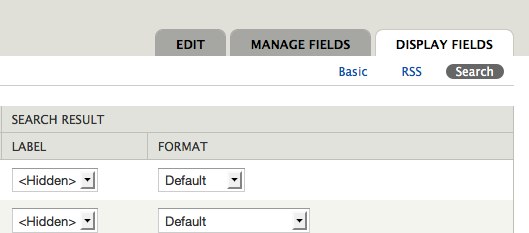
You are in a secondary tab menu item, like for example /admin/structure/node-type/article/display/search , and the active primary tab, which in this case would be "Display fields", looses the padding on the a element. This is due to the a loosing the class "active".
See attached screenshot to see the problem.
Proposed fix:
Just with css, we could use the li.active a so that the a stil gets the padding even if the a itself isn't getting the active class.
I attach a patch that gets this change in, not very experienced creating patches using diff, so I hope it came out ok =)
| Comment | File | Size | Author |
|---|---|---|---|
| #5 | drupal-569102.patch | 518 bytes | manuel garcia |
| #5 | loose-padding.png | 7.79 KB | manuel garcia |
| #4 | activetab-padding.png | 131.23 KB | manuel garcia |
| #4 | activetab-padding-2.png | 131.39 KB | manuel garcia |
| #3 | tabpadding.jpg | 21.29 KB | arianek |



Comments
Comment #2
manuel garcia commentedHummm patch is applying fine from my drupal root install... :X
Comment #3
arianek commentedIt looks like this has been fixed already - see screenshot. Marking as duplicate.
Comment #4
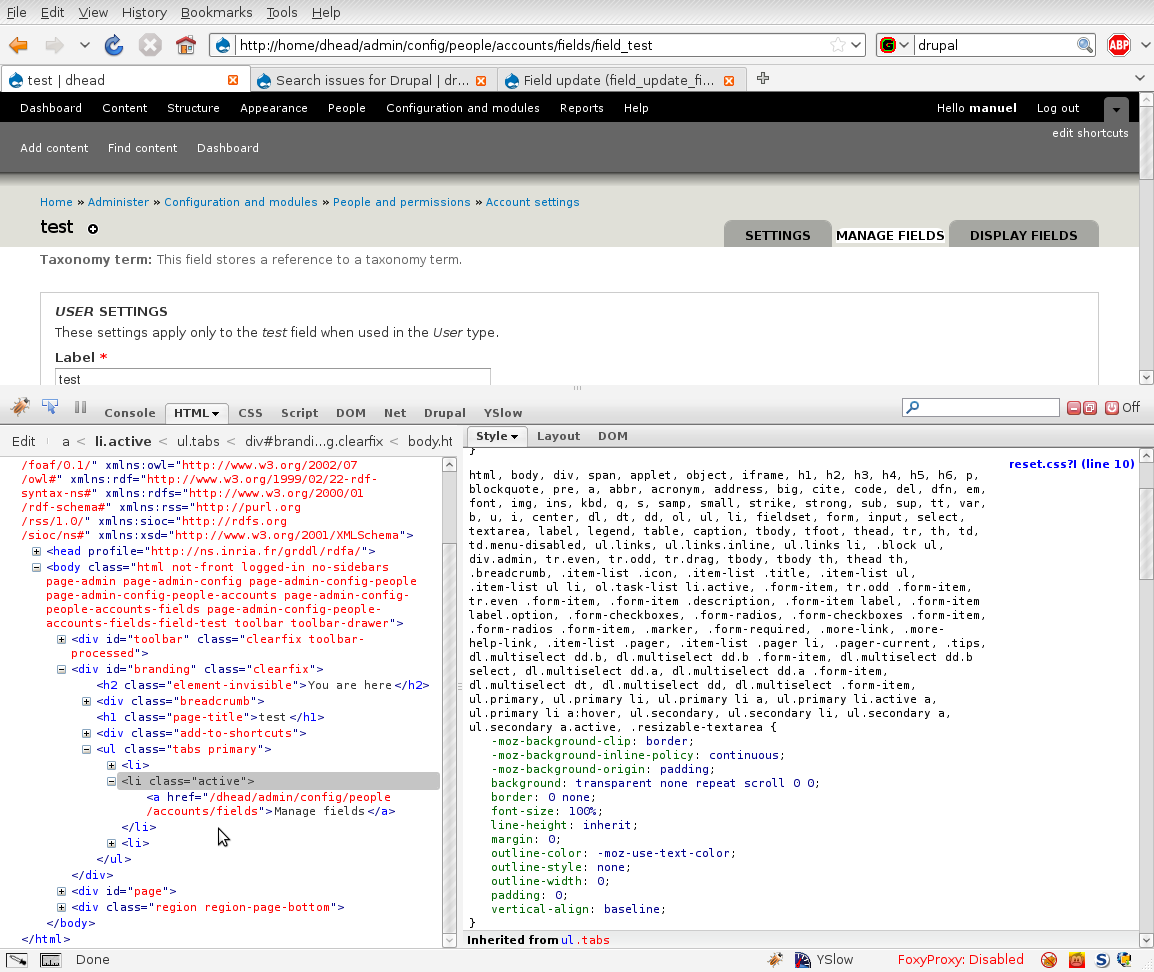
manuel garcia commentedI'm not sure it's the same issue, but i grabbed head this morning, and while browsing around testing out the fields for users, I came upon this again, see the attached screenshot.
It seems that reset.css line 10 is affecting the padding of these active tabs, see on screenshot 2 that i disable that padding reset and the tab displays correctly.
I have applied the patch and the problem goes away, though not sure what changes have been made since i wrote this small patch.
Comment #5
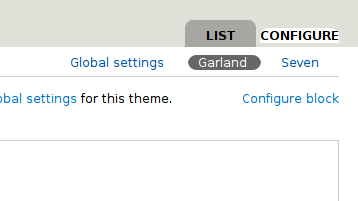
manuel garcia commentedThe above no longer is happening, however I see the issue now if you are in one of the menu items from the secondary tabs, but not the first one.
So it happens in /admin/appearance/settings/garland, but not in /admin/appearance/settings/
See attached screenshot, in ff 3.0.15 on ubuntu.
I don't know why this is happening only in the second/third/etc links in the secondary tabs, and not in the first one. The markup is the same afik. Either way, the patch solves the problem.
Comment #7
Jeff Burnz commentedI assume this is no longer and issue and was fixed in some other issue?
Comment #8
aspilicious commentedYeah this is fixed