

Closed (won't fix)
Project:
IMCE Wysiwyg bridge
Version:
6.x-1.x-dev
Component:
User interface
Priority:
Normal
Category:
Support request
Assigned:
Reporter:
Created:
7 Sep 2009 at 08:23 UTC
Updated:
24 Nov 2010 at 12:18 UTC
Jump to comment: Most recent file




Comments
Comment #1
francewhoaHave you tried installing the 'IMCE Wysiwyg bridge' module? http://drupal.org/project/imce_wysiwyg
You need 3 modules to make this work.
1. Wysiwyg API
2. IMCE Wysiwyg bridge.*
3. IMCE
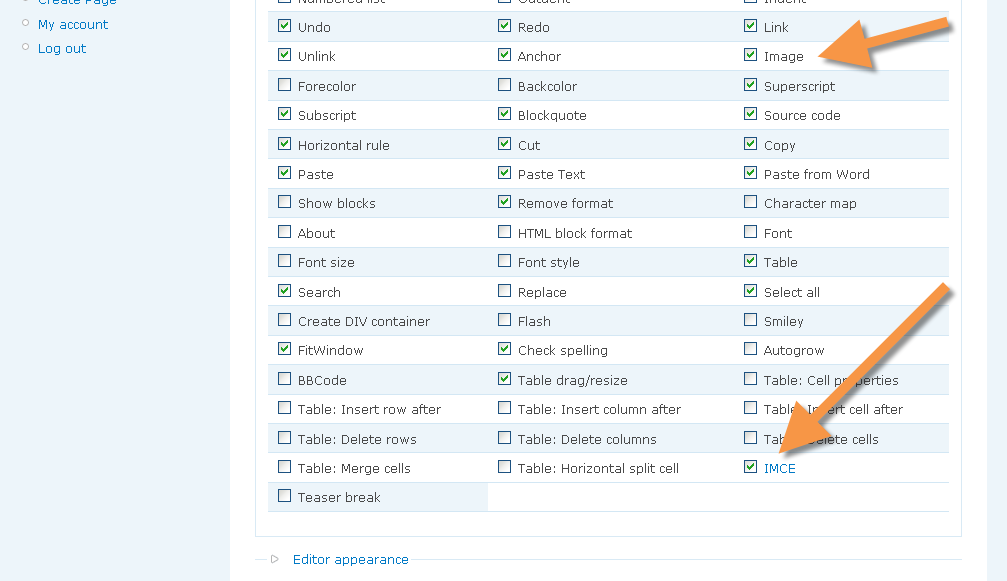
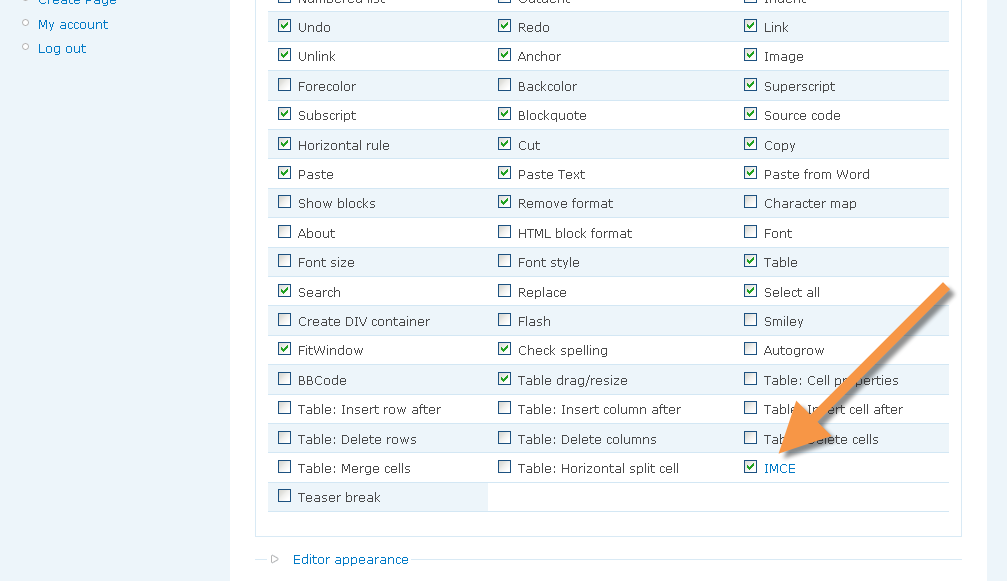
*This module will enable the IMCE plugin in the plugins/buttons configuration of the wysiwyg profiles of your choice. Find below screenshot to clarify.
Comment #2
francewhoaIf above #1 isn't working make sure the following two buttons are checked. Find below screenshots to clarify.
1. Image
2. IMCE
Comment #3
wonder95 commentedHmmm, for some reason, I don't have the IMCE checkbox (see attached screen shot), and I do have all three modules you mentioned installed.
Comment #4
francewhoaI would check the permission settings first. Make sure the permissions are setup properly at
admin/user/permissionsIf not working I would check that I have all the last modules version. Here is my setup.
-Drupal 6.13
-IMCE Wysiwyg API bridge 6.x-1.0
-Wysiwyg 6.x-2.0
-IMCE 6.x-1.2
Another important thing is to make sure that the FCKeditor module is NOT activated. Otherwise it might conflict with the Wysiwyg module. FCKeditor library must be install at the appropriate location following the instructions in the Wysiwyg README.txt file or Wysiwyg setting page.
If not working I would try reading all 3 modules README.txt files to double check that the configurations are completed.
If none of the above is working I would panic (joke ;)
Comment #5
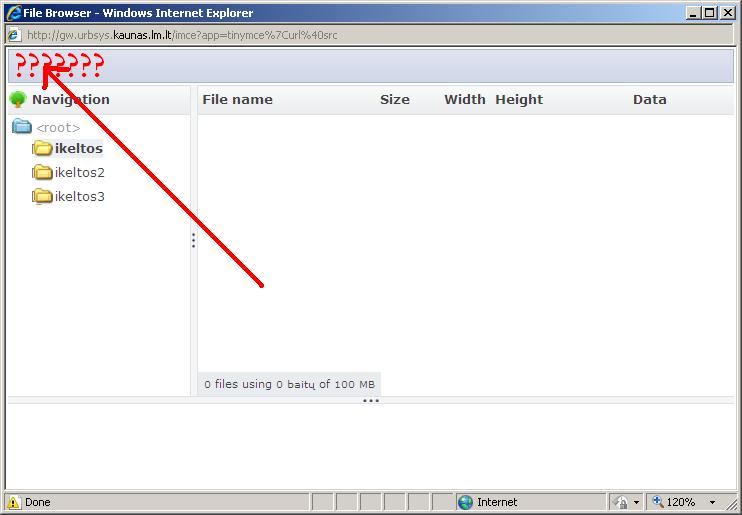
wonder95 commentedOK, I figured out my error, and I have the IMCE checkbox checked in the Buttons and Plugins settings. I can browse the server. However, there still is no option to upload new files. This is true both on my local MacBook Pro and on my web server. I have the same versions of the modules as you've listed. I am signed in as an administrator role that has every permission possible. The FCKEditor module is not enabled.
Screen shot of my Browse Server window is attached.
Comment #6
wonder95 commentedAny more suggestions? I'm really stuck as to why this isn't working.
Comment #7
jkusachi commentedFirst off, make sure you have the modules enabled.
-Drupal 6.13
-IMCE Wysiwyg API bridge 6.x-1.0
-Wysiwyg 6.x-2.0
-IMCE 6.x-1.2
I use TinyMCE personally. Make sure thats in the /sites/all/libraries folder.
Now, I am gonna go under the assumption you have roles with permissions. I noticed that "IMCE" configuration only comes up under "Site Configuration" if your user account has the permission of "administer site configuration".
So, go to permissions, and make sure "administer site configuration" is checked.
Now, under "Site Configuration", you should see IMCE under there.
- Here you will see 2 parts. Configuration Profiles and Role-Profile Assignments.
- Under my assumption, I bet you have a user role that you are using that is set to "none". By default, the config profile is User-1, so next to your user role, under assigned profile, switch it from "none" to "User-1" (or whatever configuration profile you have.)
NOW you should be able to go to "Site Configuration -> WYSIWYG". under "Operations", click "Edit". Under Buttons and plugins, make sure "IMCE" is checked (its at the bottom, next to Safari Compatibility if i recall. You need Image checked off too. )
Now when you go to say, an about us page or whatever (anything with the WYSIWYG editor) you should see the green tree image in the editor (same line as bold, italic, etc...). When you click this, to the right of Image URL, you will see the new added button, thus showing your IMCE is working A OK.
that should do it, let me know if it doesnt.
Comment #8
ufku commentedComment #9
R.Hendel commentedHello,
I found out that it does not work, when there are no checkbox activated.
To activate no checkbox in drupal normally means, that every option are activated.
User-1 default IMCE Profile setting is having no checkboxex activated to have all buttons displayed.
This did not work with IMCE. I had to activate all buttons to bring IMCE to work i.e. to get upload buttons displayed.
Best regards, Ralf
Comment #10
sunThe screenshots clearly indicate that IMCE was not configured properly. Not sure why this issue was moved to imce_wysiwyg.
Comment #11
sunSorry, without further information this issue can only be marked as won't fix.
Feel free to re-open this issue if you want to provide further information. Thanks.
Comment #12
tjtj commentedI am stuck with this also. I had the fck module activated, but when I pressed the image button, the pop-up had no browse button. So I disabled the fck module as stated above, but then, my editing fields have no editor, and hence no button to press.
So I am very confused about this. I also followed the instructions at http://www.katherinelynch.org/content/integrate-imce-fckeditor-drupal
but that did not work either.
On another site, the browse button only appeared if I waited a while before pressing the image button in fckeditor.
Comment #13
laurenco commentedHallo,
Please help me, because i tried everything and stuck in this problem.:(
I have these modules:
Drupal core 6.19
IMCE Wysiwyg bridge 6.x-1.1
Wysiwyg 6.x-2.1
IMCE 6.x-2.0-rc2
Comment #14
lupus78 commentedSubscribing.
I have the same setup and issue as laurenco.
Comment #15
lupus78 commentedHey, found a solution. The problem was in the JS files. I have one custom js file attached, which failed when included into the IMCE upload page. I had to modify that, to aviod the error and the buttons are back, and functioning!
http://drupal.org/node/832242