

 Come together with the global Drupal community in Rotterdam, 28 Sept – 1 Oct 2026. Sessions, contribution, connection, and Early Bird savings until 8 June.
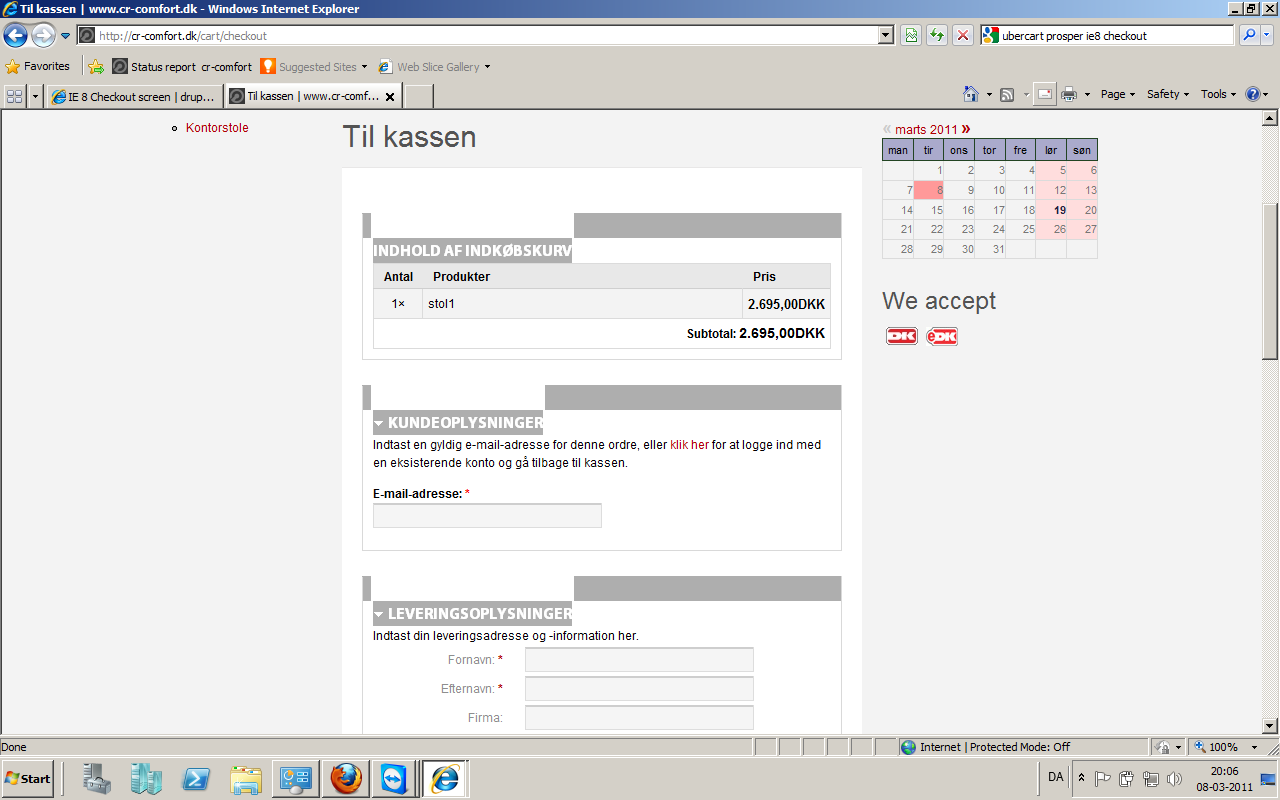
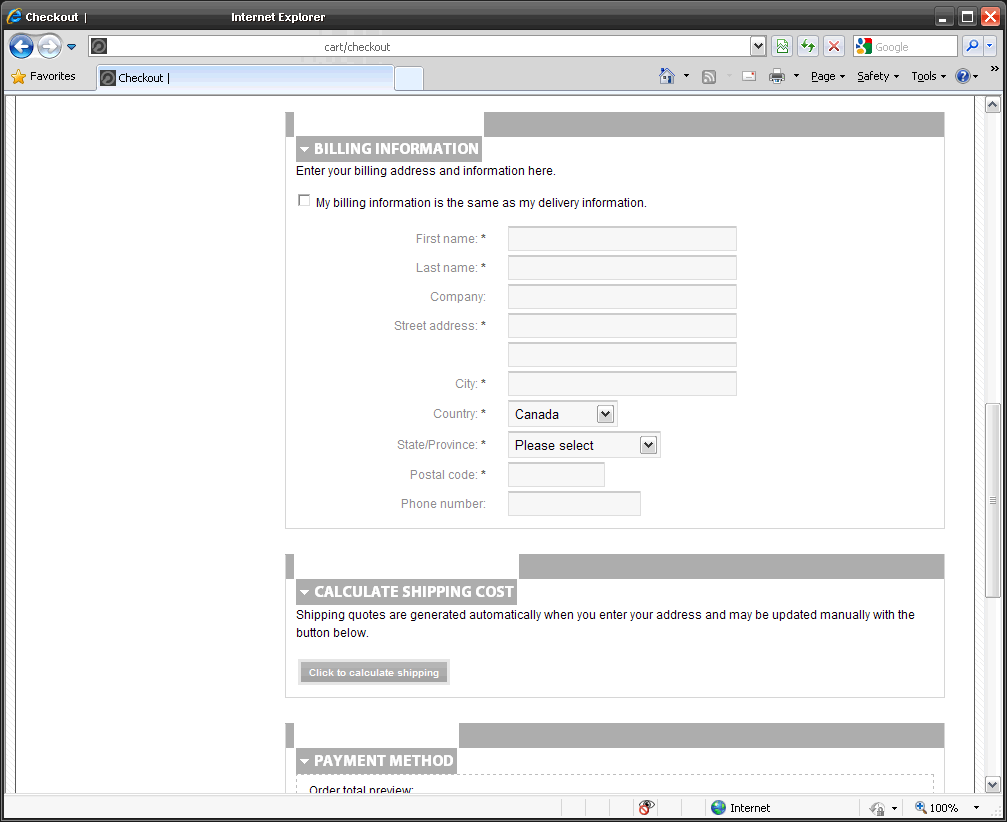
I've attached a screenshot of what i think is a styling issue. The headings for the different sections of the checkout screen seems to have an issue when viewed using IE 8.
The problem only presents itself for me when I view the page using IE 8.
| Comment | File | Size | Author |
|---|---|---|---|
| #10 | IE8.jpg | 135.53 KB | supercrisp |
| #9 | IE8_error.png | 95.57 KB | kazzie |
| #7 | Ubercart checkout.png | 89.63 KB | teoverton |
| checkout.gif | 36.32 KB | jordanduda |



Comments
Comment #1
jeremycaldwell commentedThanks jordanduda, I'll look into this one. The screenshot really helps too, appreciate that.
Looks like bit of code is causing the issue for IE8
Might have to do an IE8 specific stylesheet to correct this...fun.
Comment #2
jordanduda commentedWasn't looking to create more work ;)
But thanks for the info.
Comment #3
jeremycaldwell commentedAll fixed now for IE8 I think:
Looks like we may have to add an IE8 specific stylesheet for this one unfortunately. I'll try and work on some other way to get it to display correctly so we can avoid yet another IE stylesheet.
Comment #4
Chad_Dupuis commentedThat worked for me... I just made it load an ie 8 sheet as I figure there will be other changes along the way...
Thanks!
Comment #5
jeremycaldwell commentedThis has been fixed in the latest dev release.
Comment #7
teoverton commentedHi guys,
Ubercart and prosper
FYI This bug seems to have reared its head again. It happens in IE8 whether the collapsing menus are on or not. I've attached a screenshot with it. I can fix it tweaking the ie 8 sheet, but perhaps this could be fixed in an upcoming release?
Thomas
Comment #8
jeremycaldwell commentedHi Thomas, what version of IE8 are you using and seeing issues with the checkout page? I just tested in Version 8.0.6001.18702 and it appears fine for here.
And what version of Acquia Prosper and Fusion Core are you running? I am running the latest version of each one.
Screenshot of my version: http://dl.dropbox.com/u/15590475/Screenshots/2011-01-20_190.png
And here's a screenshot of the fieldset titles aligned correctly, well as best as they can in IE8: http://dl.getdropbox.com/u/15590475/Screenshots/2011-01-20_191.png
Comment #9
kazzie commentedI also have the issue in IE8 on my site, im running Acquia Prosper 6.x-1.1 and Fusion Core 6.x-1.0
Any idea how to solve this?, Ive tried fiddeling around with the code above, but cant seem to make it actually... make any change.
I've testet on IE8 8.0.7601.17514 (server 2008 X64) and on 8.0.6001.18702 (XP x86)
Kazzie
Comment #10
supercrisp commentedSame issue. Running Acquia Prosper 6.x-1.1 and Fusion Core 6.x-1.0.
Comment #11
supercrisp commentedUsed the above code. Changed the height to 25px. Looks good.
Comment #12
teoverton commentedHi eternalistic,
Sorry to be so late getting back to you. I missed your reply somehow. I had fixed it using the above suggested tweaks. It doesn't seem to have been related to which IE8 version as it was reported by 16 different windows boxes running internet explorer 8 ...which were quite probably running various versions...and the version I use to test through a virtual machine is the same as you are running. I was also using the latest versions of fusion and prosper at the time, so that is a bit disheartening for a quick fix for the next version. The tweaking is simple enough and just a minor irritant once someone finds this thread... I was just suggesting it be incorporated in the next release if the specific problem could be isolated.
Thanks,
Thomas
Comment #13
stud_io3 commentedI'm having this problem how do you make css apply only to ie 8?
Comment #14
stud_io3 commentedNice I figured it out you go to sites/all/themes/fusion/fusion_core/css and then you'll see the ie fix css's. From there add whatever css to fix that specific ie version.
Comment #15
esmerel commentedI think this may be handled permanently in 7.x by the new CSS conditionals