

Closed (fixed)
Project:
Javascript Countdown Timer
Version:
6.x-2.9
Component:
Code
Priority:
Normal
Category:
Bug report
Assigned:
Unassigned
Reporter:
Created:
16 Sep 2009 at 18:01 UTC
Updated:
17 Dec 2009 at 20:50 UTC
Jump to comment: Most recent file

Comments
Comment #1
jvandervort commentedWhat are you using for you format_num 1 string?
Comment #2
antrophos commentednoch %days% Tage, %hours% Stunden, %mins% Minuten und %secs% Sekunden.Comment #3
jvandervort commentedIt looks like two things happened. The translations files are out of date, and the translation template was missing the timer.js javascript entries. I've updated the countdowntimer.pot file which tells the translators which strings to translate, but I can't
actually do the translation. So I hope someone comes along and tries:)
Comment #4
antrophos commentedThis Text had been English, I translated it for my use case. The other Text I also had in German but translated for bug report.
It was a casual Count Down but for certain Times it showed the default text instead of the countdown ... could this be a problem with translations?
I will try the bug-fix release tomorrow.
Regards
Comment #5
antrophos commentedHello again,
I'm sorry but your idea didn't fix the problem. Sure it got nothing to do with me having GMT+2 set?
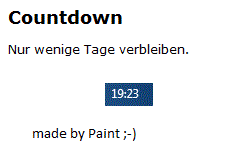
I paste you the code once more just to get sure. In the attach is the screenshot.
This is inside the Block:
This is insinde Preset 1:
noch %days% Tage, %hours% Stunden, %mins% Minuten und %secs% Sekunden.Bugreport:
I mentioned the Timer not to work while it should show Remaining: " x Days and 1 Hour and ..."
It worked fine while hour should show above or beneath 1.
The attachment shows its 19:23 local German time (GMT+1 DST+1)
Regards
Comment #6
jvandervort commentedIt works for me with your preset, and GMT+2 in the span. I still think it is related to the javascript plural
being used to change "hours" to "hour".
var hours_str = Drupal.formatPlural(hours, "1 hour", "@count hours");
Can you view source on your files/countdowntimer/timer.js and look at this section around line 138-150.
This handles the plurals and includes translation as well.
Nur
noch 0 Tage, 01 Stunden, 01 Minuten und 52 Sekunden.
Comment #7
jvandervort commentedCommitted fix in the Dec 3, 2009 6.x-2.x-dev snapshot.