
On this page
Getting started
This is documentation for Drupal 7, which is no longer supported. Learn more and find resources for Drupal 7 sites
Table of Content
Support
If you are new to the Drupal Features module and you have questions, or want to report a bug, or contribute, you might be interested in that support page. Which allows you to create new tickets/issues. Volunteers might answer your questions when convenient for them and at their own pace. Thanks for your patience. Already created issues about Features module are listed on that page.
Alternatively you are welcome to request paid support in that other page. Which list organizations happy to offer paid services to answer your questions.
Screenshots
To get started just install and enable the Features module
The following screenshots are from a Drupal 6 install but are still valid for a Drupal 7 install
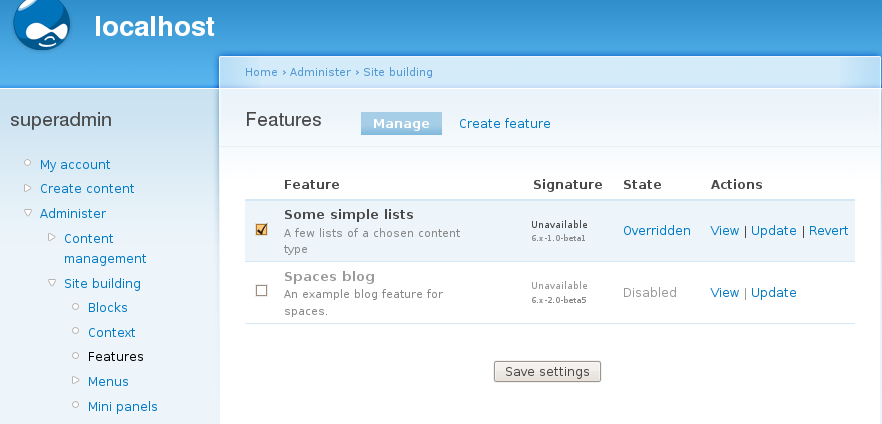
At admin/structure/features you can manage installed features or create new ones
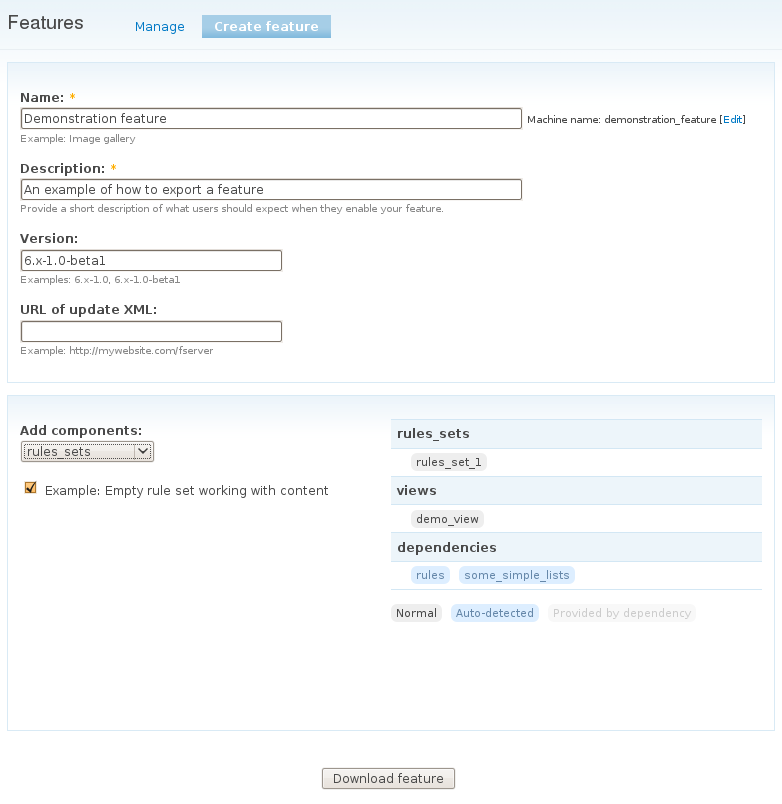
Creating a new feature leads you through a few selections where you can add different aspects of your website related to one feature. In the end, a download file is presented which you can save. The tar.gz file contains 'just' a module which can be installed onto your current working site or onto other sites. N.B. Do not make your features' titles too long. The machine name is limited to 100 characters due to the limitations of tar files. (http://drupal.org/node/1062422) If your name is too long, filenames will be truncated and the feature will not work.
When you install a feature on a site and you reconfigure some parts of the site related to one or more features the state of these features will change. You have then to decide what to do. If these changes are intentional then you should (re)export the feature and save the tarball. Otherwise, you should revert to the original state.


Videos
Free introduction videos contributed by Code Karate
Glossary
- A feature - a module generated by Features, which stores the configuration of other modules, e.g. a content type or a View, in code.
- Default - if a feature is described as 'default', it means that the code that is running is that stored in your feature. The code is not stored in the database.
- Overridden - a feature is overridden when a user uses the UI to make configuration changes. These changes are stored in the database, and override what is stored in code.
- Disabled - a feature is a module, and therefore must be enabled before it can be used. Otherwise, it is disabled.
- Revert- if a feature has been overridden, it can be reverted. This means that the version of the database is destroyed and the version defined in code, in your feature, is used.
- Update - updating an overridden feature will ensure that the version of the feature defined in code is made to match the version stored in the database.
Help improve this page
You can:
- Log in, click Edit, and edit this page
- Log in, click Discuss, update the Page status value, and suggest an improvement
- Log in and create a Documentation issue with your suggestion
