

Closed (won't fix)
Project:
Node and Comments Form Settings
Version:
6.x-1.x-dev
Component:
Code
Priority:
Critical
Category:
Bug report
Assigned:
Unassigned
Reporter:
Created:
28 Sep 2009 at 22:07 UTC
Updated:
6 Apr 2018 at 10:23 UTC
Jump to comment: Most recent, Most recent file

Comments
Comment #1
lelizondo commentedcan you please check in the database if the variables are being correcly saved? you can do it by opening phpmyadmin or something like that and running the following query:
If your tables have a prefix then you should add it before the name 'variable'.
you should see something like:
Example: I have a 'podcast' node type, I have the following:
Please post if you have something on the variable table, if not that could be a problem, somehow variables are not being saved.
Comment #2
jimsmith commentedI found the following in the variable table:
Comment #3
lelizondo commentedAre you using the default blog content type drupal provides via the blog module? What theme are you using? I'll try to replicate the error since this is weird.
Comment #4
jimsmith commentedYes, it is the default blog content type. I also tried it with the default story content type and had the same results. I've not yet tried it on a custom content type.
Comment #5
Juryiel commentedSame here, it's not working. Using Deco theme and it doesn't seem to work on any content type i've tried.
Comment #6
lelizondo commentedI'll look into it tomorrow mourning (in a few hours). I'm not having any issues in the only site I'm using this module but probably I'm just using a version I haven't commited.
Comment #7
Juryiel commentedIf you need any more info let me know and I can try to provide it but I'm not sure what type of info would be useful.
Comment #8
lelizondo commentedIt seems like there's problems with some sites, I've tried to create a new site with only this module and vertical_tabs but everything works as it should, I think there could be some conflict with another module. Can anybody please install a fresh site with only this module and vertical_tabs (optional) and confirm the module it's just broke?
It should work without a problem, if it does work as it should, please post the modules enabled on your non-working site so I can compare the list with one of my sites.
Thanks
Comment #9
jimsmith commentedI figured out what the problem was, at least for me: The much-dreaded operator error!
I didn't realize that many of the settings were within the comment settings section of the content type edit page. I was only using the settings under the Node form settings fieldset.
Maybe this points out a documentation issue.
I apologize for what seems to be an unnecessary bug hunt. However, I'll let you change the status to closed in case there are some conflicts or bugs I haven't seen.
Thank you, @lelizondob for the module. It's very helpful.
Comment #10
lelizondo commentedGood to know. I'll keep this issue open in case anyone has a problem. I should probably include a README.
One small thing, the only thing it's not working is when trying to disable the input form fieldset and the module better formats is enabled. I'll look into that later.
Comment #11
Juryiel commentedA few things:
I investigated further and it seems that it doesn't work on the comment form when I use advanced profile kit to display the Node Comment form in one of those pannels APK provides. However, if I visit the node it works. Can you look into this?
Second, the (Hide the word 'Comment'? ) option is misleading. When it is Enabled the word 'Comment' shows, when it is disabled the word 'Comment' is hidden. This is the reverse of what I would expect from the wording.
Comment #12
lelizondo commentedI'll check it out, never used the advanced profile kit but I'll give it a try
Comment #13
Juryiel commentedit might not have anything ot do with APK, but with panels. Try making a panel page and in one of the sections adding Comment Form (Under the Node category)
Comment #14
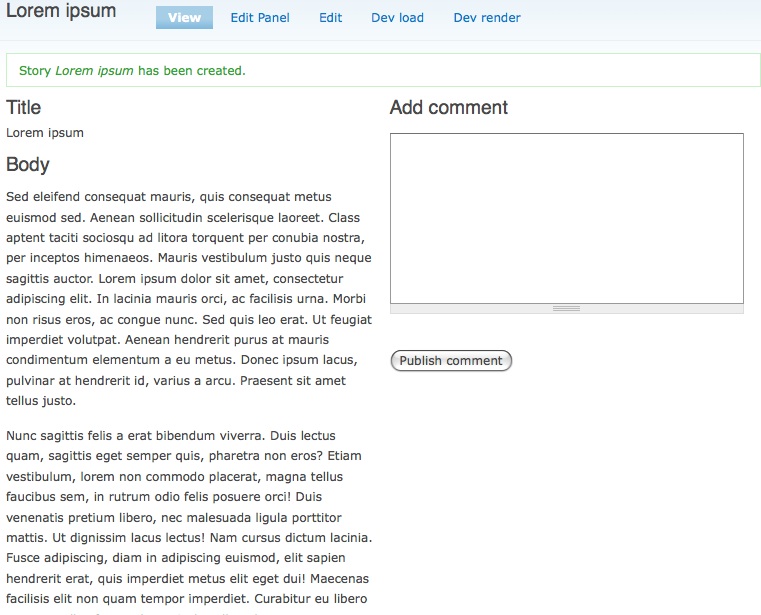
lelizondo commented@Juryiel I did what you told me and created a panel page to rewrite the node display but I'm not having problems, the comment form it's being altered. Attaching a screenshot, maybe I misunderstood you.
Comment #15
lelizondo commentedComment #16
Juryiel commentedYeah it might be just with APK. I've been busy moving to a new place but now that I'm done I'll run some tests on the new version to try and figure out where the problem is.
Comment #17
Juryiel commentedI"m kind of noob at drupal so let me add some more info since you might be better at investigating.
So APK creates (or you can import) a specific Panel Page, that then displays various parts of the User Profile content type it also creates. So if I edit the comment form settings of the User Profile content type, and I visit the User Profile nodes directly, comment form settings work fine. On the other hand, if I visit the Panel Page that displays it, it does not seem to take the settings into account. I tried creating a Panel Page separate from APK to display other nodes in, but i can't figure out how to do it and how to set it up properly, making it impossible for me to test outside of APK. But maybe you can, or if not, maybe use APK to do it also.
Comment #18
Juryiel commentedIt does seem that the APK stuff is hard-coded and therefore might work differently than defualt panel pages. So maybe try testing with that directly?
Comment #19
lelizondo commentedI'll try with APK then.
Comment #20
Juryiel commentedHave you been able to replicate the problem? Or is it something on my end?
Comment #21
lelizondo commentedFinally I replicated the problem, it's just APK, I been very busy but I'll try to fix the problem tonight.
Comment #22
Juryiel commentedAny progress on this issue? :) If you're having trouble, there is a module which does successfully alter those APK comment forms called 'Resizable Body' that might be helpful to look at.
Comment #23
lelizondo commentedI've released a new dev version that fixes this bug. Please test
Comment #24
lelizondo commentedComment #25
Juryiel commentedI just saw this and tested the new version. Works great, thanks!
Comment #26
lelizondo commentedComment #27
mattiasj commentedI tested this as well but can confirm that it does not work with Content profile when using multiple profiles. When doing this nodeformsettings chooses only the last of the profiles to alter the comment form for. I tested this using 5 content profile node types. The following change fixes it:
Comment #28
lelizondo commentedcan you please make a patch?
Comment #29
lelizondo commentedComment #30
mattiasj commentedI am not that experienced to make a patch (I am actually a themer), but I hope someone else can use my finding!
Comment #31
lelizondo commentedis actually very easy http://drupal.org/patch/create
I don't really know what lines you modified, that's why I need a patch..
Comment #32
mattiasj commentedHere comes the patch.
Comment #33
lelizondo commentedI'm sorry I didn't commit this earlier. I was really busy releasing a new module. I've just committed this to the latest dev. It should be ready in a few hours.
Comment #34
mattiasj commentedGreat!
Comment #36
fuerst commentedThe patch in #32 does not fix the problem: Now the first of multiple content profile nodes is choosen instead of the last one. I discovered this when using the user_view panel of the Panels module to display the contact form. In the case of Panels you need to know the context of the Panels-Content Profile-Relation to get the Content Type used in this relation. Don't have an idea currently how to implement this.
Comment #37
lelizondo commentedThis is a problem of the path, if the path changes and is not defined in the module, then the functionality will not be loaded. I can't add all possible paths but any standard/often-used path should be added.
In any case, this will be added to the 6.x-2.x branch. I'm postponing this until I hear back from you. Please move to active to call my attention. Thanks.
Comment #39
kssundar commented