Last updated November 14, 2011. Created by LeeHunter on April 21, 2006.
Edited by danielb, jdwalling, pasive, silverwing. Log in to edit this page.
On occasion it is useful to see what your php settings are. You can create a php page using the phpinfo() function from within your own Drupal install, if you can create php type content. This is probably not a page you would want to leave permanently, but it can be useful for finding specific information.
Create a page of php content type and copy and paste the following line into it:
<?php
phpinfo();
?>It will probably mess up your site's formatting.
Consider Devel Module
If you find yourself doing this sort of thing often, consider using the Devel module during the development phase.
The devel block includes a phpinfo() menu item. Plus there is a heap of other useful things that you'll use from time to time.
Other Useful Commands
Some example commands that tell you what your machine (server) has so that we can know if our server is up to the requirements.
For example, on linux , after you create a phpinfo file with a name of YYY.php, you then run wget on the file like so: "wget http://yoursite/directory/where/thefile/is/YYY.php" .
You can follow this with "grep -i version" on the results of the wget file ZZZ. That will show you all the versions you have.
You can also run "grep -i memory_limit ZZZ" on that to find the memory setting.
Other helpful commands:
To see mysql version: mysql --version
To see machine memory: top -b -n 1 | grep Mem
To see disk space: df -h
To see apache version: /usr/sbin/httpd -v
This is just a quick reference of some commands that help you with a Drupal install or upgrade.
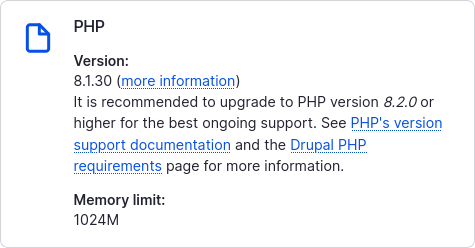
One of the easiest way on Drupal6 Navigation or under >> admin/reports/status scroll down and find where is your PHP version;
Click on a link and your phpinfo(); page will be displayed.
Or simply go to http://www.example.com/admin/reports/status/php.
Comments
Easiest way
Even though it gets a quick mention at the bottom, IMO the easiest way to get PHP info in Drupal 7 is to visit your 'Status report' page and click the link next to your listed PHP version, the path it goes to is: 'admin/reports/status/php' on your site.
Status report is good but its
Status report is good but its not perfect as using above code. This code returns all information. but Status report returns only some information.
I love Drupal CMS