

 Come together with the global Drupal community in Rotterdam, 28 Sept – 1 Oct 2026. Sessions, contribution, connection, and Early Bird savings until 8 June.
By epsi on
Hi all
How do i change my look of the primary links?
Right now it is just text since im trying to make a Zen theme!
I have made a nice css that looks like this
.menu{margin:0 auto; padding:0; height:30px; width:100%; display:block; background:url('../img/topMenuImages.png') repeat-x;}
.menu li{padding:0; margin:0; list-style:none; display:inline;}
.menu li a{float:left; padding-left:15px; display:block; color:rgb(255,255,255); text-decoration:none; font:12px Verdana, Arial, Helvetica, sans-serif; cursor:pointer; background:url('../img/topMenuImages.png') 0px -30px no-repeat;}
.menu li a span{line-height:30px; float:left; display:block; padding-right:15px; background:url('../img/topMenuImages.png') 100% -30px no-repeat;}
.menu li a:hover{background-position:0px -60px; color:rgb(255,255,255);}
.menu li a:hover span{background-position:100% -60px;}
.menu li a.active, .menu li a.active:hover{line-height:30px; font:12px Verdana, Arial, Helvetica, sans-serif; background:url('../img/topMenuImages.png') 0px -90px no-repeat; color:rgb(255,255,255);}
.menu li a.active span, .menu li a.active:hover span{background:url('../img/topMenuImages.png') 100% -90px no-repeat;}
heres a link for it
http://www.imagebam.com/image/d6ab4d52555795
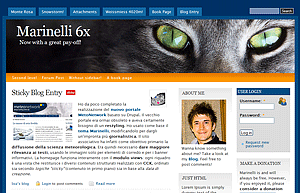
I see the marinelli theme have prettier navigation, but how do i do it? and how do i get my css and navigation to my project?
http://drupal.org/files/images/shot.png

Comments
anyone who can help?
anyone who can help?
need more understanding of CSS and how theme template generates
You may need a better understanding of css and style sheets and how the theme is calling the stylesheet,
maybe from page.tpl.php for example
As to 'how' you would edit your theme, and to what to edit in your theme, it depends upon how your theme implements the links. (which depens upon drupal version some also...)
Heck a theme could use a table with cells to do a menu... But really most themes use
an unorderd list, li, and then apply CSS to it. That is how most menus are done.
What you could do is investigate how the theme you are editing, btw "clean" theme is a good place to start,
is doing it then edit/tweak it's css file(w)
Every heard of "firebug" plugin for mozilla firefox?
It helps you inspect the element on the page and get a clue what the element is and maybe what CSS is applied. It helps but it is not always totally accurate on what CSS style impacted the browser display of the element.
Example,
www.drupal.org
hover over primary link "Support"
then use firefox firebug plugin to right click and inspect element info...
http://drupal.org/files/css/css_9419184d0f2146e7ace9ac6fef6d2202.css
ul#primary-links li a {
-moz-background-clip:border;
-moz-background-inline-policy:continuous;
-moz-background-origin:padding;
background:transparent url(/sites/all/themes/bluebeach/header-tab2.png) no-repeat scroll 100% 0;
color:white;
display:block;
font-weight:bold;
height:20px;
list-style-type:none;
margin:0;
padding:4px 8px 0;
text-decoration:none;
white-space:nowrap;
}
css_9419...d2202.css (line 1)
Inherited fromli
ul#primary-links li {
list-style-type:none;
}
css_9419...d2202.css (line 1)
Inherited fromul#primary-links
ul#primary-links {
list-style-type:none;
}
css_9419...d2202.css (line 1)
Inherited fromdiv#contentwrapper
#contentwrapper {
font-size:0.8em;
}
css_9419...d2202.css (line 1)
Inherited frombody.front
html > body {
font-size:16px;
}
css_9419...d2202.css (line 1)
body, .form-text, .form-password, textarea, th, td {
color:#003150;
}
css_9419...d2202.css (line 1)
body, input, textarea, th, td, select {
font-family:"Bitstream Vera Sans",Verdana,Helvetica;
}
css_9419...d2202.css (line 1)
body {
font-size:100%;
}
--------
so maybe editing
http://drupal.org/files/css/css_9419184d0f2146e7ace9ac6fef6d2202.css
for them would change the look of primary links...
If the above coversation makes no sense... the other answer is pay someone to do it for you or find a theme that is ... good enough.