

 Come together with the global Drupal community in Rotterdam, 28 Sept – 1 Oct 2026. Sessions, contribution, connection, and Early Bird savings until 8 June.
Hey guys,
I love the module, great job TR. However; I'm having a few issues with receiving accurate quotes from the module. The fact is that I'm receiving various quotes based off of the same attributes. Allow me to explain;
What I'm testing:
- 60x Books - 20 books can fit in 1 box
- Each box weighs 7.12 (kg) - Combined weight of 21.36 (kg)
- Dimensions of 1 box: 28cm x 20cm x 21cm
Shipping From:
Canada | British Columbia | V2E 2K5
Shipping To:
United States | Connecticut | 23116
______________________________________________________________________________
So this is working great, I've adjusted the module to display shipping quotes that are divided into 7.12KG boxes instead of the 30KG specified. All the books are already packaged into this weight and this will be the only product offered on the website.
Now I'm not sure if this is the way to do it, I've looked on my sellOnline account and found the "Add / Modify / Delete Boxes" link with the "Dummy Box" inside of it. I have modified the properties to suit the above properties listed in "what I'm testing".
Does this have any effect on my shipping quotes? I don't see any area's in the code that make to reference to this this for a shipping quote.
______________________________________________________________________________
Canada Post Website Shipping Quotes:
Xpresspost™ - USA 6 business days = $117.28
Expedited Parcel™ - USA 11 business days = $75.26
Testing Website Quotes:
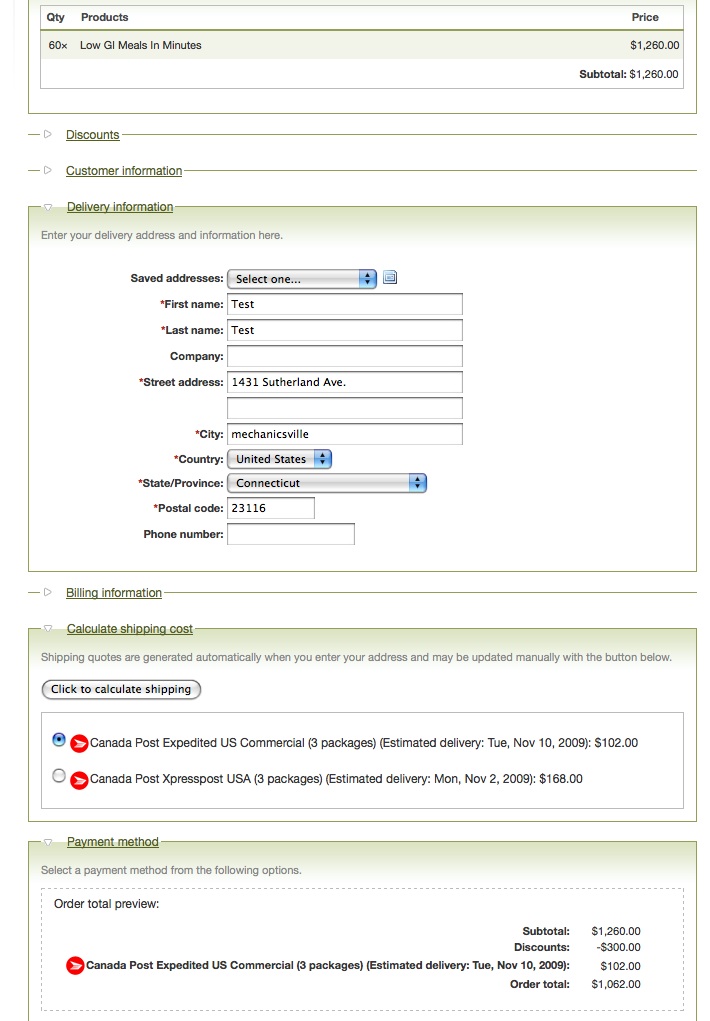
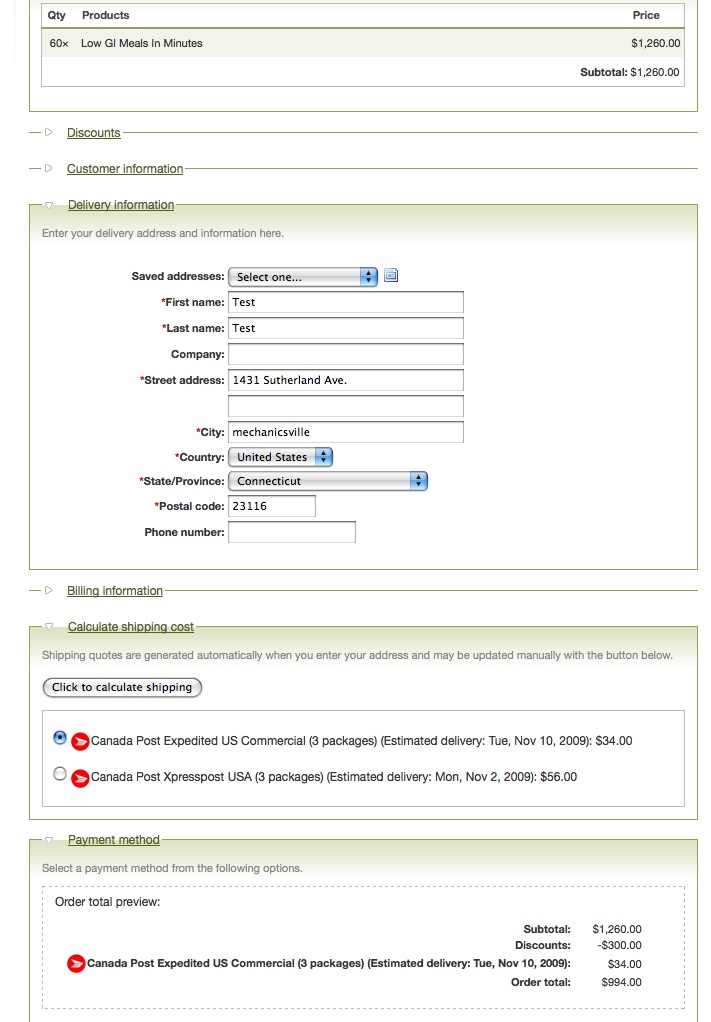
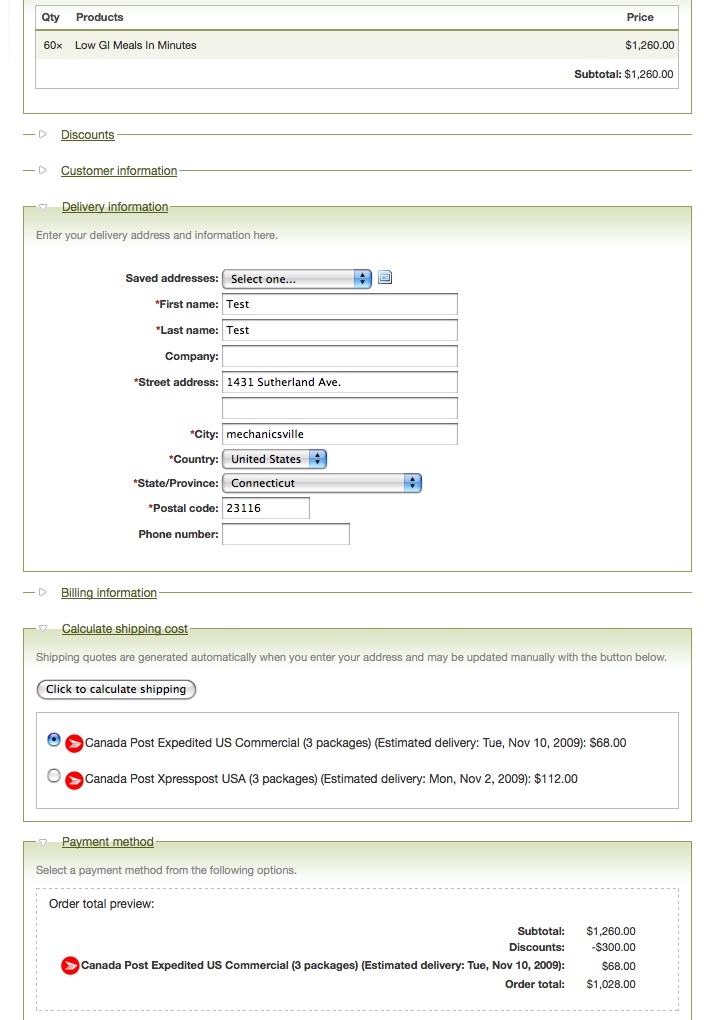
Various - See attachments
Actual Shipment Cost:
Expedited Parcel™ - USA 11 business days = $98.34 ($32.78/box x 3)
______________________________________________________________________________
Any reasoning for why the module is giving various quote prices? Is it because the shipping quote system uses the 30KG box? How can I get around this?
I obviously don't want the customer to select the a price like in Image #1 and then it cost nearly $100 to send off.
I can post the live testing site I have up right now if need be. Let me know!
| Comment | File | Size | Author |
|---|---|---|---|
| Shipping Quote #3 | 144.98 KB | aaronchristian | |
| Shipping Quote #2 | 143.87 KB | aaronchristian | |
| Shipping Quote #1 | 145.59 KB | aaronchristian |

Comments
Comment #1
aaronchristian commentedAny reasoning for why the module is giving various quote prices? Is it because the shipping quote system uses the 30KG box? How can I get around this?
I obviously don't want the customer to select the a price like in Image #2* and then it cost nearly $100 to send off.
Comment #2
aaronchristian commentedHey guys, I've changed the priority of this to critical, its really the only thing holding back my site from launching. It could definitely pose a lot of problems on the production site.
Comment #3
tr commented1) Your strategy of re-defining the maximum package weight should work fine, as long as you just change the define() statement at the beginning of uc_canadapost.module. It looks like the breaking into packages is working properly, because all your screenshots show 3 packages, which is what I would expect for 60 books.
2) The module doesn't use any settings in your SellOnline account package, so to be safe you shouldn't do things like add handling charges or ask SellOnline to box up items for you.
3) Dimensions of the box are not taken into account for the shipping quote. That should not matter, because books are heavy. The only situation where ignoring dimensions matters is when you have large boxes with light items in them - i.e. when the package is less dense than expected.
4) This module should *always* give the same rates as the Canada Post site, given the same inputs, because it is actually querying the Canada Post site and returning the results. If the rates are not the same, that implies that the module is not sending Canada Post the same information as you are manually entering on the Canada Post site. To debug this, go into the source code and remove the // in front of the two statements below:
Now, you will see the data sent to Canada Post, so you can tell exactly what weight this module is sending for each of your packages.
5) I don't know of any situation where this module could return different quotes for the same order. The module will always send the same data for a particular order, so Canada Post should always make the same response.
6) As to why the actual shipping charge differs from both the module quote and the Canada Post website quote, I suspect the actual conditions (weight of box, insurance/no insurance, etc.) may be different that what is being quoted. In principle the actual shipping charge should be the same as the quoted charge, unless there are factors affecting the price that aren't accounted for.
In summary, try uncommenting the debug statements to see exactly what is being sent to Canada Post. If Canada Post's response is wrong, there's not much I can do about it, but if the module is sending the wrong data, that might point to a bug.
Comment #4
aaronchristian commentedThank you TR
I am having it worked on and will post back with the information I have gathered.
Comment #5
tr commentedComment #6
tr commented