

Closed (fixed)
Project:
ImageField
Version:
6.x-3.x-dev
Component:
Code
Priority:
Major
Category:
Support request
Assigned:
Unassigned
Issue tags:
Reporter:
Created:
26 Oct 2009 at 05:27 UTC
Updated:
12 Nov 2011 at 08:30 UTC
Jump to comment: Most recent file


Comments
Comment #1
merlinofchaos commentedCCK provides its fields to Panels. Though ultimately this may get reassigned to imagefield, I'm not sure.
Comment #2
honorfield commentedYes, i can choose all my fields from cck, incl. the imagefield. but imagefield doesn't show up in the panels page. any idea what i could do?
Comment #3
markus_petrux commentedThere were a few fixes in CCK related to Panels integration, so please check with latest development snapshots.
Comment #4
honorfield commentedThanks.
It's working now for me:)
Comment #5
raulmuroc commentedTo me doesn't work. I have:
Image Field 6.x-3.9
Panels 6.x-3.9
Views 6.x-2.12
Location 6.x-3.1
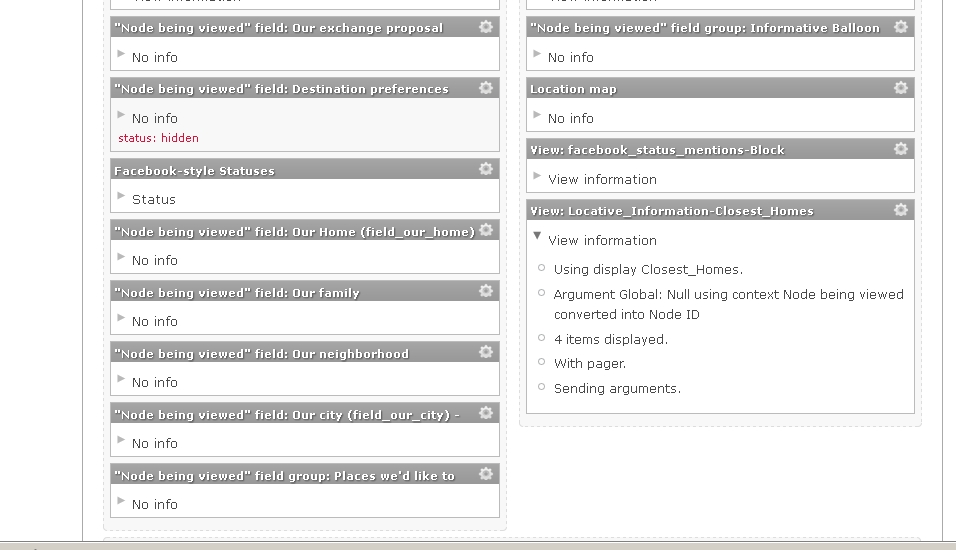
I attach an image of how Views & Panels are configured. The other fields: Addres, postal code, country, province, city show up without problem.
Thanks in advance.
Comment #6
raulmuroc commentedComment #7
karens commentedImagefield has its own issue queue.
Comment #8
raulmuroc commentedSolved it following #3.
Thx.